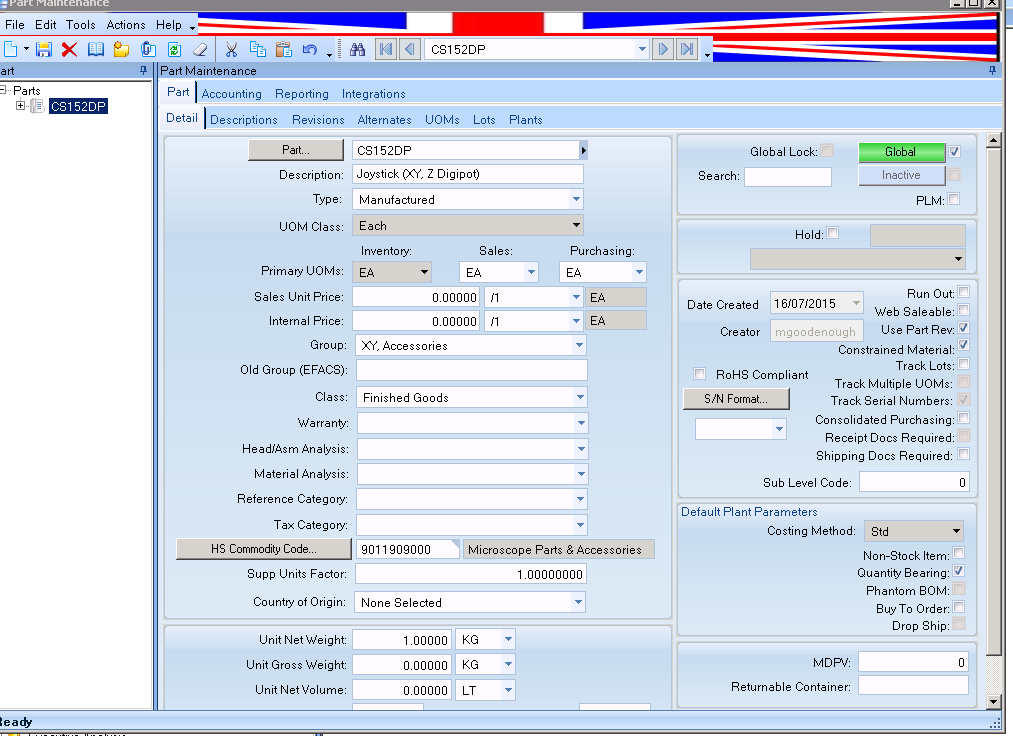
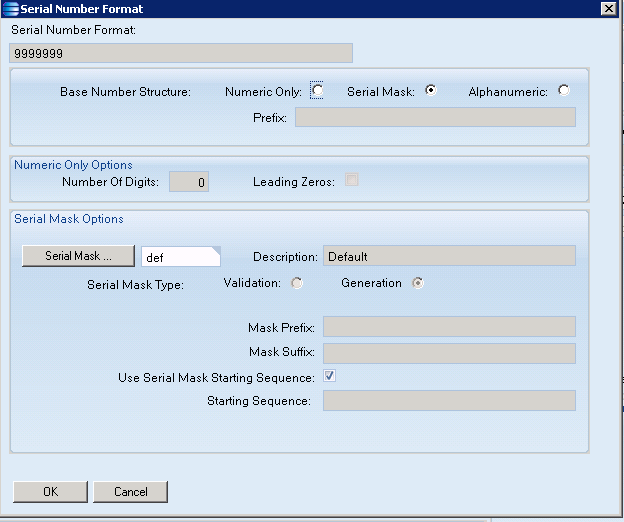
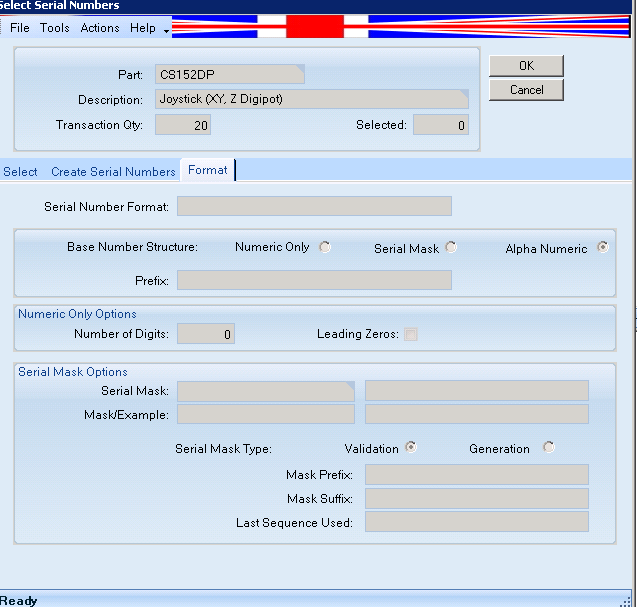
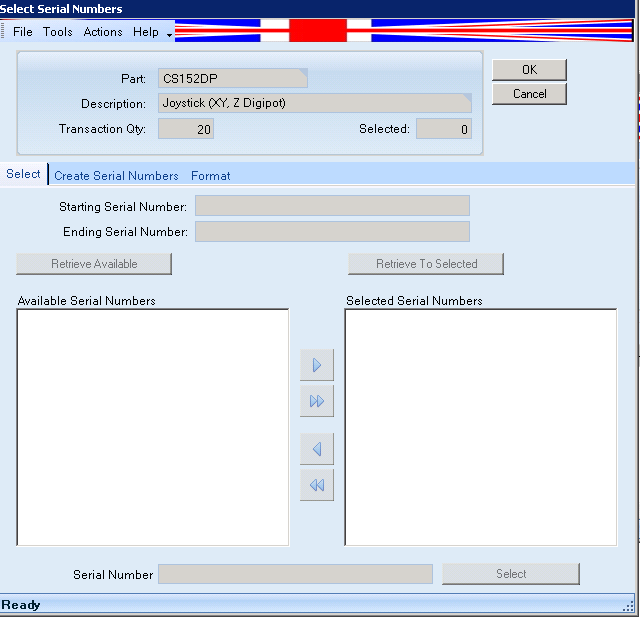
Problem: In S.N assignment, the serial numbers have to be manually typed in. The format tab in serial number assignment appears different to part setup?
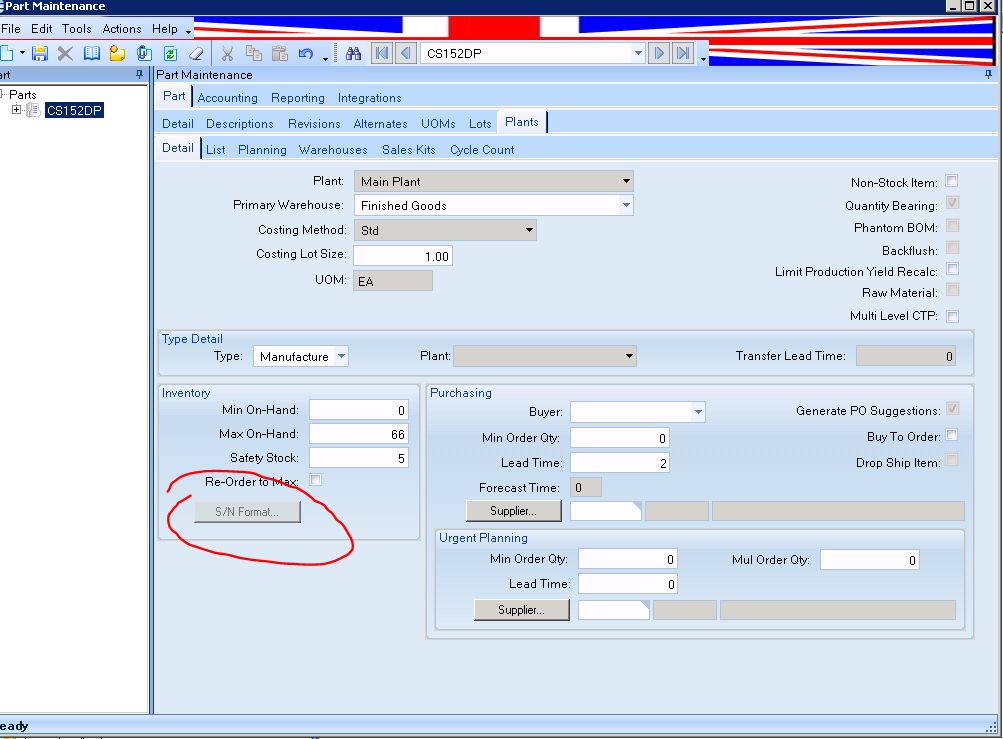
Also the serial number field in part setup/plants is greyed out…is this part of the problem? How can I make this editable?
We use serial numbers for some of our top level pumps, and maybe sharing some of our setups would help you. I’m a little confused about your problem other than the fact that that track serial numbers radio button is disabled on part entry. I suspect it’s disabled because you have some of these serialized parts in inventory or on job or somehow not gone from your plant so you cannot just unclick track serial numbers until they’re gone. Using part tracker, serial number tab (click all of the radio button, e.g., wip, rejected, etc. to see everything you have going on) you can retrieve/view all serial numbers for that part no. for each plant.
Also, be aware, you enter serial number info on main part tab, but then when plant gets created part sn setup data defaults to the plant data. Each plant data can get edited, making it not necessarily the same sn setup as the main part tab which provides default. I like to do a BAQ for the Part showing the Part and PartPlant serial number setup to ensure all jives as we need.
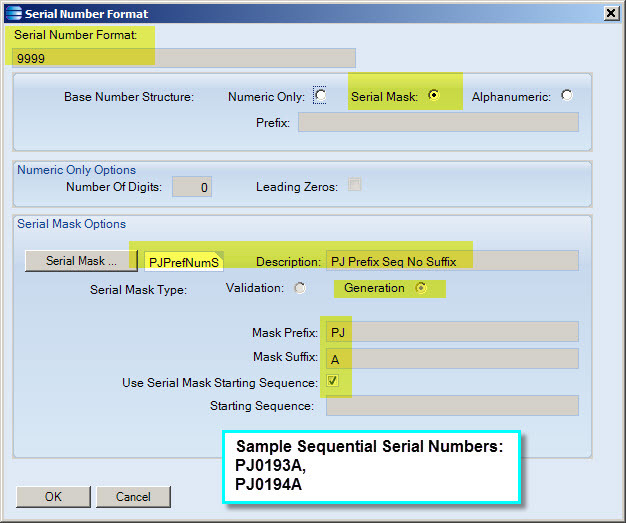
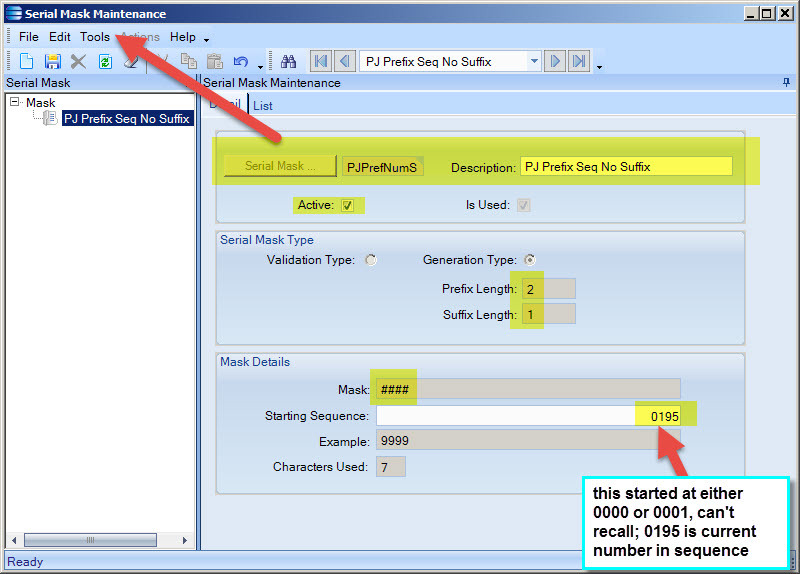
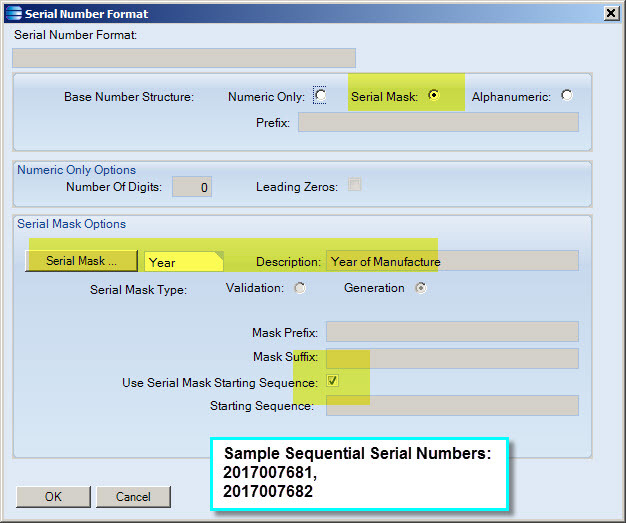
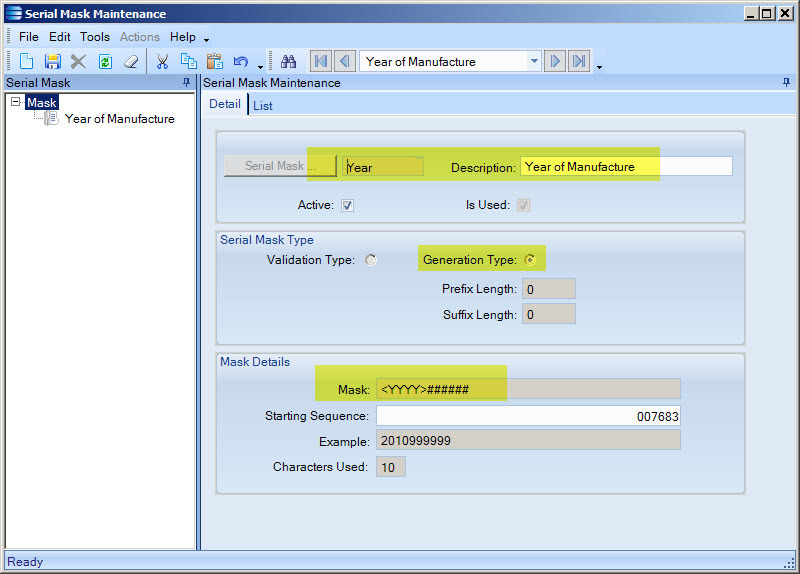
Alphanumeric is for manual assignment of serial numbers. To get automatic sequential numbering of serial numbers with alpha prefix or suffix, use Serial Mask. See below two variations of usage of Serial mask used on our part records, with example serial numbers created shown in red on screenshots.
Hopefully this helps you some. I have found usage of serial numbers in Epicor far from easy.
Hi Nancy, - thanks for this the info is really useful.
The first thing i need to do is to get the on hand quantity to zero…i need to consult some other staff first before i do this as we have some in stock and wip.