I will give that a shot. Thank you so much for your help with this. I greatly appreciate it. 
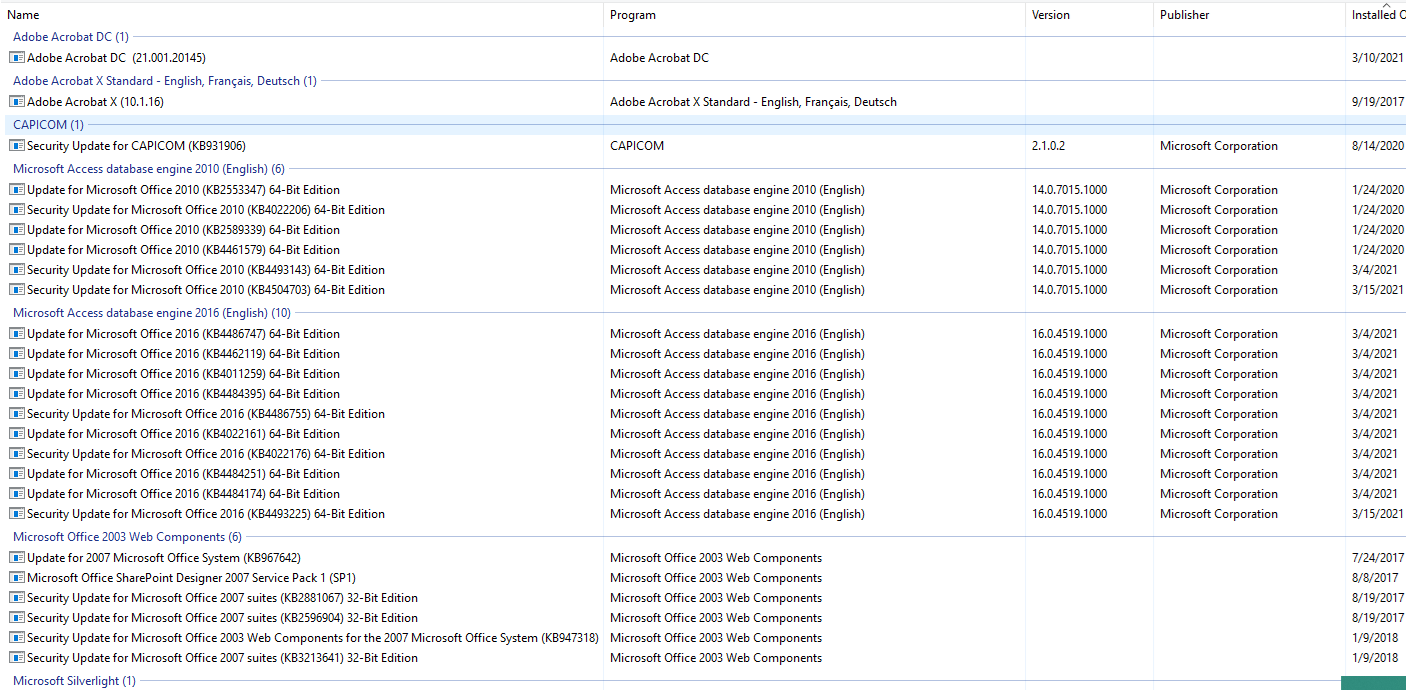
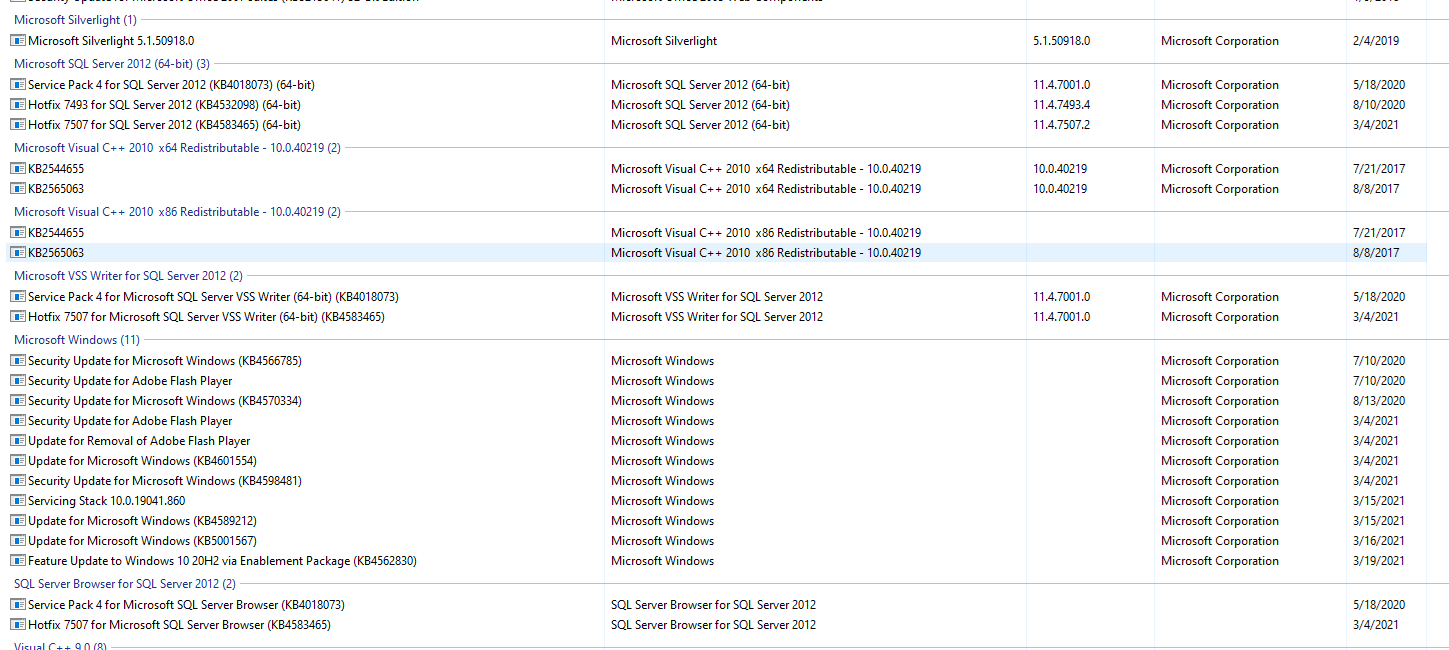

They removed the KB4583465, but it didn’t do anything. They updated to 20H2 and it reinstalled it. However I don’t think removing it again will do anything.

Being able to remove this update remotely was a nightmare for me to figure out how to do, as noted I started with BatchPatch which was a demo copy of their software, I then found out that their quick function of “search and remove a Windows KB” didn’t work unless you knew the “build number” of the KB. They had it setup to search on the KB number and it would fail. They pointed me to a Blog entry they did about a year ago that gave me the method to search and find that build number of said KB and then all I needed to do was replace the KB number in their script with the build number and it worked. I then found out that copying and running that command through PDQ Inventory worked for me so it was a much quicker method than using the restricted demo copy of Batch Patch.
I can understand if that is all a bit overwhelming… This took me over a week to sort out and get working correctly.
Do you mean it reinstalled KB4562830? (KB4583465 is a SQL patch number and not associated with this.) And yes it will, KB4562830 is the update package to get to 20H2. I only suggested removing that because ERPSysAdmin had success in uninstalling that and Epicor was working as expected. If you removed it and then immediately updated to 20H2 you just reversed everything you did. I feel like your somewhat chasing your tail on this one here. It’s tough to troubleshoot if you’re not doing it yourself and someone else is removing or re-installing updates.
Whoops, my bad. Yeah I know its rough. I’m sorry. The user uninstalled it, then checked Epicor and it was still slow. Thats when they informed me that they had an option for 20H2, so I had them update that. I will have them uninstall it again to see if it works.
Once having them uninstall 20H2 have them once again check to see what Security updates are applied… Once removing 20H2 others may appear that are on the list of known issues.
Have them uninstall 20H2? I had them install it and then removed the KB500802. I cannot get the KB4601319… I tried Command Prompt, Powershell… 
Don’t know what to say regarding the issues you’re having. Sounds like it will need more intervention/troubleshooting than what I can’t provide on here. I also don’t know if you are outside the window of being able to remove KB4601319… that may have passed meaning the only other option is system restore to before the Feb update was released.
Can you try the Advanced Startup - Uninstall Updates option mentioned in the article below? I had to do this on one of our systems…
1 Like