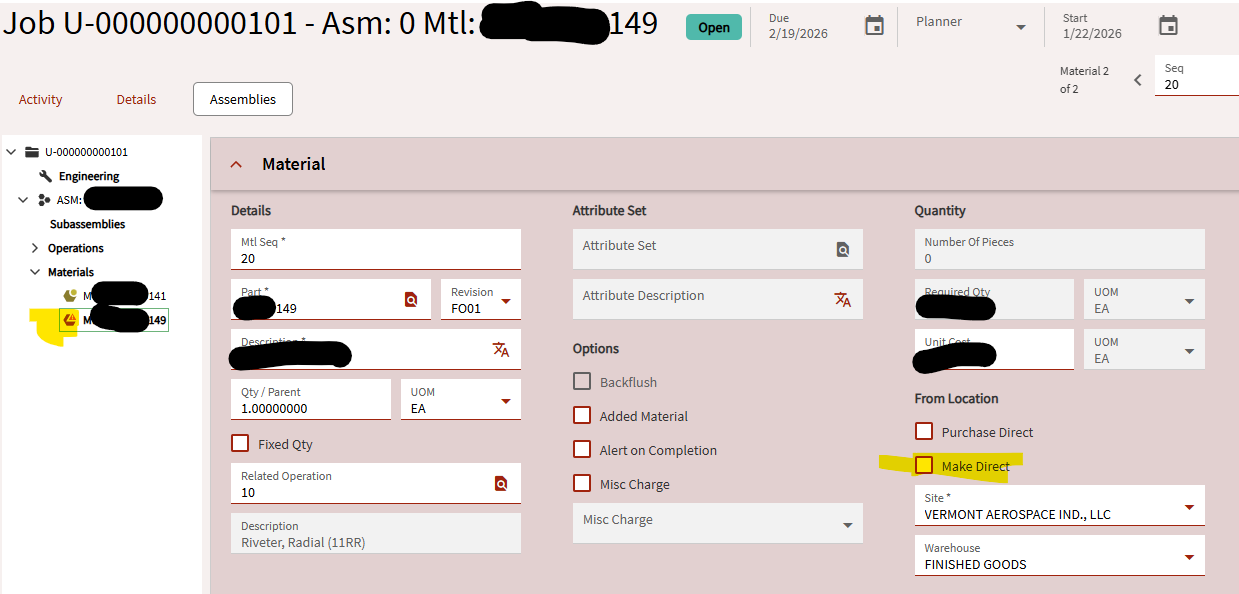
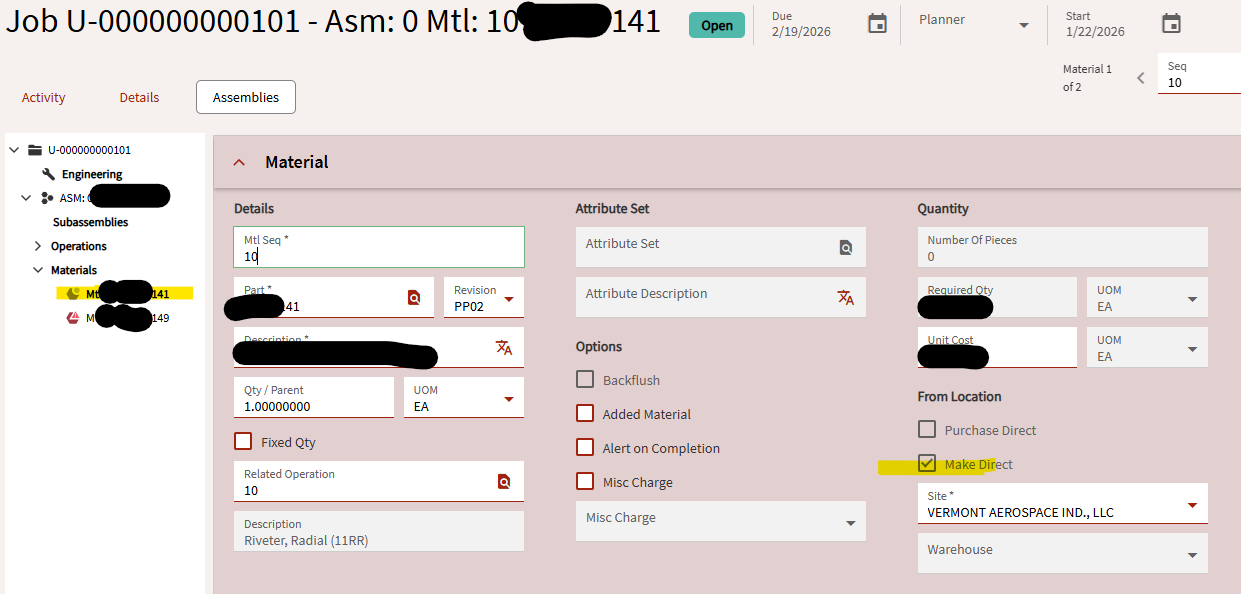
I have a sample in MRP that I am working with. The top part has a sub-assembly that contains two other parts. Here we are looking at the sub-assembly. The Job Entry shows me that one of the materials is setup correctly, and thus MRP suggests jobs for that demand. But the other material is not setup right. This Make Direct box is not automatically checked, and MRP never suggests jobs for it.
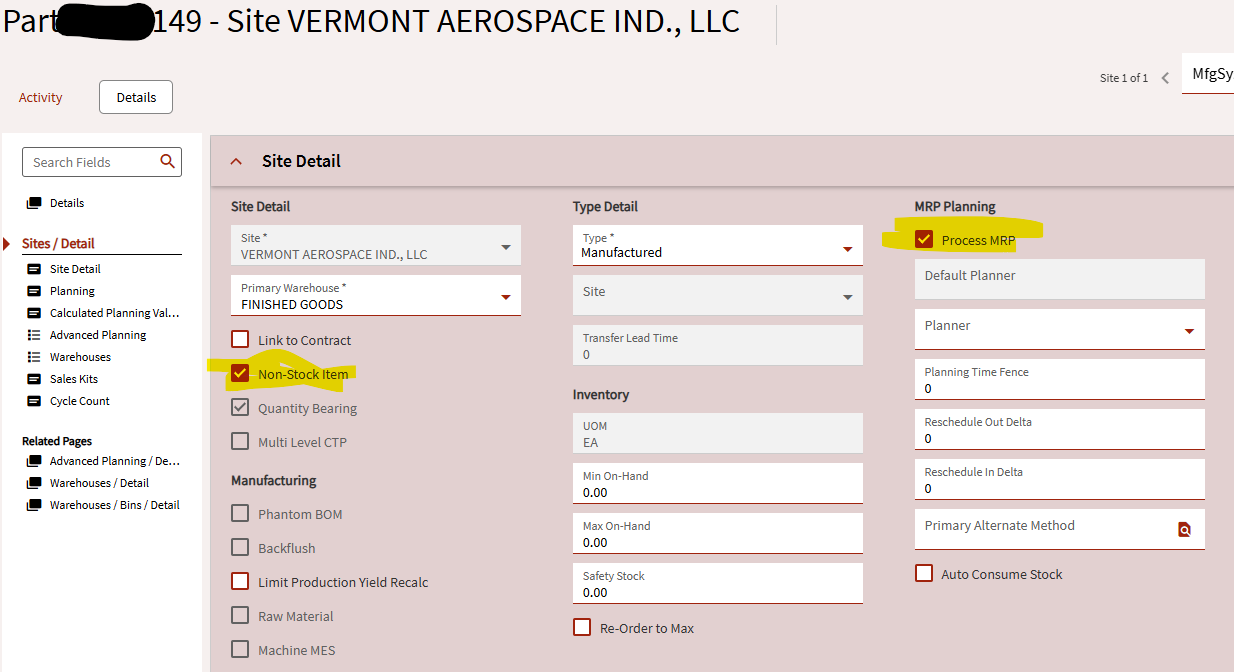
I thought I checked all the right places. In Part Entry I set the parts as non-stock = true. In Engineering Workbench I opened the sub-assembly, and set both parts to plan as asm = true. As far as I can tell, both materials are setup the same way.
You can see in this screenshot from Job Entry that the second material is flagged with a weird icon, and the make direct isn’t checked.
Do you have any on hand that you’re not accounting for? What does time phase show you?
Pretty sure that Plan as assembly will make direct only if there isn’t stock on hand. We don’t use it and all non-stock parts are still made direct.
Check planning workbench - is it in there?
Turn on MRP logging if it’s not already and check that.
Maybe you don’t have an approved revision, or there could be a part in the assembly for material 20 that is inactive. The logs should tell you what’s going on.
Doh! I even had this as a completed step in my checklist. You have to reduce out all the current inventory for the top part, and all the sub assemblies. I guess I missed this one!
Ah, so that’s what it does? Did I back into the answer by complete accident? Because I felt like deleting my post at the time!
Well… unless @NateS DOES want the plan-as-asm feature and to be required to have none on hand, right? Then it’s working exactly as desired? Is that right?