Hi - I’ve spent many hours now trying implement what I thought sounded like a simple request.
We roll up our part costs monthly using the Costing Workbench.
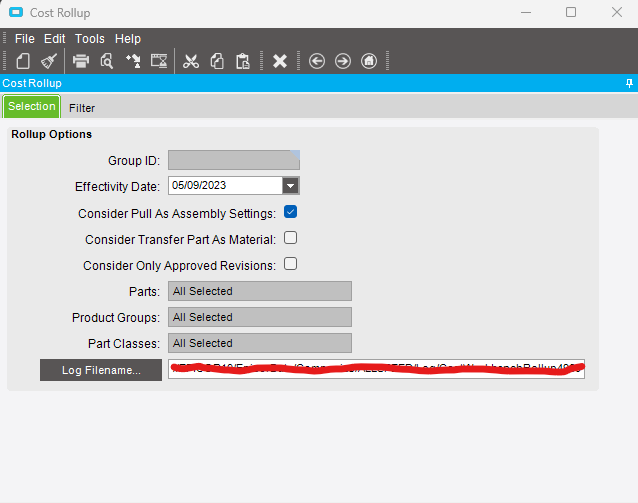
Once the parts are loaded one of the steps is to go to Actions > Rollup. This brings up the following screen:-
In the above image the “Consider Pull As Assembly Settings” checkbox is ticked.
My task is to customise this so that by default it is not ticked.
I’ve tried all different codes in the script editor using different options with the event wizard but I just cant get it working. Coding is not my strong point.
Could any of you guru’s help me with this task, any advice you could offer would be appreciated.
It might be easier than you think. For most dialogs, you can click on Tools and choose Save Defaults. It will remember ALL of the settings. In your case, clear the date, uncheck the Pull As Assembly box, then do a Save Defaults.
This is a per user action, like a personalization.
Firstly thanks for taking your time to come back to me.
This was my first thought, however sadly on this dialog there is no option to Save Defaults. There is an option to Save Layouts but sadly this did not do the trick.
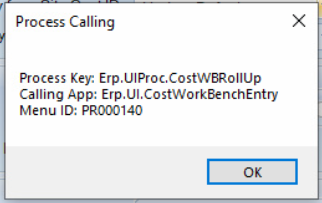
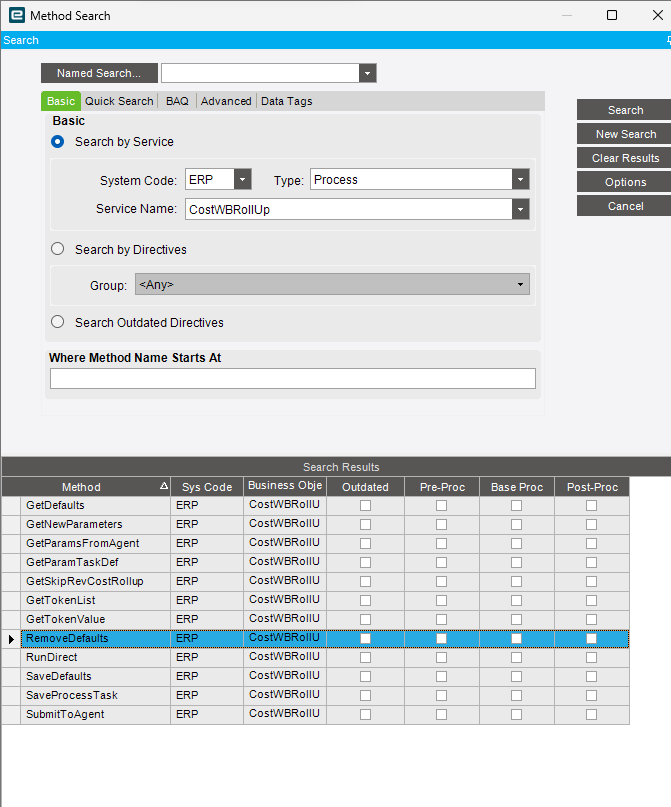
@dan2510 I thought this would need to be tricky, but I borrowed/copied some code from @klincecum setting a field and it was easy. Since the field is on a secondary form you need the same customization name on both the main form and CostWBRollup. The menu PR000140 is down in the process section.
I added a form load event with the wizard, got the guid from the checkbox and added the two lines of code below.
@gpayne This worked perfect! Thanks to you and others that took the time to reply.
The only thing I had to do extra was create a menu for the customisation and then refer to that in Process Calling Maintenance to get the customized form to fire.
 some code from