Hi, we have a custom dashboard created where I recently added two calculated columns. Some users are able to view these new columns and some are not (as in the columns don’t even appear to exist rather than headings with no data). Here’s what we have tried to fix it:
Check user permissions - appear to be correct
Check if they can view these columns in a different dashboard that uses the same BAQ - yes, they can
Clearing the cache and resetting the layout back to base did not work.
Deploying the dashboard again did not help
Any ideas on what else I could try please? Thank you!
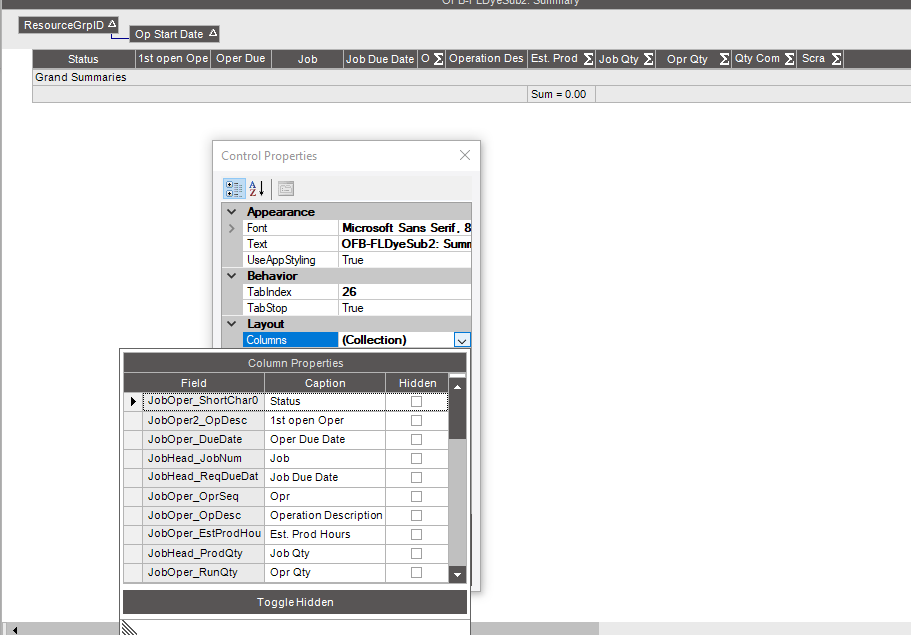
when you click on the header columns you should see the personalization popup change and the word collection show up. if you click that you will see a list of the columns and whether they are hidden or not. you should see your missing columns as hidden for these users. You can uncheck hidden.
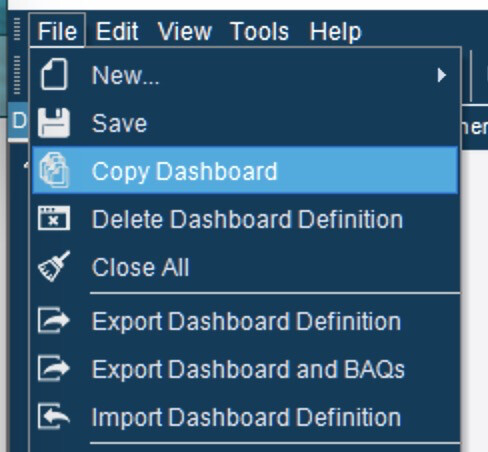
Have you tried making a new copy?
Giving it a new name and changing the menu item to use the new name is something we do often when we have to make a big change to a dashboard.