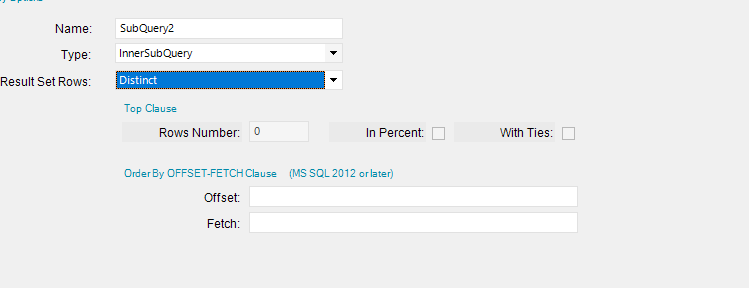
My query works in SQL but in the Specify SQL Expression it gives me a sql injection error. I have tried with single and double quotes. Any help would be apprecitated.
select DISTINCT PartNum
from erp.PartTran
where PartNum like “MEG%” or PartNum like “MEP%” or PartNum like “MESS%”
and PartNum <> “Messer”
and PartNum <> “messer parts”
and PartNum <> “messer rigging”
and PartNum <> “messer consumables”
and PartNum <> “messer nozzle”
I am trying to use it in a BAQ to bring back only distinct part’s that meet those criteria. I’ve tried using a sub query with a distinct, but it barks at me about using the like statement. PartTran.PartNum like ‘MEG%’. Doing it this way it says incorrect syntax.
If that is the case, like @josecgomez is saying. Start at the part table, get the list of parts that you want to use and then join to the PartTrans table. That way you don’t need to do the distinct, as there is only one part in the part table.
The parttrans table is going to be a haystack of data to find what you are looking for.
You should be able to use a few other tables.
Part (Part List)
JobMtl (Material on the Job)
JobHead (Open Job)
PartBin (Qty on Hand, this might be a subquery depending on if you have multiple part bin locations)
FWIW, it’s almost never the right solution to use distinct. Unless you understand why you are getting duplicates and it’s valid, I would always look at your tables and see what is missing in my joins to figure out why I am getting duplicates. I think I’ve only actually used that field a couple of times in my career. But I have come across problems with other people use it, because the assumptions made with the joins are incorrect.
I do use it, but it’s usually by itself to pull out a list of something when multiple records exist.
I usually pull the single field by itself as a subquery, and link off of that.
It’s quick and dirty, but I know what I’m looking at. Lot’s of people use it to solve problems
that could be avoided with proper joins.
Building off of @knash’s comment, you might try something like this.
It’s a union of the data from several different tables. I added open DMRs, too.
I left the code somewhat repetitive to keep it simple.
Later, you can do even more with the PartTran table, but something tells me this is what you’re after.
And yes, you can do this with BAQ. There’s a “union” option that achieves this.
/*open jobs*/
SELECT
	Company, PartNum, [Type]= 'Open Job', JobNum, Qty=JOB.ProdQty
FROM Erp.JobHead JOB
WHERE JOB.JobReleased = 1 AND JOB.JobComplete = 0 AND
	JOB.PartNum LIKE '12345' AND Company = 'ACME'
UNION ALL
/*inventory lots*/
SELECT
	Company, PartNum, [Type] = 'Inv Lot', LotNum, Qty=PL.OnHand
FROM Erp.PartLot PL
WHERE PartNum LIKE '12345' AND Company = 'ACME' AND OnHand <> 0
UNION ALL
/*part qtys on materials on open jobs*/
SELECT
	Company, PartNum, [Type] = 'Job Mtl', '', Qty=MTL.IssuedQty
FROM Erp.JobMtl MTL
WHERE PartNum LIKE '12345' AND Company = 'ACME' AND IssuedQty > 0 AND JobComplete = 0
UNION ALL
/*part qtys on DMRs*/
SELECT
	Company, PartNum, [Type] = 'Open DMR', DMR.LotNum, Qty=DMR.TotDiscrepantQty
FROM Erp.DMRHead DMR
WHERE PartNum LIKE '12345' AND Company = 'ACME' AND DMR.OpenDMR = 1