Thought I would share quickly that if you upgrade your instance of SQL Server your existing ICECommon DBs will break.
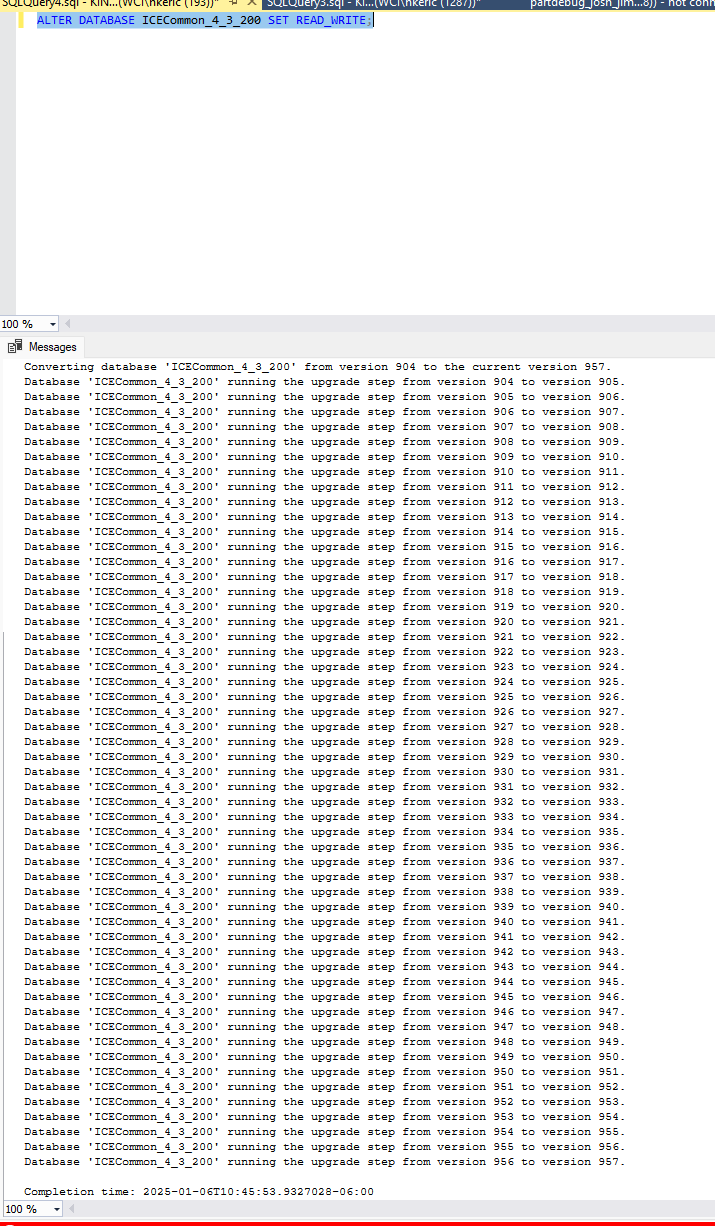
After going from SQL 2019 to SQL 2022, the errors given in Admin Console are misleading as authentication errors, but really it’s the the databases are just straight up inaccessible. Only after going into SQL Management Studio did we find we couldn’t even go to “Properties” on the database we got a “needs upgrade” error.
2025-01-05 21:24:56.09 spid54      Error: 946, Severity: 14, State: 1.
2025-01-05 21:24:56.09 spid54      Cannot open database 'ICECommon_4_2_400' version 904. Upgrade the database to the latest version.
Hi,Did you update Epicor as well, or only SQL Server? I’m asking because I’m about to migrate our Epicor databases from SQL Server 2019 to SQL Server 2022 but Epicor stay at the same version, and I’m planning to keep the same SQL Server name so I don’t need to modify the app server since all the configurations will stay the same. But after reading your post, I’m wondering if I still need to perform the database upgrade in the Admin console? Thank you
You mean that if I leave the database compatibility level set to 2019 on SQL Server 2022, it’s fine? But if I want to change the compatibility level to 2022, do I need to run the ‘Upgrade Database’ in the Epicor Administration Console?
If you’re still on ERP 10 as your profile says, ERP 10 doesn’t support server 2022 officially. Only later versions of Kinetic do. It may run on compatibility level 2022 but not officially. There’s no real harm in running an older compatibility level on 2022. That’s what it’s for.
No, you only do that when you’re upgrading your Epicor version.
I have completed the migration of my data from SQL 2019 to 2022, and I can confirm that I did not need to perform a database upgrade in the Admin Console.
 Thank you so much for your answer
