All -
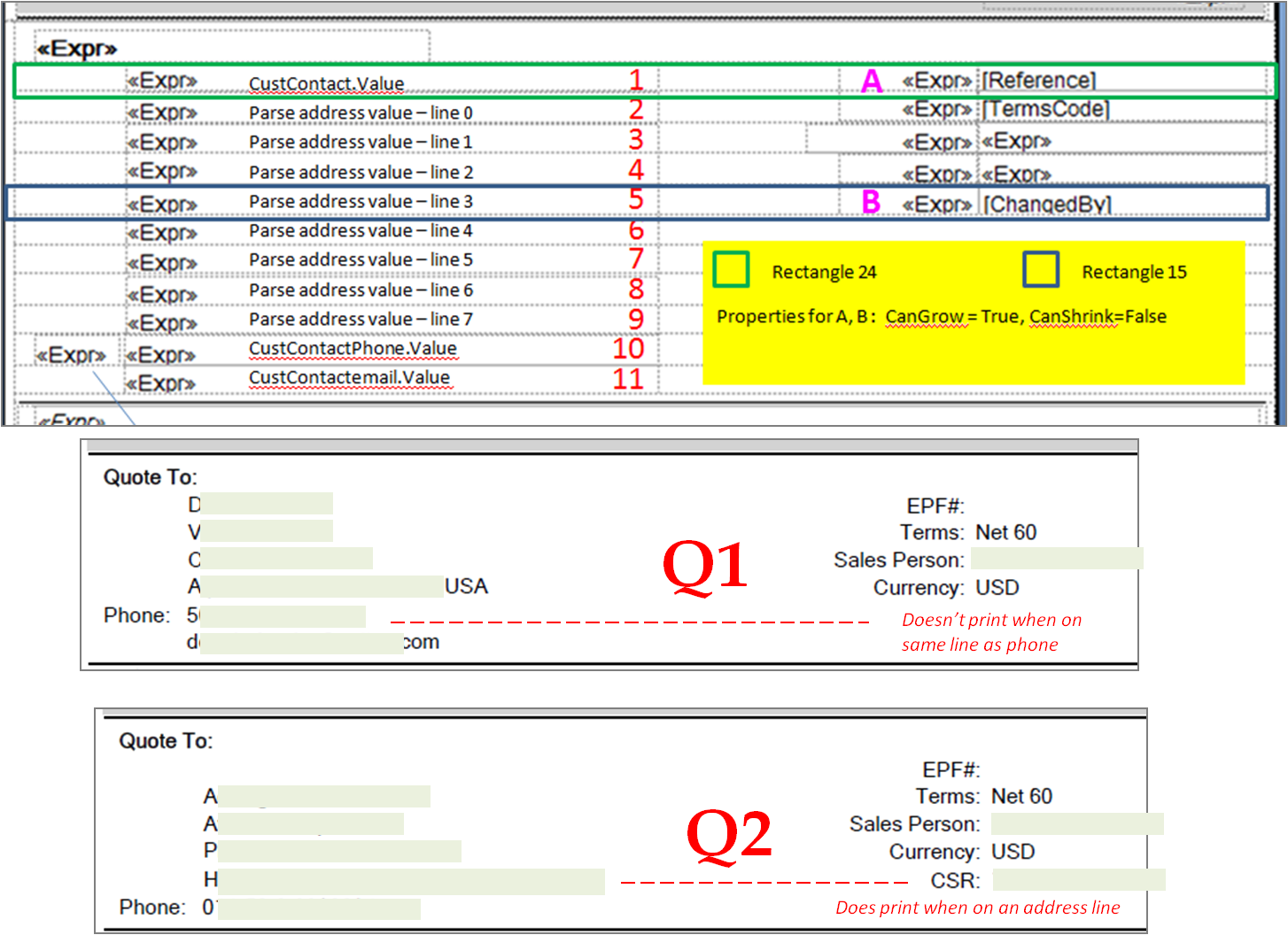
We had someone customize our Quote form. One of the things he did was to add the CSR name to the form. We are using the ChangedBy field to populate it (Epicor for some reason does not populate the EnteredBy field, but that’s a problem for another day).
So… it appears that the Changed By field and label print only if they are going to appear on the same horizontal line as one of the address lines, but not if it’s going to appear on the same line as phone number. In the .rdl, the parent of the ChangedBy field is Rectangle15. Rectangle15 is also parent to the fifth line down in the address block; the field looks like the fourth segment of a parsed address field.
How do we ensure that the CSR fields is always printed, no matter how it lines up with the address block? All the CanShrink properties are set to False and the ChangedBy field is populated for every record.
I’d be willing to bet that there are row visibility rules set up on those rows that will make them disappear when the address line is blank (so that you don’t have gaps in the address block). Since the row is not visible, everything else on that row is gone too.
Something I’ve done in the past to get around this is to make one row and then build the two blocks as a strings within their individual cells. You can either set the row height manually or allow the CanGrow/CanShrink to set the height for you based on the size of the resulting blocks. Personally, I’d recommend having the blocks set manually with a top/bottom border so that they’re clearly delineated and take up the same space on every quote. Not only does this look cleaner, but it makes things easier if whomever you send it to is utilizing automation software.
Thanks, I was figuring on some sort of conditional logic but not sure where to look for it. When you say “row” are you referring to the rectangle that is the container or to something else (like the logic inside the address field).
I was considering making rectange15 smaller (less wide) and moving the CSR field outside it, but the cells within rectangle might work also.l
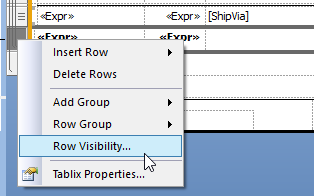
Row in this case means the row of the table. If you click into the blank space to the left of the textbox with the expression it should select the row. You can right-click the row block and check the visibility settings from there.
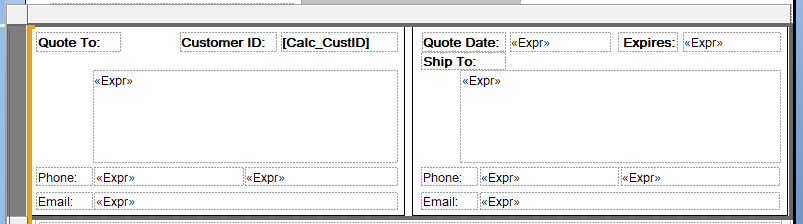
Here’s an example of our quote form where we’ve done something similar. It’s one very tall row with various textboxes within it containing the address blocks (we’ll commonly ship somewhere other than where we quote). The logic as to what shows is then moved into the expression for the textbox and the containing row is always shown.