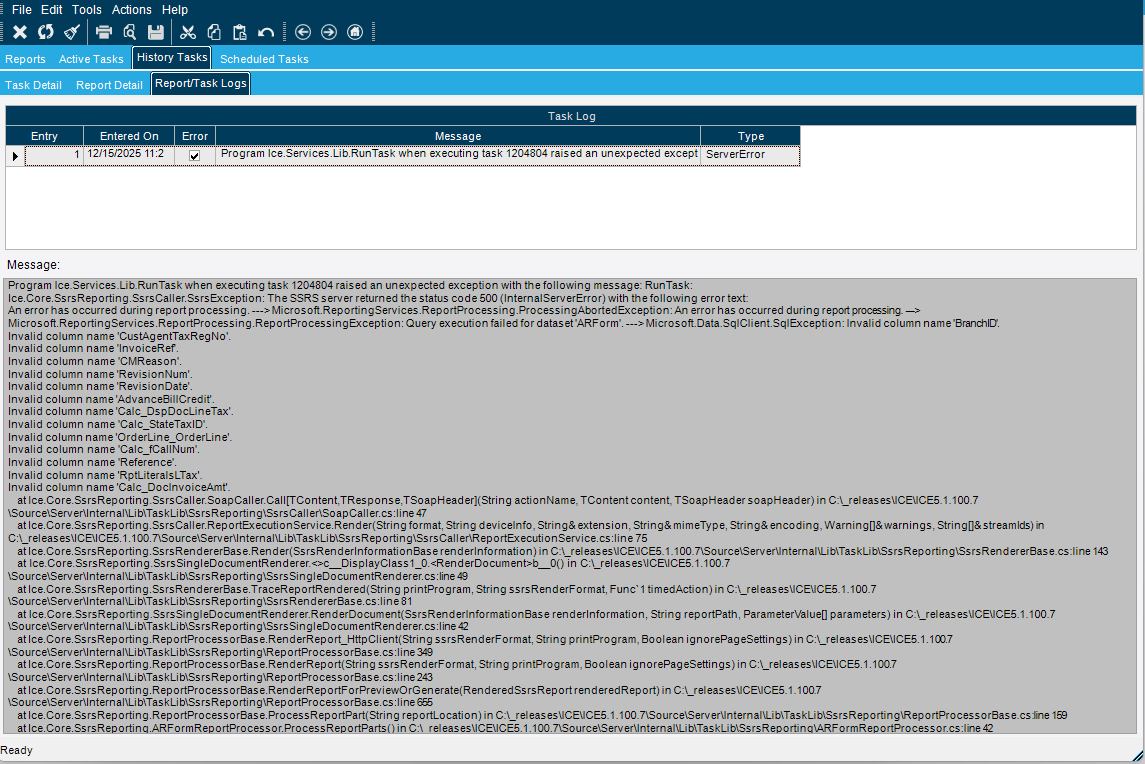
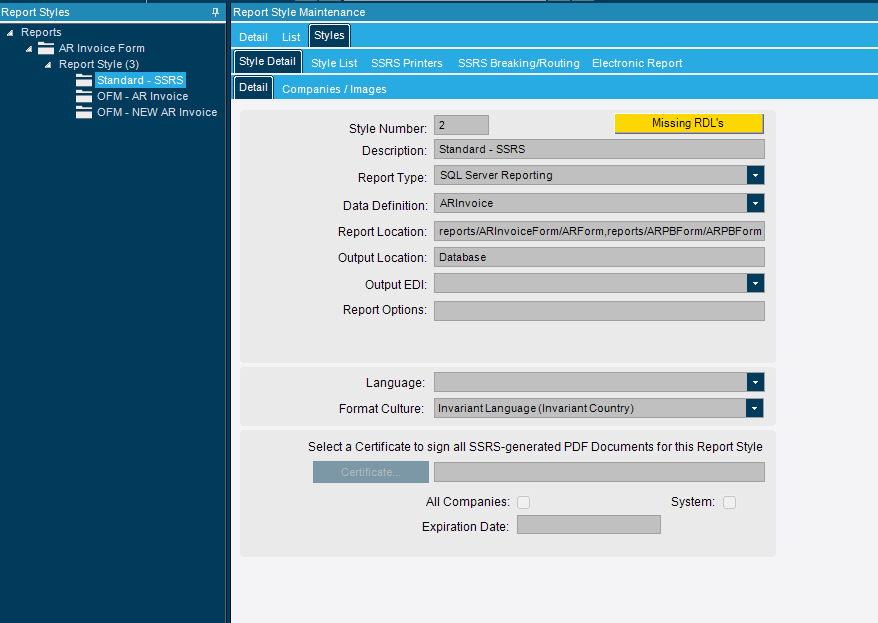
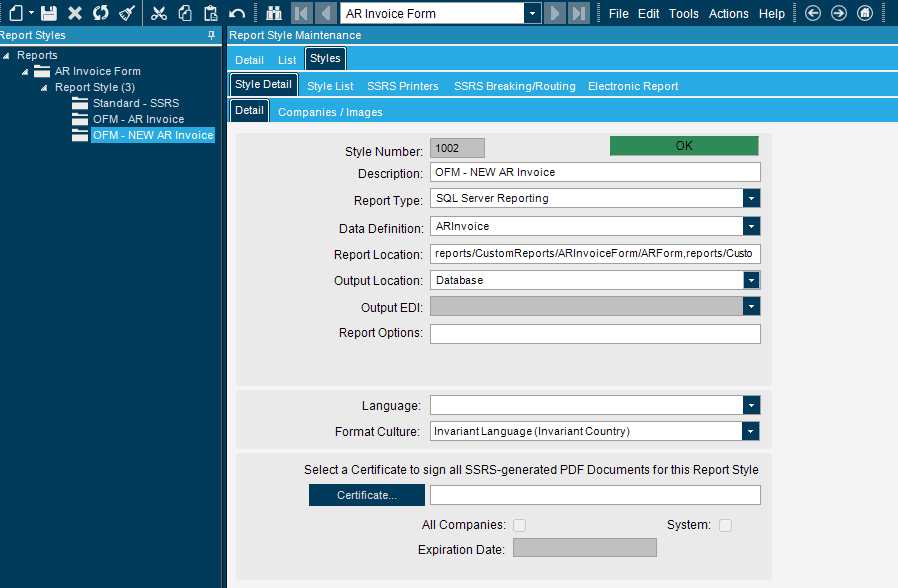
I am running into an odd SSRS problem ever since the Public Cloud upgrade this weekend to Kinetic 2025.2.7. For years we had a slightly customized ARForm used for AR Invoices. It has worked fine up until the Pilot Environment was upgraded to 2025.2.7 several weeks ago. At that point I was getting a Server error. For reference the base ARForm works fine. So beacause it had been a long time since our custom SSRS was created I decided to start fresh as there is not that much modications made to it. So in Pilot I found the base SSRS report style and went to Actions > Download SSRS Report. I made the simple modifications (removed a few fields on the report that we don’t use, moved a few fields around on the page, added 2 text boxes with some verbage, and added our company logo. I made no modifications to anything in the dataset. After that I saved my changes. I then went to the Report Styles and created a new report style, set all the settings to match the base form including the exact same RDD. The only thing I changed was the name of the report style and the path to be at reports/CustomReports/ARInvoiceForm/ARForm,reports/CustomReports/ARPBForm/ARPBForm. I clicked save in Reports Style and then went to my C:\reports folder and copied the 2 folders (ARInvoiceForm and ARPBForm) and moved them to the C:\reports\CustomeReports subfolder. I went back to the new report style and clicked Actions>Upload SSRS report. In Pilot everything then worked with choosing the new report style when I tried to print priview an AR Invoice. After the Production upgrade this weekend I tried the same steps above in Live Production environment and now I get the error below. Anyone have any ideas how I fix this? Again base report print previews fine.
The problem is either in the RDD or if those fields are unnecessary than you can remove them from the report. You would have to remove the textboxes and the fields in the dataset. I have had the same happen, unfortunately I don’t have great advice for why.
Depending on what version you are coming from the RDD that the ARForm is tied to has changed. You will likely need to point your current custom form to that RDD and most likely have to copy that RDD and make the custom changes to it to add in these custom fields.
Additionally it is only very recent version upgrades where I have not had to quasi-rebuild my custom RDD for the ARForm, this is about the only report I ever used to have trouble with but in the last version or two it has been pretty good.
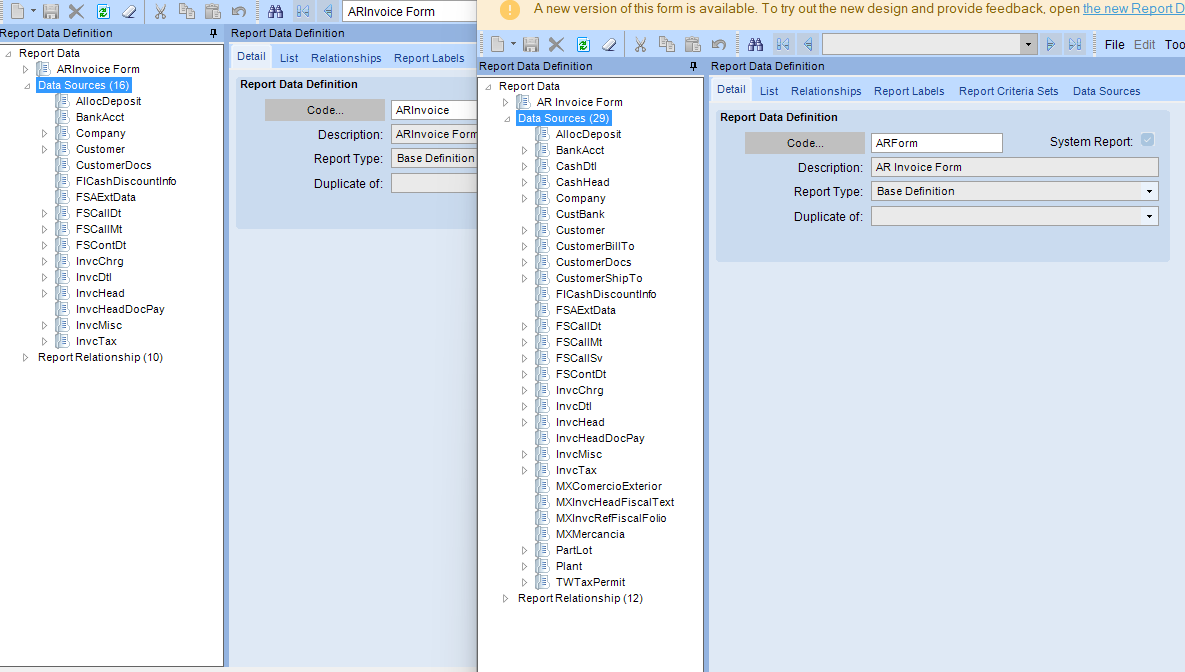
To echo @leonardpothier, there are two different RDD’s… One is ARForm, the other is ARInvoice.
I’ve been using the ARInvoice RDD tied to my ARForm report styles. Which are you using?
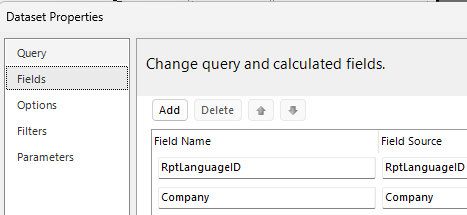
Based on the error message, it appears that BranchID is in the report but not RDD. If you don’t need the field, try deleting it from the query in the .rdl and from the field list (in the .rdl).
So our old Custom ARForm was using the “ARForm” RDD. The new one I picked the “ARInvoice” RDD because I noticed the base form uses that one. My new custom report is a fresh copy of the base form.
So I am not actually adding in custom fields really. What I added was 2 text boxes with verbiage on the SSRS report directly and our Logo picture. The fields it says it is missing (invalid column name) I didn’t add to it, this is a direct fresh copy of the base form. I am not using a custom RDD, only the system one that the base form uses called “ARInvoice”.
I’m having this exact issue with a custom SSRS report, since the upgrade in December 1 of our custom reports doesn’t work properly. Did you ever solve this?
Hi Donovan,
No I am back in the thick of it now trying to resolve again as our AR team has expressed concern over this not being fixed yet. I did reach out to our CAM earlier this week and he has got Epicor Support leadership to step in and push their support staff to try to help again before they force us over to professional services. I did get an interesting KB article today you can take a look at in EpicCare. [KB0098953 - Custom ARForm SSRS Report Fails After Upgrade Due to Invalid Columns (Calc_MtExtPrice, ProbReasonCode)]. I am still reviewing it today but it has some interesting insights. For what it’s worth I did get a custom report to work again in our Pilot environment but can’t get it to work still in Production which is why I am engaging support again.
Have you guys seen this thread? May, may not, be related:
Yesterday i opened a ticket with EpiCare, they called me and we walked through this issue on a teams meeting. They couldn’t/didn’t do much other than push me to use the base form which does work. They sent me to professional services. I will take a look at that article and see what i can do with that.
In my case the report was working in Pilot but not live. I downloaded the SSRS Report from report styles and then made a copy of the report style and ‘Uploaded SSRS Report’ in Pilot, after doing that the report stopped working properly in Pilot.
The KB article that I shared did not work for my issue. I am getting ready to respond to my EpicCare ticket. Do you mind sharing with me your EpicCare ticket number so I can let them know another customer is having the same issue? You can DM me if you don’t feel comfortable sharing that case number publicly.
Interesting. I checked our path and it is not over 100 characters.
the path doesn’t necessarily… but per that post, your path is injected into another string which may result in string > 100 characters:
a very long full path that starts with something like /SaaS####PilotSSRS_###### /reports/customreports/Tenants/###### /… the bolded portion adds about 40–41 characters to the path for cloud customers
Is your error regarding bad fields, or that your RDL cannot be found?
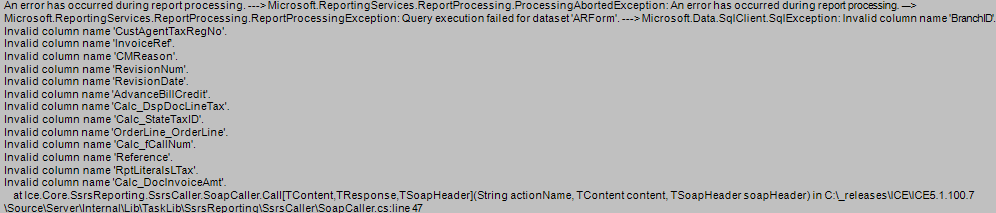
This error indicates a discrepency between your .RDL Query Text and the Snapshotted Dataset provided from Epicor → SSRS via the RDD.
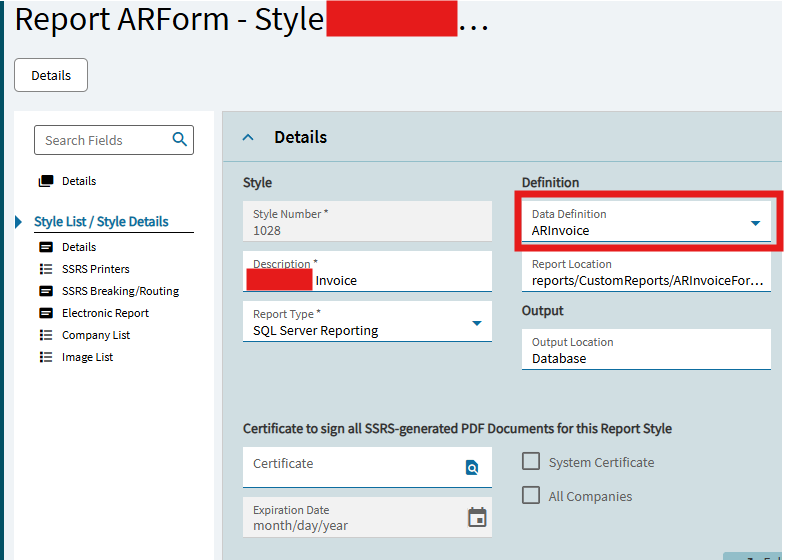
The most likely cause is that your .rdl’s DataSets are based on the ARForm RDD, and you’ve set that report style to be based on the ARInvoice RDD.
Otherwise, check your RDD set up against your query set up - you are referencing undefined columns. Maybe you have a customized rdd that this report should be referencing and instead it is referencing an out of box one.
Change highlighted to ARForm for that report style:
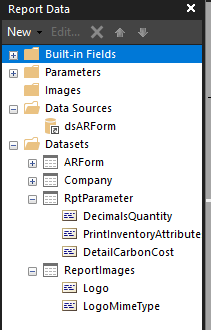
So I did download the standard report (it is already set to use ARInvoice RDD, the stock system one). Once it downloads I open it and this is what it is showing in Report Builder in the dataset and datasources, should this be showing ARInvoice? Can you clarify if yours is showing ARInvoice in the Report Builder?
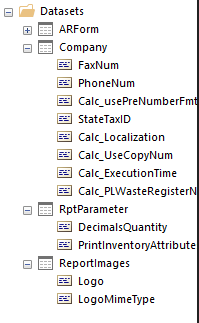
No - It shows ARForm like yours (this is from my modified one based on epicor’s):
Here is the list of things to check:
Do the columns that show up in the error message screenshotted exist as fields in the ARForm dataset?
They exist in the .RDL Query Text - that’s why they show up here. Look at the ARForm DataSet’s Query Text Expression - look at the Tx.ColumnName and see what Table that Tx alias is pulling from. (LEFT OUTER JOIN FSCallMt_" + Parameters!TableGuid.Value + " T4)
Do those columns exist in that table in the RDD that is set up in the Report Style?
BTW, LLMs like Gemini are trained on XML and .RDL syntax. (you might need access to “thinking” version to get a sensical reply)
You can copy/rename the .rdl to .xml and upload it to an LLM (because they tend to not like filenames they don’t understand)
Then ask it to compare your .RDL Query definitions to field lists to textbox expressions. It will tell you if you have made any error in .RDL editing.
It is of course, not aware of the complete picture (Internal Epicor Calculations, Data Definition Set up, Data within Epicor) to be able to do an end-to-end evaluation of the SSRS pipeline. But, I have some preliminary work done on in this space.
If you want, you can export your rdd .xml, and send with your .rdl, i can feed this to my Gem and ask if there are any discrepencies against the Database Schema. Of course, I don’t know anything about your custom fields, so there would be more work if the error is referencing those (but it doesnt’ look like it is)
I checked a few of them from the error and they are NOT showing in the query or fields list in the RDL. I even opened the RDL in Notepad so I could search through the query for those listed in the error and several of them are not there.