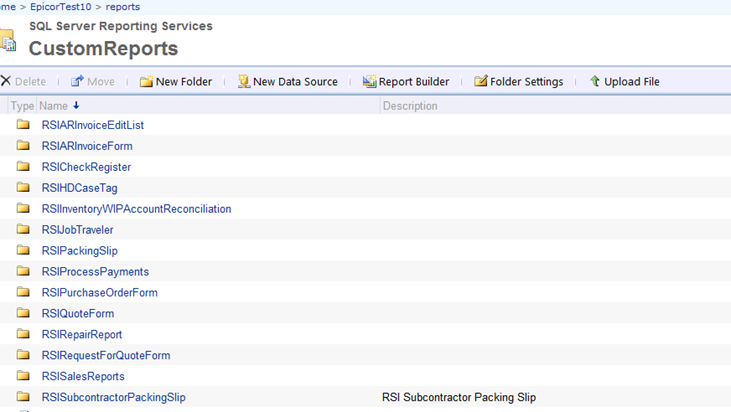
First has anyone seen this message when building a solution on custom reports. It looks like the path is messed up. It repeats the path. This is happening for all custom report.
System.Web.Services.Protocols.SoapException: The item '/Prod/reports/CustomReports/JobTraveler/Prod/reports/CustomReports/JobTraveler/CustomerPO_SubRpt_ETK_Mult' cannot be found. ---> Microsoft.ReportingServices.Diagnostics.Utilities.ItemNotFoundException: The item '/Prod/reports/CustomReports/JobTraveler/Prod/reports/CustomReports/JobTraveler/CustomerPO_SubRpt_ETK_Mult' cannot be found.
   at Microsoft.ReportingServices.Library.ReportingService2010Impl.GetItemDefinition(String ItemPath, Byte[]& Definition)
   at Microsoft.ReportingServices.WebServer.ReportingService2010.GetItemDefinition(String ItemPath, Byte[]& Definition)
Second how do I move reports that are archived over to the new server? backup and restore?
@knash What version of Epicor are you running? And to migrate reports from one server to another, you can copy and restore the report server/report temp db and then reference your encryption key so the reports can be accessed.
When you are exporting the reports are you using “solution workbench” and selecting the report style and the report data definition? And If you search stack overflow or DBA stack exchange you will probably find it as a first post. But its pretty simple as long as you have a report server setup for the transfer. Simply just backup your databases with SQL MGMT and restore them on your new report instance and on your old report instance navigate to the report server console and choose to download the encryption key and give it a password and then load it into your new report server console.
I looked through release notes for version 10.1.400.0 to 10.1.400.38 and I see where they fixed a few issues regarding import of solutions but nothing about exporting regarding your issue.