You could have gone into Extended Properties maintenance and set the Like property for your Memo_Key1 field to Erp.ShipHead.PackNum, it would have also worked…
Awesome, good to know. Thanks for that info! I’m sure it will come in handy as I try to re-create our other 56 Dashboards… 
Has anyone used this template and added a Combo box that references a table in the BAQ? Our old dashboard allowed us to have a Resource Group drop down list to select from when searching the results. I would like to duplicate this functionality on the Kinetic view if possible. Google AI was not very helpful with instructions on how to configure this.
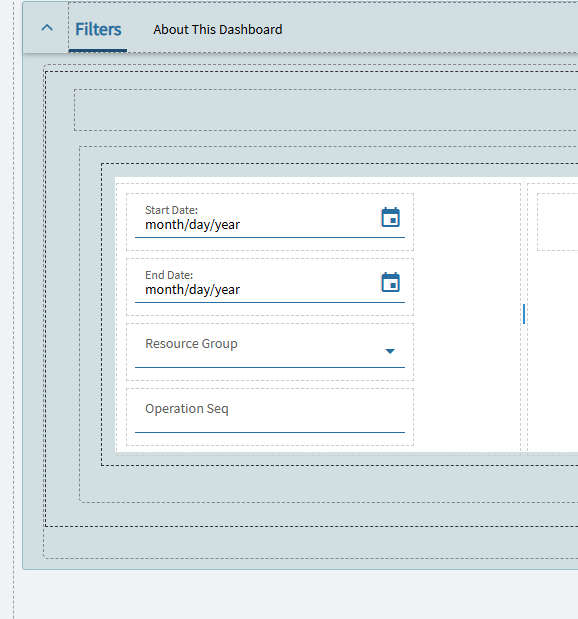
Old Dashboard tracker view
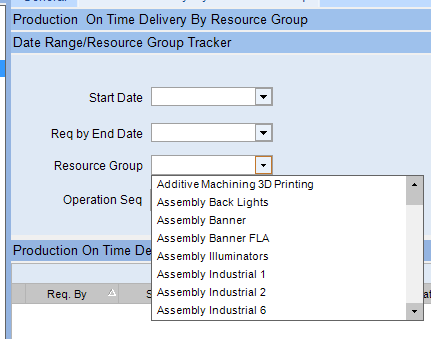
For reference, some of the settings on that combo box in the tracker view… The BAQ only has a column for the Resource Group ID, but that tracker combo box shows the ID’s names… I’m thinking that makes it even more complicated lol.
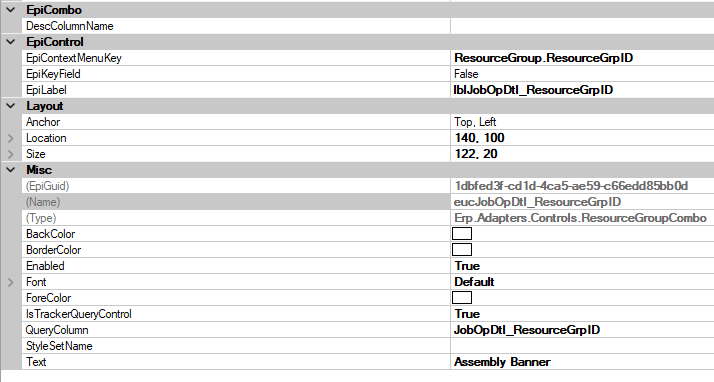
If you just want a combo box with a list of resource groups, you can use a Reusable Combo.
Reusable: Set the following under Properties:
- Data > EpBinding = View.Column e.g. SearchFilters.ResGrp
- Reusable Combo > Type = ResourceGroup.ResourceGroupCombo
- Reusable Combo > Sub Type = default
- Advanced > Header = checked
Thank you!