I cannot find help on how to set up an employee/work force as a time approver. The employee is tagged as shop supervisor and also is assigned a role code that allows for time and expense and supervisor approval. However, when I launch Time and Expense Approval, their name does not appear in the search.
Any help would be greatly appreciated!!
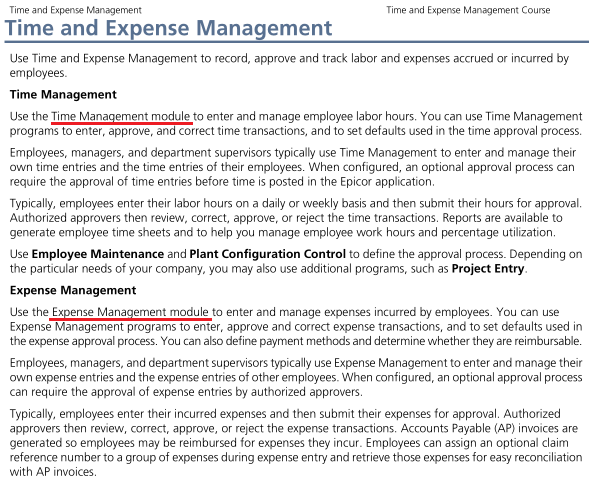
Just curious… Expense Management module (rather than Time Management module)?
Hi, did you get this resolved
Best bet is to take a look at the Demo/Education system is configured.
You will see that Charles L. Johnson is setup as an approver and there is a Time and Expense Workflow group to be configured.
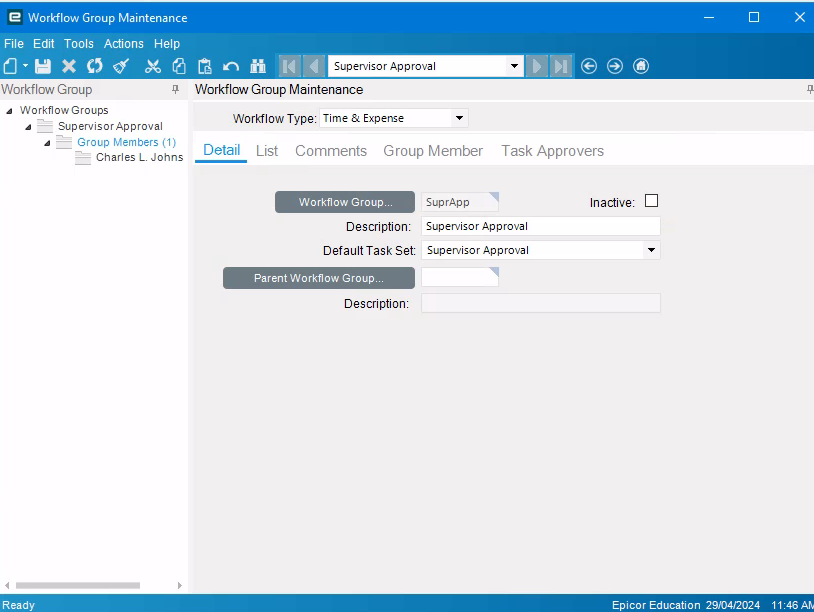
For Expenses the Employee/Time and Expense/Expense tab needs to have the Expense checkbox checked along with the appropriate vendor. If configured correctly in company config, when you create a new employee and check the expense checkbox it will create a new Vendor/Supplier rather than having to enter in the details.
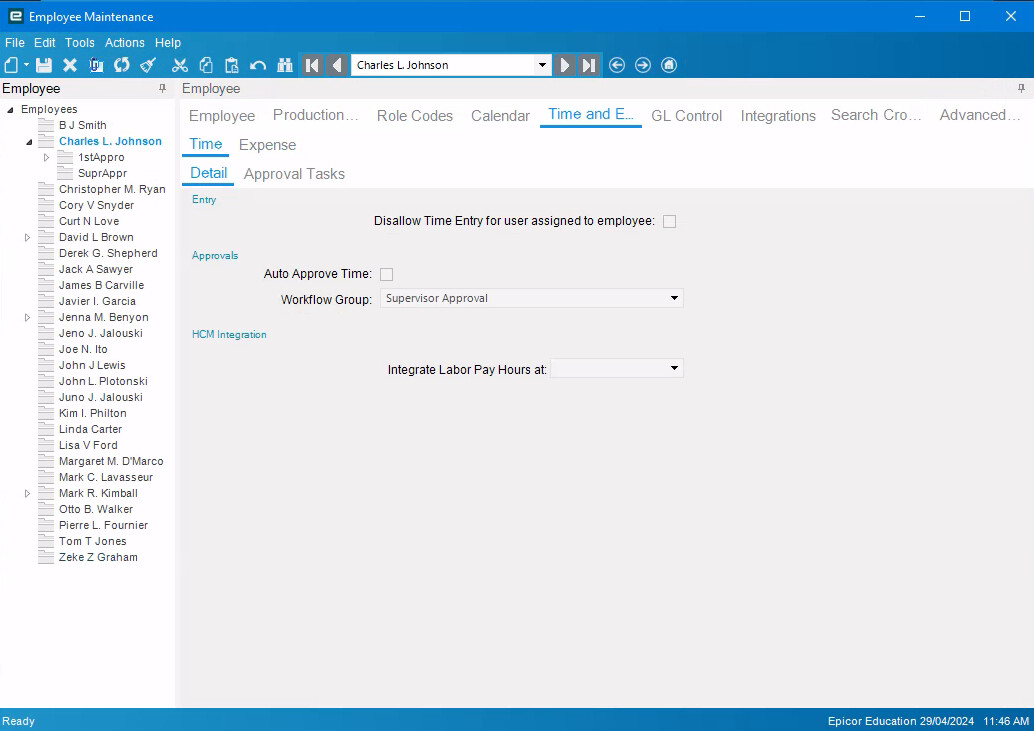
Note also in this instance Charles is also his own approver (i.e supervisor)
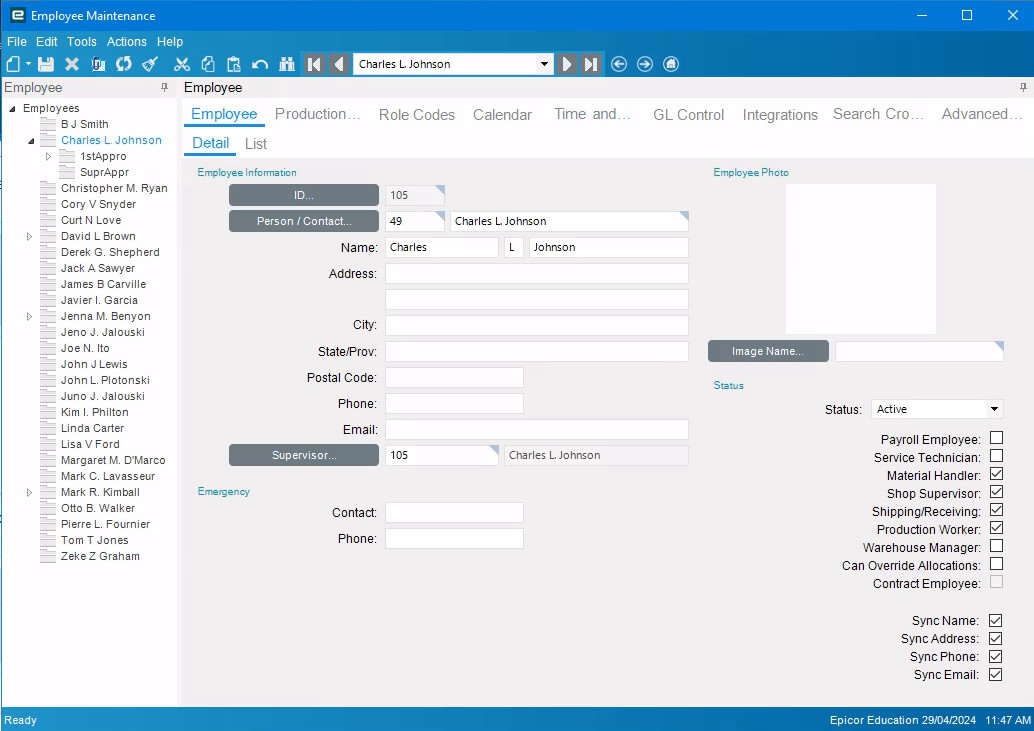
You would need to setup an approval workflow for expenses as well.
There is one additional setting on the Company tab in User Account Security Maintenance to allow a user to be able to update time and expense records on behalf of other users.
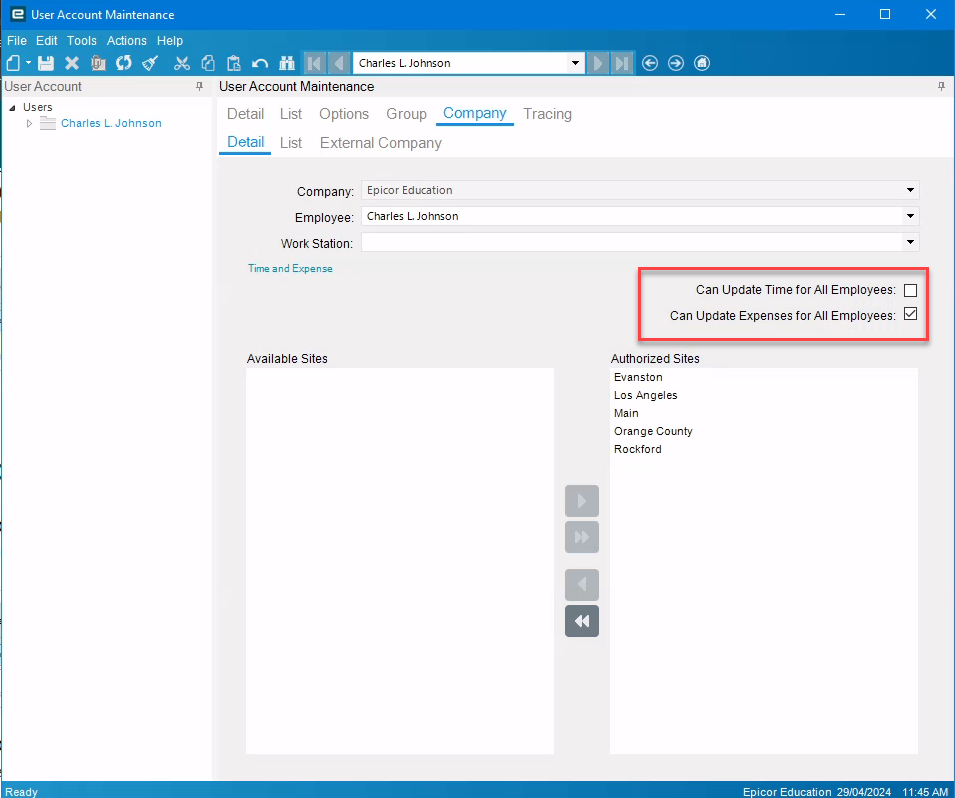
So as you can see there is quite a bit of setup to get things working if you have a hierarchical, approval process. Or you can use the auto approve. For expenses the AP invoices need to be generated so there is a layer of control there.
I have set this up previously in Epicor 9 for a Services/PM company and once setup it worked pretty well.
I hope that helps
1 Like