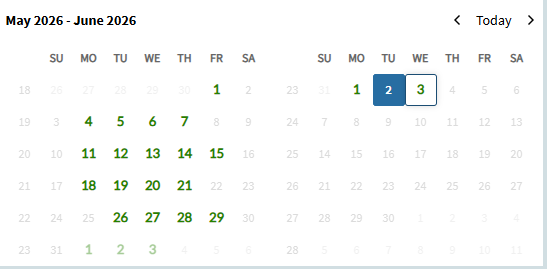
Here’s a simple customization I put in place for our users to feel more at home with the new Time Entry screen coming from Time & Expense.
Step 1: Add a layer and add to the menu. I won’t cover that here.
Step 2: Add a calendar to the “Daily” page:
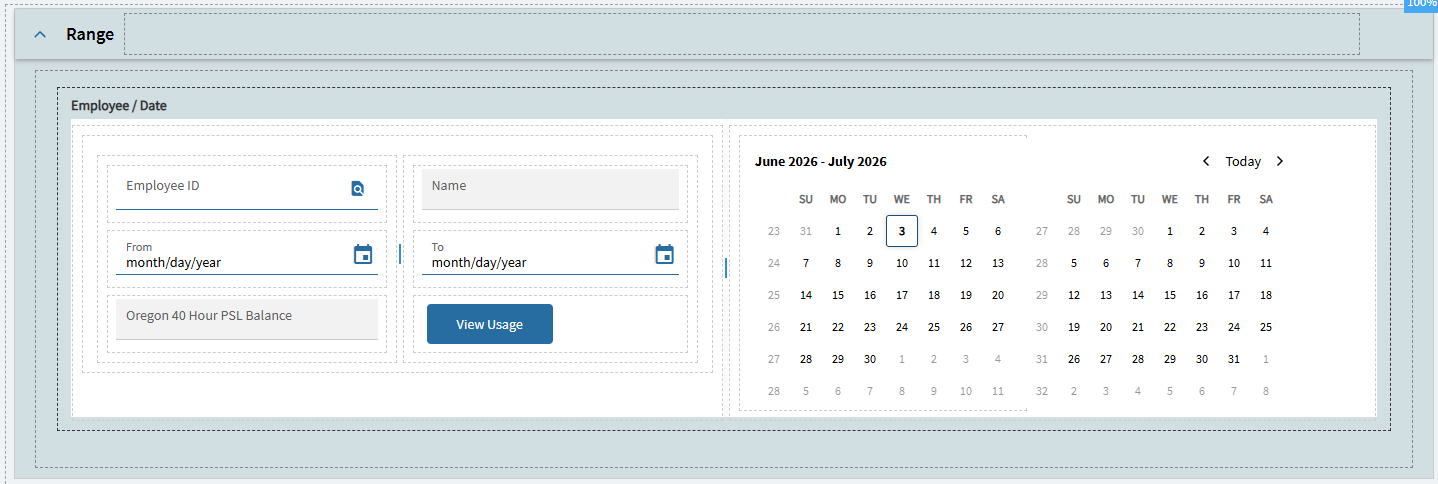
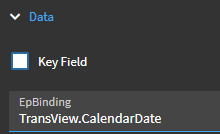
I bound the calendar field to TransView.CalendarDate like so:
I tried binding selection range to the From/To fields on the page, but I was running into more roadblocks than I had time to deal with.
Step 3: Add a custom event to initialize the polling/coloring timer. I used a console-write widget hooked after the SysInitTransView event. I had trouble using Window.OnLoad. YMMV
Put this magic in the console-write value field:
#_(()=>{window.trans=trans;window.activeCalPoll&&clearInterval(window.activeCalPoll);window.activeCalPoll=setInterval(()=>{try{let rows=trans.dataView('LaborHed').viewData||[],css=document.getElementById('active-cal-style')||document.head.appendChild(Object.assign(document.createElement('style'),{id:'active-cal-style'}));css.textContent='#calTimeEntry .k-calendar-td:not(.active-cal){opacity:.35!important;pointer-events:none!important;color:#999!important}.active-cal{color:green!important;font-weight:900!important;font-size:1.25em!important;font-family:"walkme-lato-regular"!important;}';let active=new Set;rows.forEach(l=>{let d=new Date(l.PayrollDate);!isNaN(d)&&active.add(d.toLocaleDateString('en-US',{weekday:'long',year:'numeric',month:'long',day:'numeric'}))});document.querySelectorAll('#calTimeEntry .k-calendar-td[title]').forEach(el=>{let on=active.has(el.title);if(on){el.classList.contains('active-cal')||el.classList.add('active-cal')}else{el.classList.contains('active-cal')&&el.classList.remove('active-cal')}})}catch(e){console.error(e)}},500);return'activeCalPoll started'})()_#
Step 4: Add a custom event to select the first matching punch for a selected date. This will fire when a date is selected on the calendar
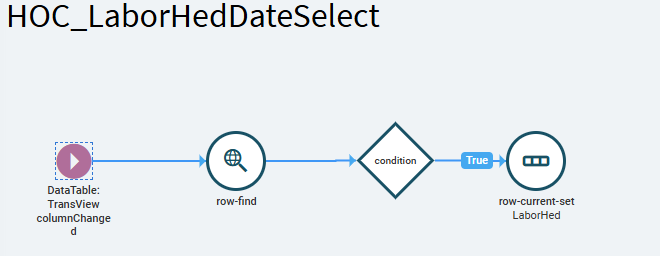
Bind the columnChanged event to the field used in the calendar epBinding above.
These are my row-find params:
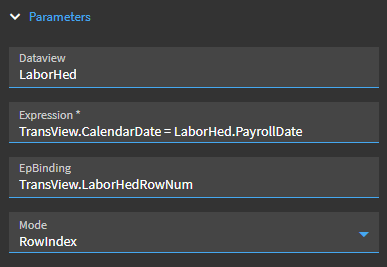
And condition: {TransView.LaborHedRowNum} > -1
And row-current-set params:
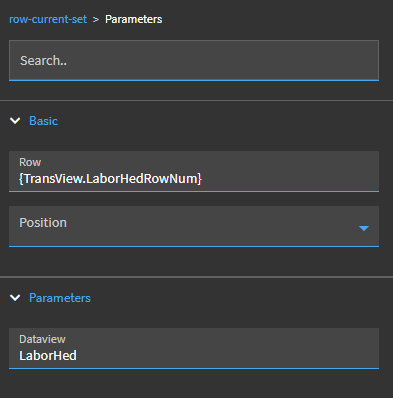
You should end up with a calendar that resembles the old calendar in Time & Expense. The obvious downside here is that only selected date ranges will be available for coloring. I’ve thought about adding a lightweight dataview to store YTD punches, but that’s a project for another day. Hope this helps someone.