Morning All,
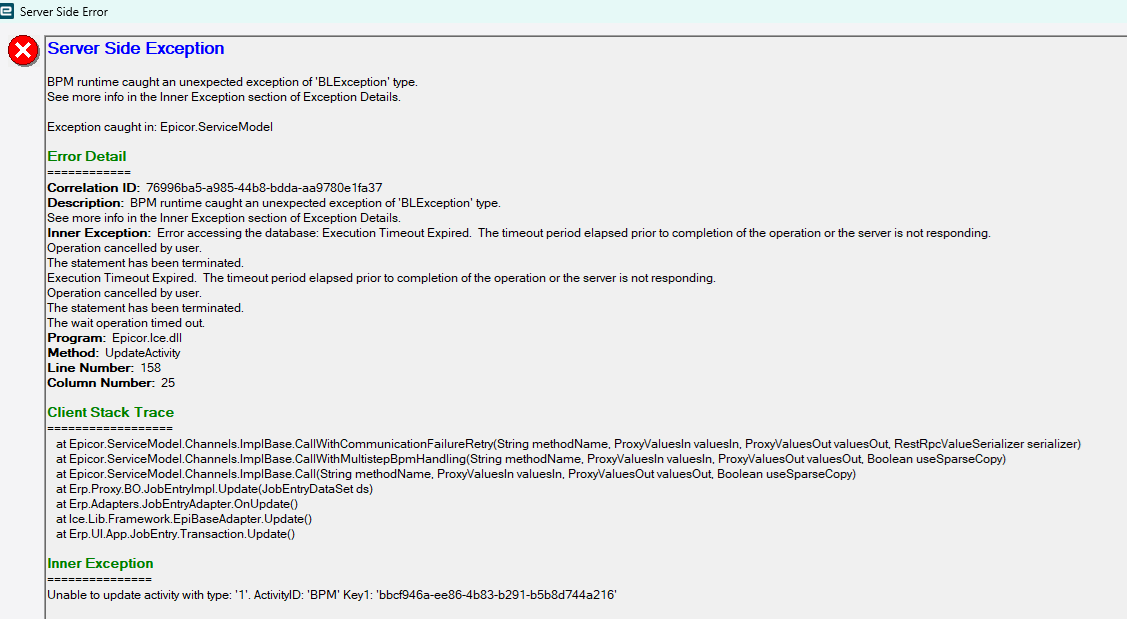
wondering if anyone can help this Timeout error happens only to me as it might seem.
this one occurred while making a job firm
I made myself a second login and have no issue when using second account???
I have purged personalization’s cleared cache etc on the first account still not resolved.
2 Likes
This error is a result of a BPM. It’s interesting it’s tied to your login, potentially a result of a group you’re in that the BPM is checking for? Look at JobHead data directives and Job related method directives for BPMs. Temporarily disable them and see if you can narrow down which one is causing the grief. More than likely one with custom code given the error.
1 Like
Forgive me because I’m going off memory as my current company uses an older version of Epicor. My previous company upgraded to 2025.1 and we ran into the same error for just a single user. Found out it was related to the screen where you can track the usage of customizations, BPMS, dashboards, etc. We turned of the BPM tracking and the error went away. I can’t remember what that was called, activity tracker or something like that. Left the company before I had time to dig into what was really going on.
2 Likes
Check to see if you are tracking for a solution.
I have seen this before where someone had left solution tracking switched in for their user. And it was filling up dramatically. And caused this same issue.
2 Likes
Checked JobHead & Job Related & PartHead and Part Related method and data directives nothing specific to my login ID
Second account works fine
Where do I find that information please typed is solution tracking nothing shows up
@BenWheeldon
Looked through all Data Directives nothing relates to my user login or email
Could not find anything yet in Method Directives as harder to review than data directives
I have logged this issue with EpicCare yesterday so far still no answer
In Solution workbench in Kinetic UI on the landing page go to the overflow menu and select Solution Tracking.

Then ensure no solutions have a tick against them. If they do untick it and select OK
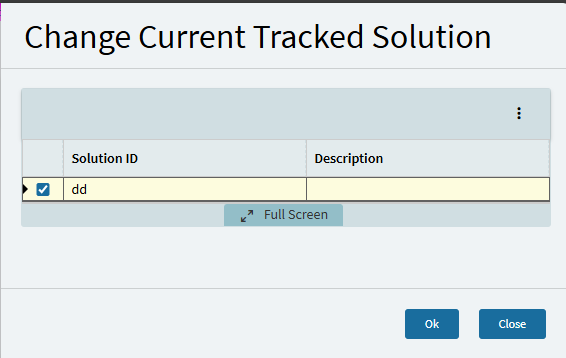
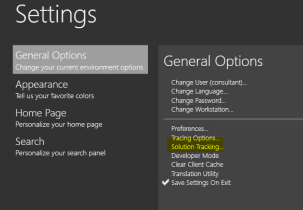
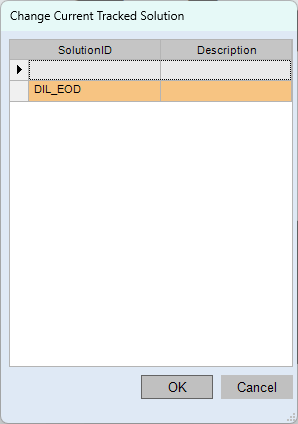
Thanks but I have checked I am not using Tracing or Solution Tracking
1 Like
I found the screen I was talking about. It’s called Activity Tracking. We got the same exact error and it was related to this screen. Your error mentions Activity Type 1 and BPM. That aligns with this exactly.
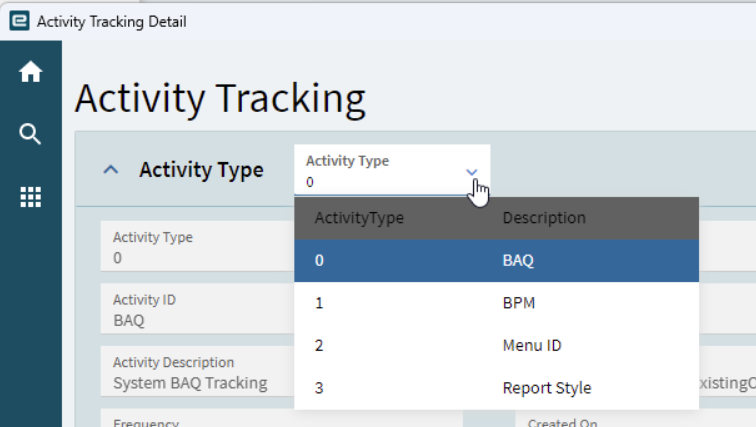
so what did you do? which BPM could cause this nice if it was more specific
did you uncheck the ENABLED checkbox as I cannot it is greyed out
1 Like
Yea we turned off tracking for BPMs and the error went away. My screenshot was of a screenshot I found online, I’m on an old version so I can’t play with it but I do remember it wasn’t straightforward to turn off that setting. Hopefully Epicor gets back to you and has the exact steps to turn that off. As for which BPM, if it’s occurring during firming a job, it’s probably related to a BPM in that process. Still, I don’t think you can fix the error through the BPM. I think it’s more of a bug in Epicor’s Activity Tracking process.
Funny enough I did go the JobHead and turn off the BPM I had created which is only to log changes to things like Due date, Prod Qty etc. which I would not think really caused this issue else why have the options???
Tried to firm a job and it worked, so went back in turned on the BPM and guess what…It still works so go figure thanks everyone I will see how it goes for a few days longer while I await EpicCare reply still nothing yet