We will have a recipe set up via automation studio which can, currently, be triggered via a webhook. The recipe will be grabbing pack line dimensions from a 3rd party dimensioner software and pulling them into Kinetic Epicor ERP. It will also be automating Phantom Packing.
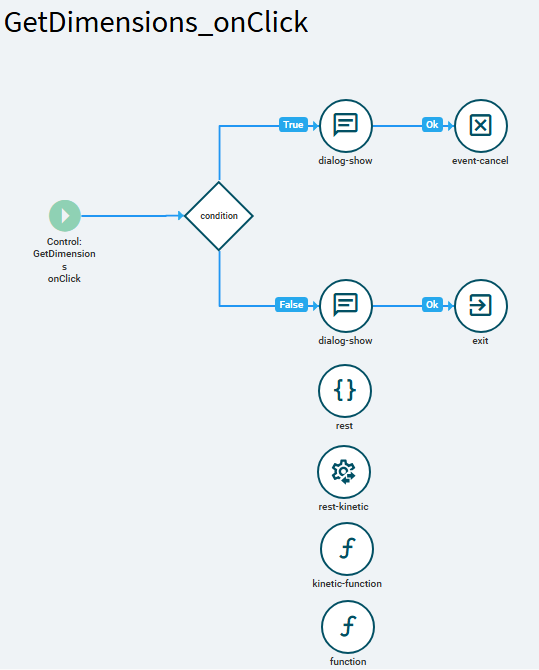
I have added a “Get Dimensions” button on our shipment entry screen. Inside of application studio, I have added a few actions “on click”: Is it freighted? If so, give the user a message to unfreight and end actions. If not…this is where I am stuck. I’m wondering what the best way is to invoke the automation studio recipe/trigger it via webhook.
I am fairly new to BPMs and Functions inside Epicor. Still learning about when it is best to use which. I notice method directive BPMs are on Kinetic screens, where as data directive BPMs and functions are still on classic screens.
BPMs offer an “Invoke Automation Studio Recipe” widget, whereas using a function, I presume, would require using a custom code widget to trigger the webhook for the recipe.
In Application Studio actions, I noticed there is a “rest” and “kinetic-rest” actions, but not 100% sure how I would call a webhook with the “rest” action, despite it stating it can be used for public/generic rest service operation requests. I see where you can call a function as an action, but haven’t found how you would trigger a BPM - would it be through the “kinetic-rest” action?
Has anyone set up this functionality in the past? Any input on which approach would be better to take and why? Or any insight on BPMs vs Functions would be helpful as well.
Thanks!