Nope. Still no joy.

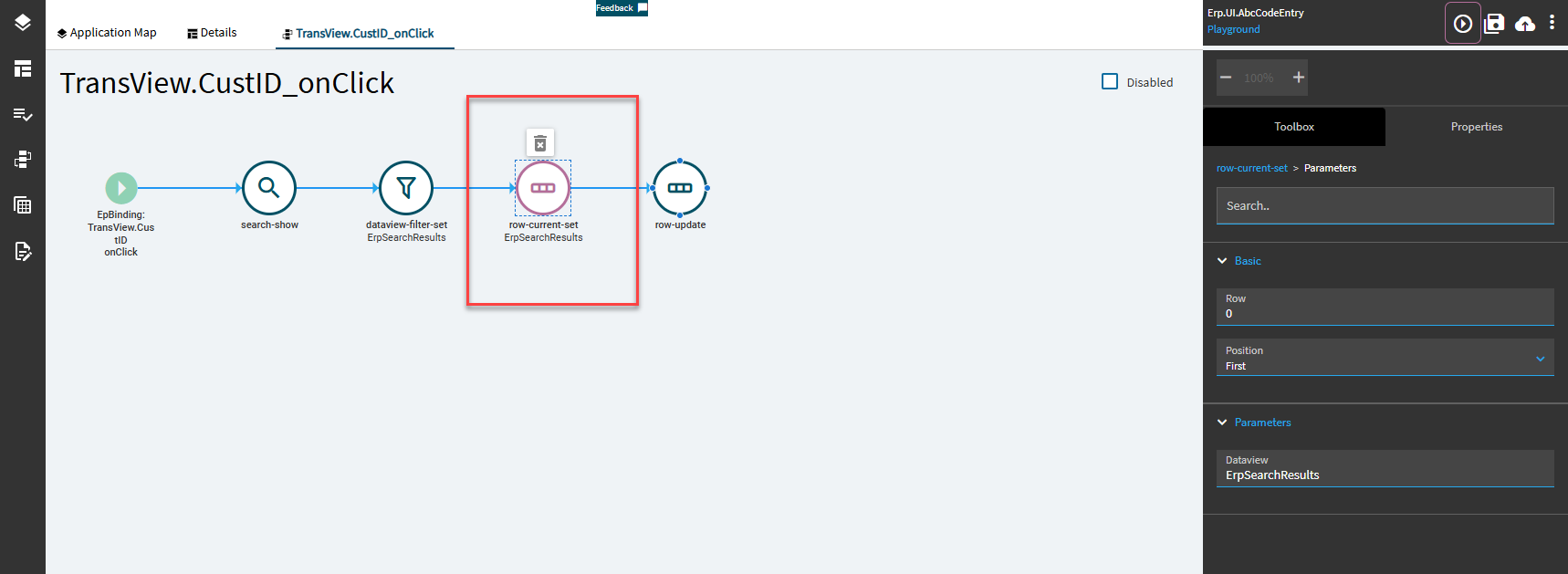
Especially since he’s filtering it down to only (1) row… not sure I get that one. But maybe the dataview filter walks away without ANY row selected?? That is odd.
I mean, it didn’t used to. I’ve used the same method in previous versions, but I was able to replicate the undefined issue in my 2024.1 environment. I had a whole HOST of issues in 2025.1 where it wouldn’t even populate the searchResult table, but that’s another day’s problem.
I love when they change/break things. 
Too bad the Search-Value-Set doesn’t allow for multiple columns. Though, I suppose you could chain multiple together.
That’s what I usually use after my search-show.
It does.
The problem @CharlesS is having is because Quick Searches and BAQ searches populate a dataview called ErpSearchResults with the ENTIRE dataset from the BAQ call. Then it makes a secondary call to the normal search service based on a key you selected from the BAQ one, but if you want to access any additional columns from your BAQ dataset, you then have to filter down the ErpSearchResutls table with the result of the searchResult table. It’s a wickedly BAD setup. I still don’t understand why ErpSearchResults isn’t filtered when you select your items in the same way that searchResult is. It makes no sense.
Oh… I guess I never looked into the “Parameters” portion of that 
Which reminds me… I have to follow-up with someone at Epicor about this who never answered my question the first time I asked…
I think I would go about this in a different way by using a standard search using Like and then after your selected row is returned call a BO or BAQ to get the data on column changed. If they type in the value then the data is not going to populate the way you want it to. Doing it this way covers search and manual entry of the ID
And still no joy. I could just cry. If I set the ‘like’ property to Customer it gives me the first value in the search that matches the CustID not necessarily the specific ShipTo I selected. If I set the ‘like’ property to ShipTo it matches the first ShipTo and ignores the CustID. I would like to find and talk to the person that coded this. Why they can’t simply ignore the ‘like’ property when it’s a BAQ I have no idea.
YES. That. I have no idea why they don’t just return the BAQ row you selected and let you get on with it. It should ignore the ‘like’ property for BAQ selects.
I’m working with some folks on this. *Fingers crossed*
No joy–even after using a row-current-set?
This will return CustNum… you can use that to get the CustomerID
That part works. But the selected item that I was using to select a row out of the ErpSearchResults only gives the first match. I was getting false positives before and didn’t realize it wasn’t actually giving me what I selected.
I think this is because of how the thing inherently works.
You select a BAQ row with a specific CustNum and ShipToNum, but the like “ShipTo.ShipToNum” field fires off a ShipTo search that only takes in the ShipToNum as a param. I was actually rather surprised you had something working there. Instead of default, there’s also a CustomerShipTo search within the ShipTo.ShipToNum “like” that’s supposed to take a ShipToNum and CustNum, but I couldn’t get it to take my CustNum either. Whole thing is messed up.
The marketing term is “enhance”.

Did you ever hear anything back?
This is still broken for me. I’m having to use two searches to set this.
Thank everyone for the help. I finally had to drop back to square one to solve this. It’s a solution in several parts.
-
I created a QuickSearch on Customer.CustID.
- The BAQ it uses links the Customer and Shipto while hiding the Shiptos with no ShiptoID.
- I set it to return the SysRowID of the Shipto. This value gets dumped into the SearchResult Dataset under CUSTID that’s important.
-
I created another BAQ that takes a parameter of ShipTo.SysRowID and returns all the relevant data.
-
Pumping the value from step one into step two VIA a erp-BAQ widget will put all the data into the Result Dataset.
-
From there you use row-update to set the CustID and ShiptoNum with the data from the Result Dataset.
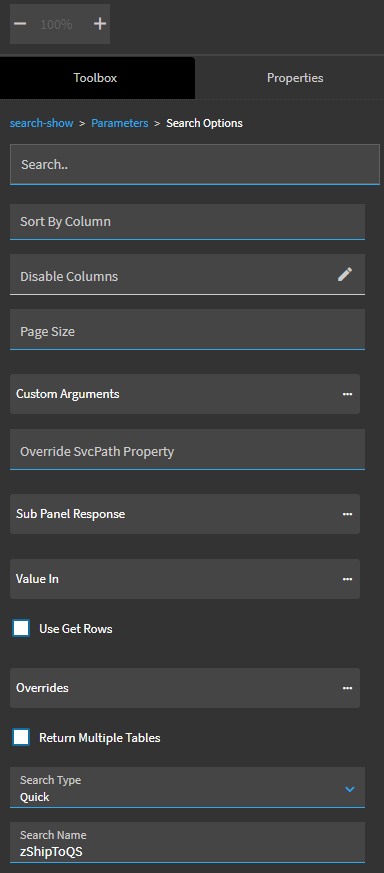
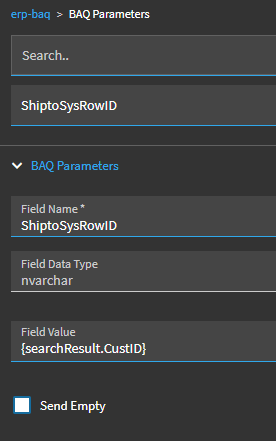
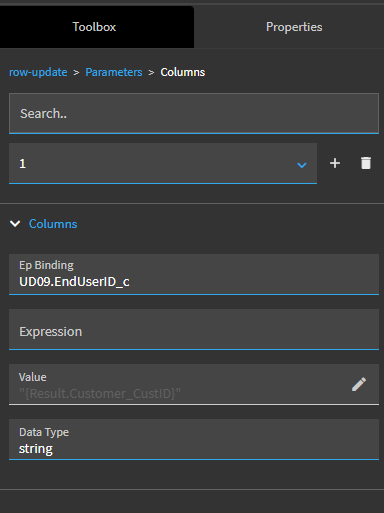
A bit sloppy; but it works. If the Search-Show worked properly I could have done this with two steps.