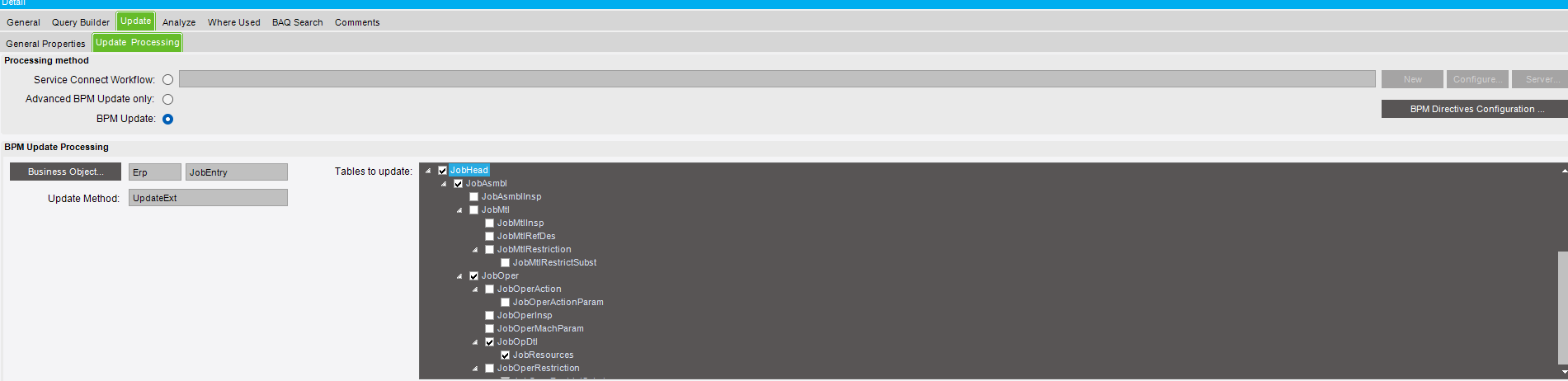
I am trying to create a UBAQ for the JobOptDtl table. I want to have it so the user can update the ResourceID and the CapabilityID, however when I set these to be updatable and connect the jobEntry business object, it is not allowing me to update these fields. When I change the field and press update it looks as though it saves, but when I run the query again my changes are gone.
Has anyone experienced attempting to update these fields in the past? I have seen some similar questions on here but not a lot of solutions.
Respectfully, I am trying to do this WITHOUT having to go into a job entry and have a dashboard with multiple job operations that allows me to change this all at once. I simply want to know why a UBAQ wont save any updates I make.
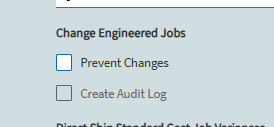
I’ve just got this functioning in an updateable BAQ. Currently trying to get the dashboard functioning. I did have to do an advanced BPM to get this functioning but we have prevent changes enabled. You may need to autofill your audit log if you have that enabled. The only other thing that would be stopping it is prevent changes. Going the advanced BPM route took awhile. Here is a snippet from the code. Should be able to add jobhead.changedescription and fill using constants without using advanced bpm.
        // Step 2: Re-engineer & Re-release
        ds = new Erp.Tablesets.UpdExtJobEntryTableset();
        ds.JobHead.Add(new Erp.Tablesets.JobHeadRow
        {
            ChangeDescription = $"Re-engineered & re-released by {Constants.UserID} -- Change made via Scheduling Dashboard",
            Company           = Constants.CurrentCompany,
            JobNum            = ttResult.JobHead_JobNum,
            JobEngineered     = true,
            JobReleased       = true,
            RowMod            = "U"
        });