I’ve created a new UD field and added it to our Part_UD table in our test environment. I was able to successfully add the field to a textbox in both the Part Display and Part Maintenance forms.
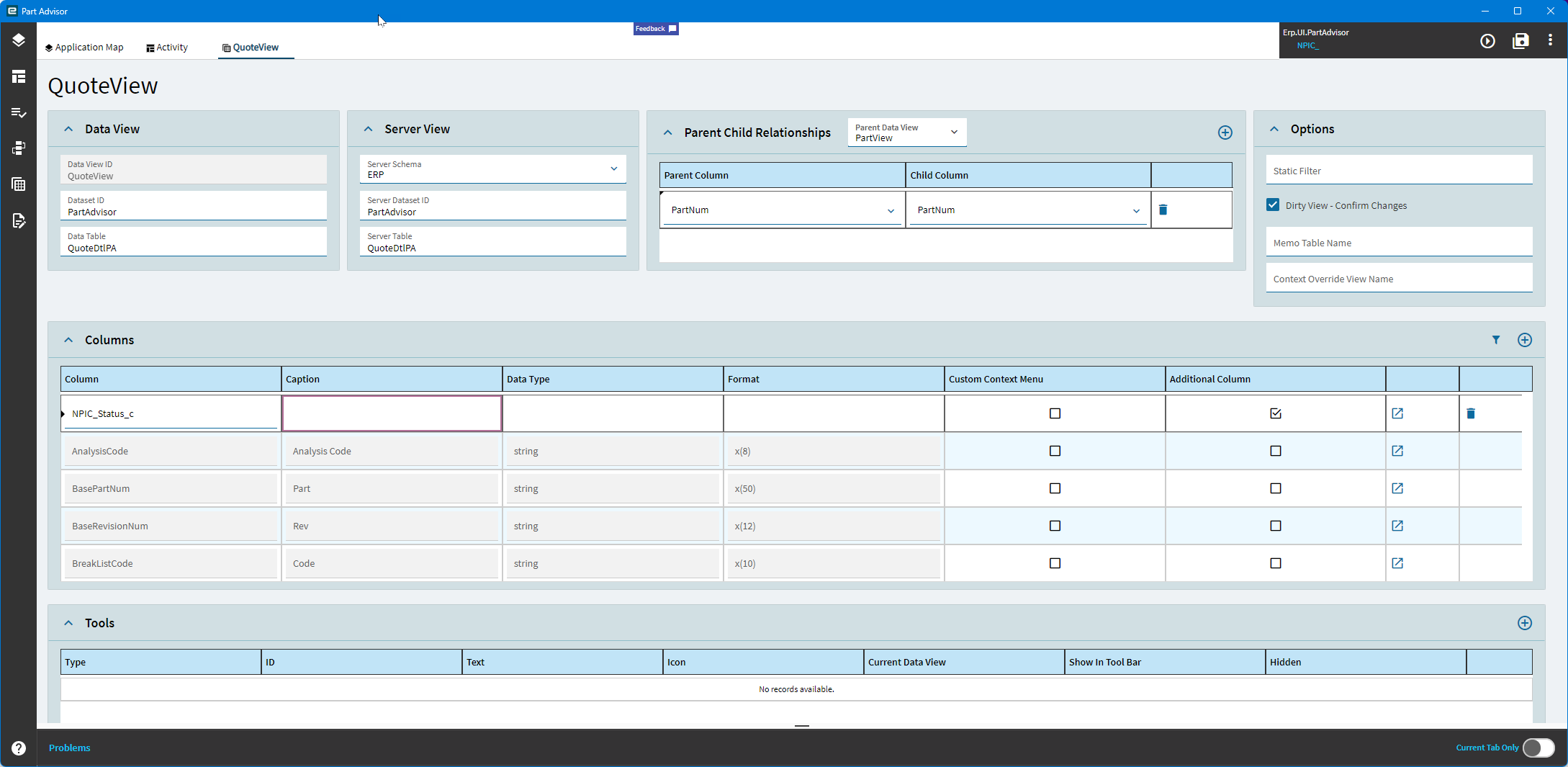
However, I’m running into an issue with the Part Advisor form (Erp.UI.PartAdvisor). Since this dashboard uses multiple views, I used Application Studio to add the UD field to each relevant view.
Here’s what I’ve done:
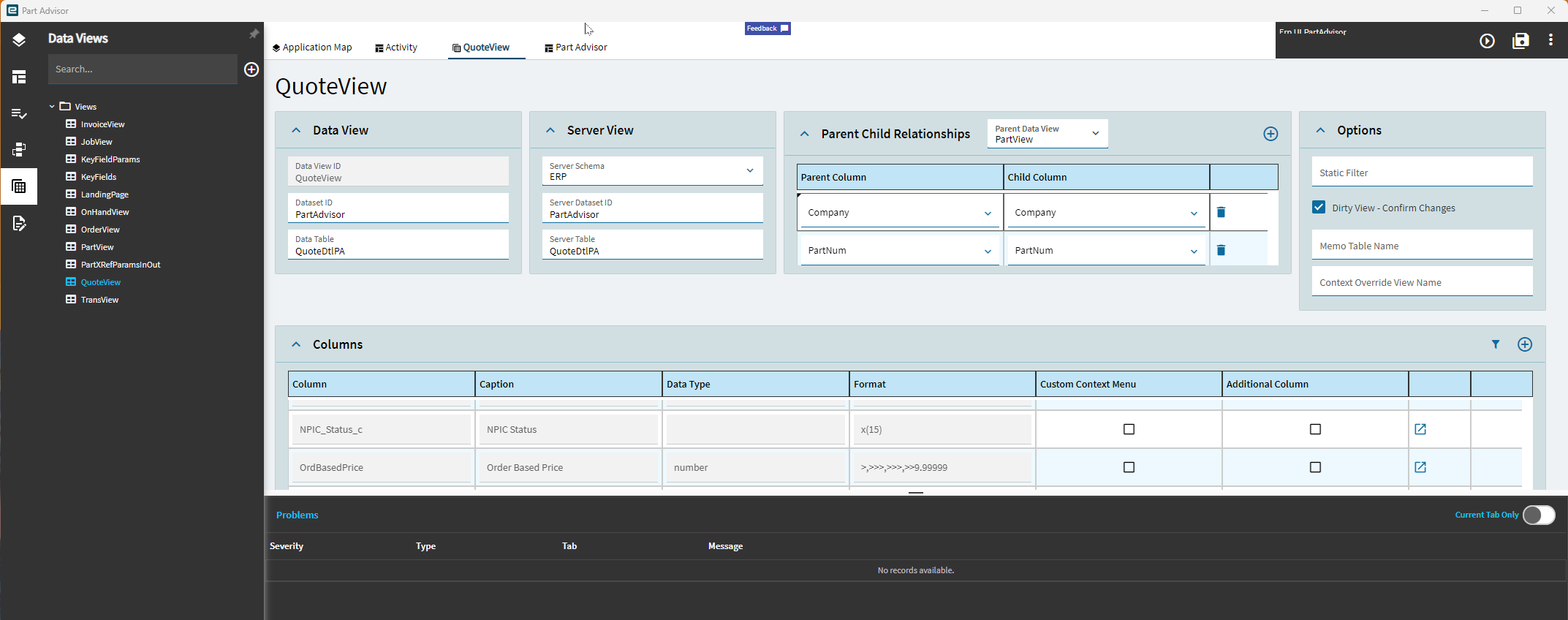
Added the field to each view that’s connected to PartView via the PartNum
Note: all views except PartView are grid-based
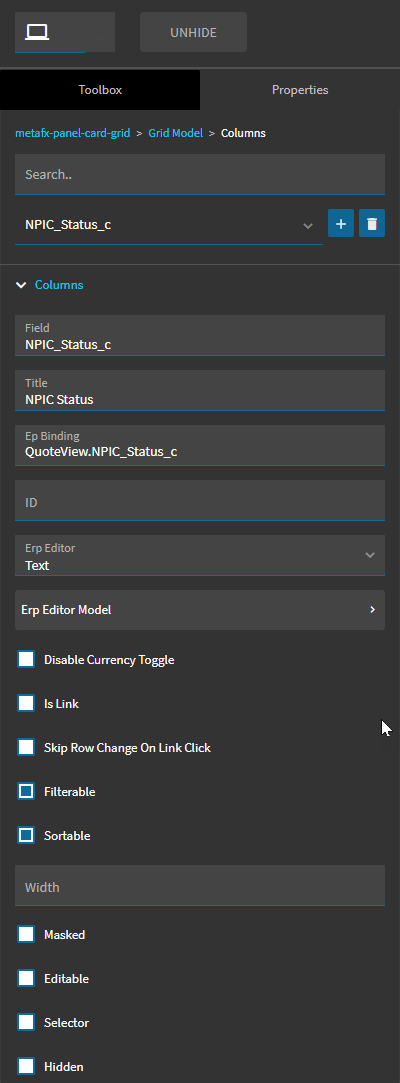
Confirmed that the field appears correctly in preview mode
Publish History shows the changes published successfully — no errors or failures
Despite all this, the field does not appear in the live UI.
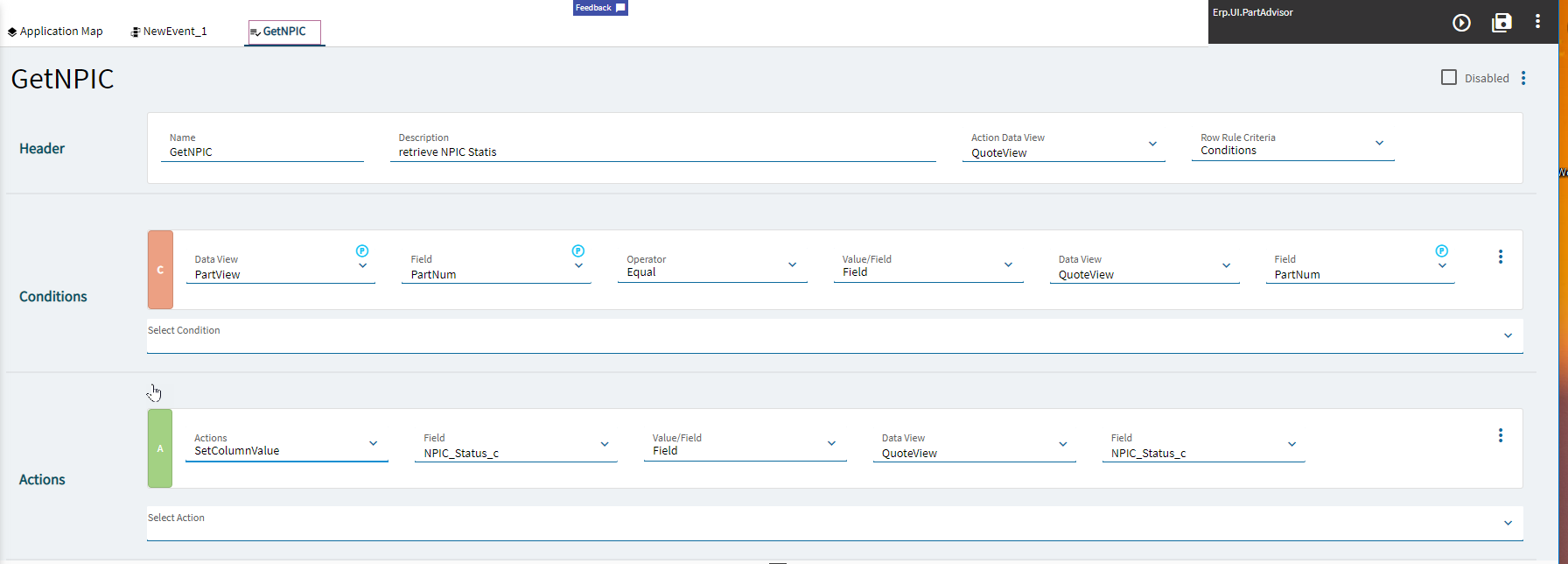
I’ve included screenshots to show how the field is configured in Application Studio, the publish history, and the binding setup.
Has anyone else experienced this issue? Is there another step required to get the fields to appear in the grid views of a dashboard after publishing?
I did learn that this type of dashboard needed to be enabled through Kinetic Application Maintenance. So, I went in, found Part Advisor, and enabled the UI. However, it still is not allowing the published customizations from Application Studio to be seen.
In the Menu Maintenance app in Kinetic there are three different menu items for part advisor. When you open one you should be able to set your layer in the Kinetic Customization box highlighted here
There is a customization box, however the layer I’ve made in application studio is not an option. I did also attempt to make these edits in customization maintenance. It allowed me to add a textbox to the Part View Details screen, but I cannot add it to the grid of the other views.
I had a phone meeting with Epicare support. He said to add the custom field to each table that the views are based on. i did that, but the field still only shows up in the partview column list.
Hi All!
I am back to this project from the summer with little to no results. I’m hoping some of you may have experienced something similar. This is my current state:
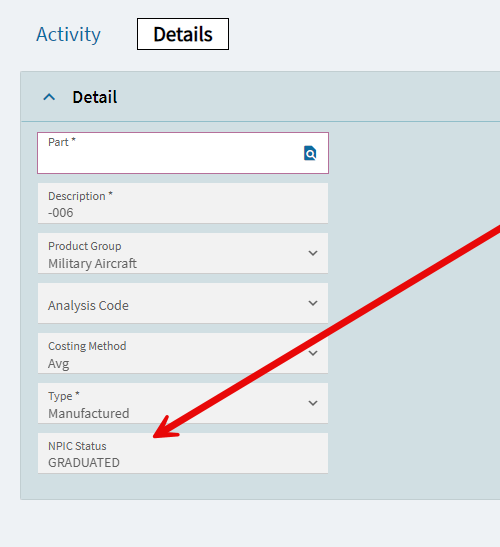
I have been tasked with adding our new custom fields to all of our Part -related forms. The issue i am having is with Part Advisor. I can get the field to show up on the Details screen that is liked to the partview dataset where the field lives.
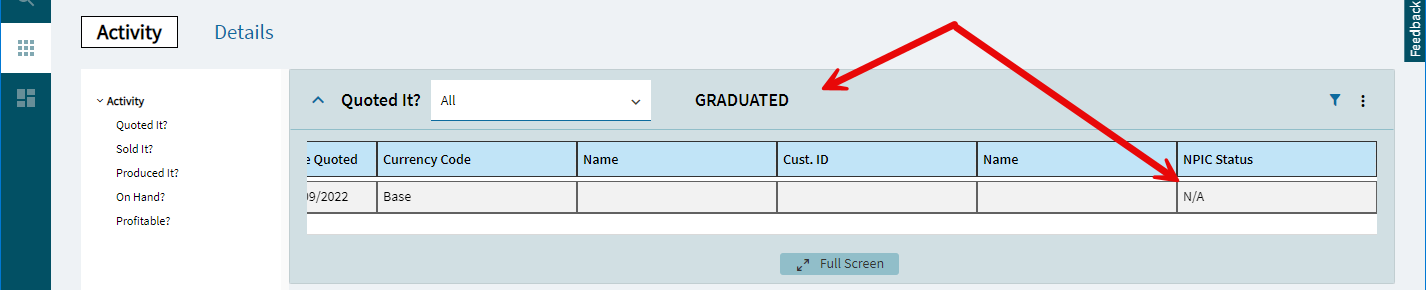
I can also get the value to show up on one of the activity screens IF i post it as a label. However, I need to post it as a part of the grid’s dataset.
Since the simple way didn’t work, I’ve tried other things including:
Creating BAQ to pull the fields manually
select
	[Part].[PartNum] as [Part_PartNum],
	[Part].[NPIC_Status_c] as [Part_NPIC_Status_c],
	[Part].[Company] as [Part_Company]
from Erp.Part as Part
where (Part.PartNum = @Part)
I created a new view and linked it to that BAQ. Then I tried to bind the fields to that instead of their natural view and/or partview.
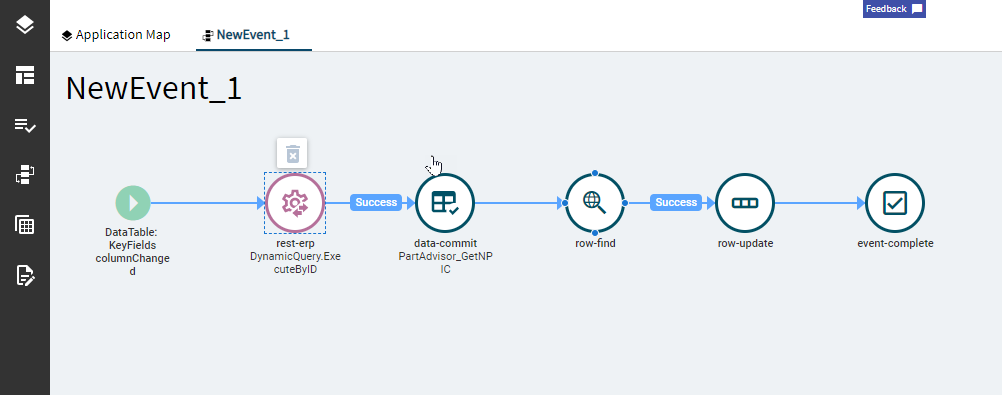
To do this I tried to create an event that triggered the baq execution via Ice.BO.DynamicQuerySVC.ExecuteByID, committing that dataset to the view i created, finding the row in quoteView (or any other view under activity) and bound it to the new view via row update. This was also not successful. I did test the call in epicor’s rest help sight and it does produce values.
I was able to use Klincecum’s logic to create a dictionary of parts and the UD field I’m looking for. Then I used that dictionary to update the particular row’s column in my results. My Final version can be seen below. I had to do this for every view as well as make sure there was a custom field in the dataset to bind.
using System.Data;
using System.Linq;
using System.Collections.Generic;

try
{
    var ts = (Erp.Tablesets.PartAdvisorTableset)result;
    if (ts == null || ts.JobHeadPA == null || ts.JobHeadPA.Count == 0) return;

    // Only proceed if the service table already exposes the column
    // (prevents serializer 500s)
    bool hasCol = false;
    // If LINQ Any() on Columns complains, you can swap to a try/catch test instead.
    try { hasCol = ts.JobHeadPA.Columns.Any(c => c.ColumnName == "NPIC_Status_c"); }
    catch { /* fallback below if needed */ }
    if (!hasCol)
    {
        // Fallback check without LINQ if needed:
        try { var _ = ts.JobHeadPA.Columns["NPIC_Status_c"]; hasCol = true; } catch { }
    }
    if (!hasCol) return;

    // Distinct keys from the outgoing rows
    var keys = ts.JobHeadPA
        .Where(r => !string.IsNullOrWhiteSpace(r.Company) && !string.IsNullOrWhiteSpace(r.PartNum))
        .Select(r => new { r.Company, r.PartNum })
        .Distinct()
        .ToList();
    if (keys.Count == 0) return;

    // EF-friendly Contains() (no in-memory join)
    var pNums = new HashSet<string>();
    foreach (var r in ts.JobHeadPA)
    { if (!string.IsNullOrWhiteSpace(r.PartNum)) pNums.Add (r.PartNum.Trim()); };
      if (pNums.Count == 0) return;

    //Build Lookup Dictionary
    var statusUpdates = (from p in Db.Part.With(LockHint.NoLock)
                        where pNums.Contains(p.PartNum)
                        select new { p.PartNum, p.NPIC_Status_c })
                       .ToList()
                       .ToDictionary(x => x.PartNum, x => x.NPIC_Status_c, System.StringComparer.OrdinalIgnoreCase);

    // Fill values (C#6 style: predeclare 'val' for TryGetValue)
    int hits = 0;
    foreach (var r in ts.JobHeadPA)
    {
        string val = null;
        if (statusUpdates.TryGetValue(r.PartNum, out val) && !string.IsNullOrWhiteSpace(val))
        {
            r["NPIC_Status_c"] = val;   // safe: column exists on the table contract
            hits++;
        }
    }


}
catch (System.Exception ex)
{
    // Don’t kill the panel; log and move on
    Ice.Diagnostics.Log.WriteEntry("NPIC BPM err: " + ex.GetType().Name + " - " + ex.Message);
    // throw; // uncomment once in TEST if you need to surface the stack
}