Try the recycle just in case, but if you started it after the regen completed then it should be fine. Did you restart the Epicor client? Maybe clear the cache too just to be sure you’ve got everything up to date.
QuoteOpr… ECOOpr… JobOper are all (3) seperate tables. If you want data to start on the Quote level and end up on the job level, I would think you would need to add the columns to both Quote and Job Op tables.
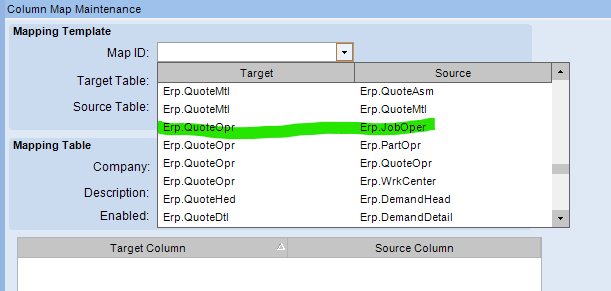
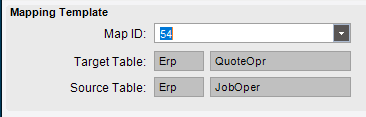
There is also a UD Column Map menu which has pre-defined mapping and I think the Op tables are included in those pre-defined maps. So, you can tell the program to map the data from QuoteOpr to JobOper.
Actually never mind. Checking it a bit closer, @dcamlin is correct. When you said JobOper binding I assumed that it would be the JobOper table, but for some reason it’s the QuoteOpr table. That’s why you’re not seeing it there. You do need to add the fields to the QuoteOpr table.
He’s also right about the mapping, but I think Epicor automatically passes those fields if the names match. If you find that adding it to QuoteOpr doesn’t transfer it to JobOper when creating the job, then you may need to add it to the QuoteOpr → Job Oper UD Column Map.
Exactly, that’s why I didn’t clock in that it was actually QuoteOpr when you mentioned JobOper binding. David’s post sounded correct too but you specified JobOper binding, so I thought there were maybe two different bindings. Not sure why they named it that way.