UD-Service-Designer Add a field after deploying service to Production
Epicor 2025.2
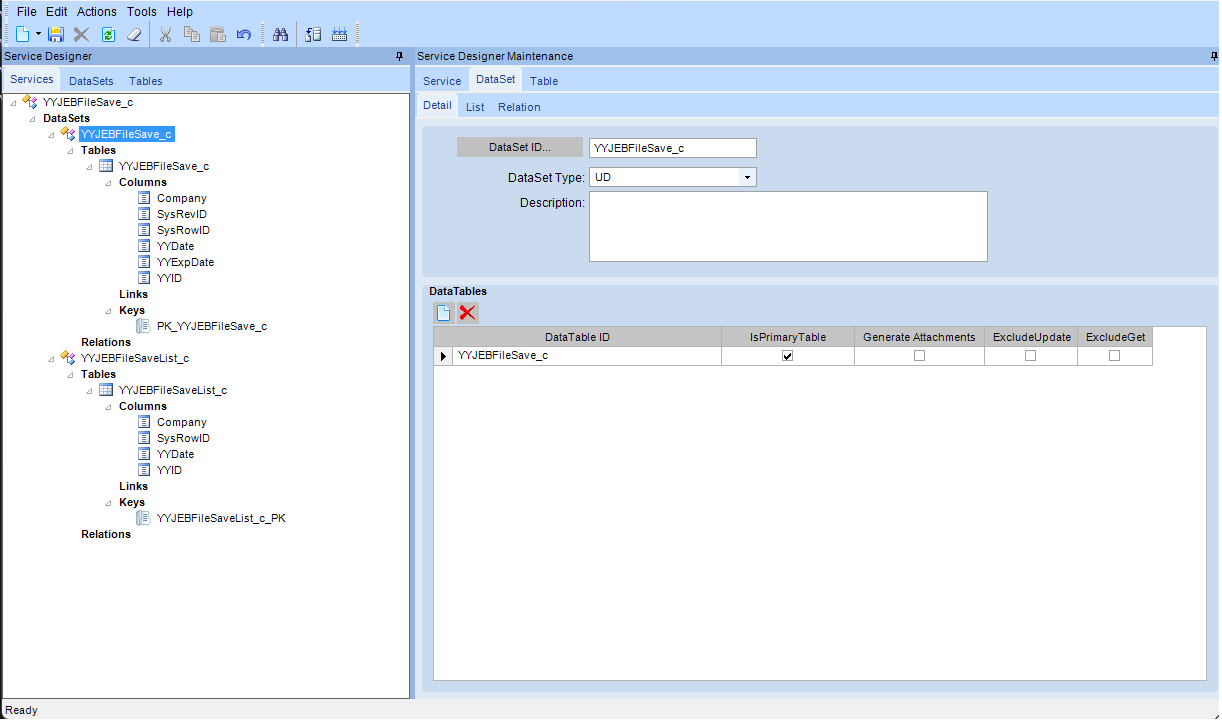
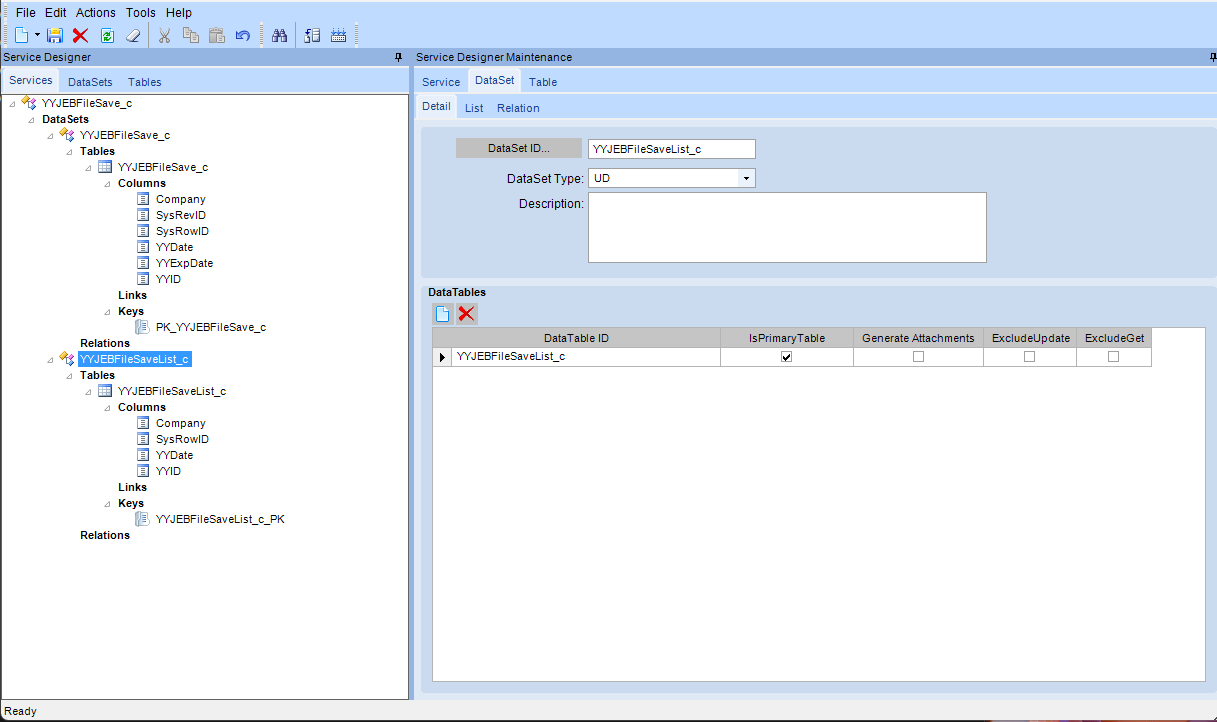
Created a table with simple fields: Company, ID, Date. Created simple Primary Key for main table and a matching List table. Followed instructions to regen and restart application pool. Deployed the table to another environment (demo just for example) using Solution WorkBench. All worked without issue. No BPM, forms or BAQs are created using this file or service.
Went back to original development environment to add a new field to the main table, simple field, date. Again, followed instructions to regen and restart application pool. Deployed the table again using Solution WorkBench. The deployment ends with errors.
Have tried this several times to make sure I am following the instructions exactly. Have I misunderstood a step? I just want to be able to add a field after the service gets to Production.
Steps to create service and add field:
Create new Service in Development environment.
Add Fields for Table.
Add Primary Key or Adjust Primary Key – “PK_Tablename_c” .
File → Save.
Add Fields for List Table.
Add Primary Key for List Table with External Checked for this Key (this key will not be generated for the database) – “Tablename_c_PK”.
File → Save.
Close Service Designer.
Regenerate Data Model.
Stop/Start Application Pool.
Open Service Designer.
Generate Service.
Stop/Start Application Pool.
Verify the Business Objects are created in the Helper.
Added a record to verify a record could be added and searched.
Create one record to verify the table works.
Create a solution in Solution WorkBench – include ZBODef, ZDataSet, ZDataTable items.
Build solution.
Note: No BPMs, Forms or BAQs are built using this file or service.
Deploy New table to Production environment (used Demo for this example):
Open Solution WorkBench.
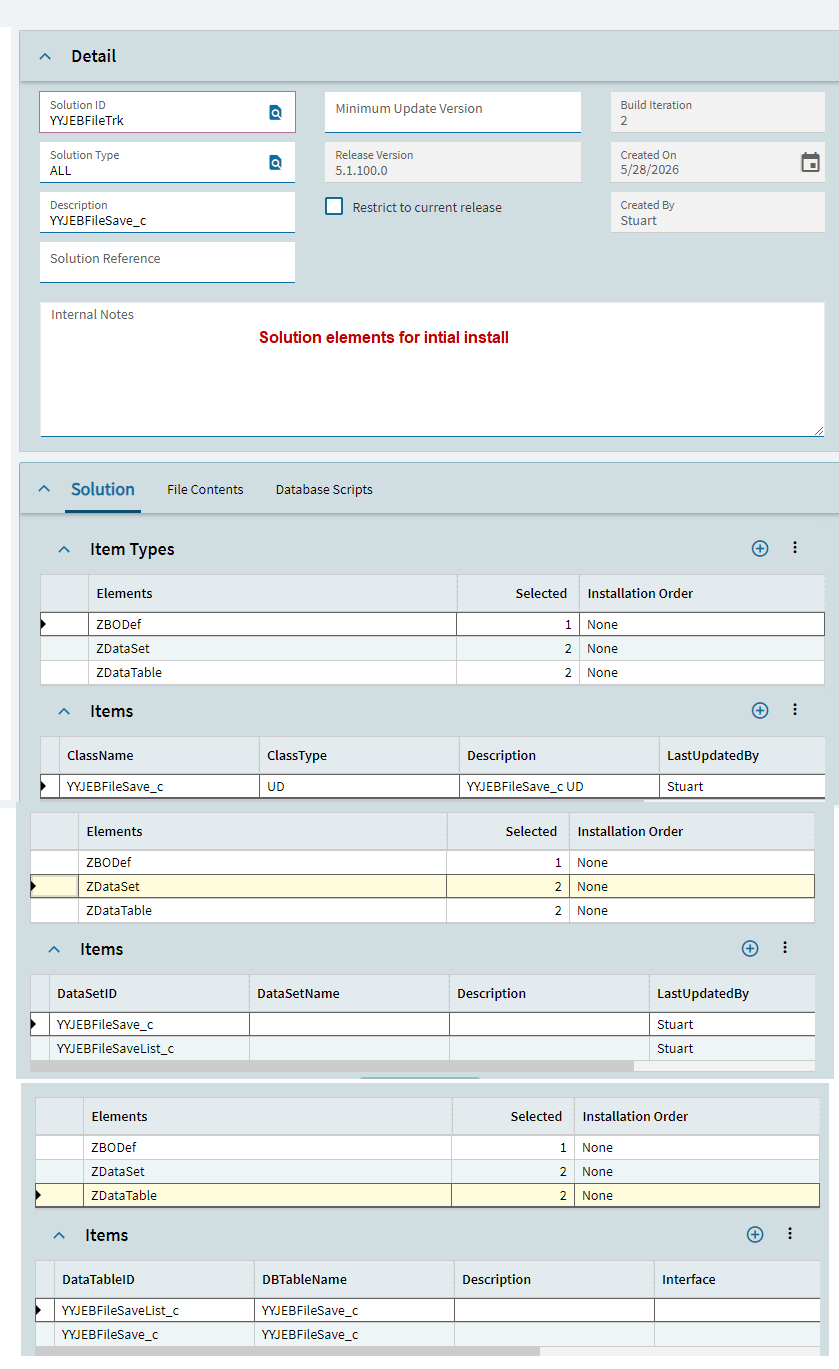
Install solution created in the previous environment – ensure the installation log is successful.
Regenerate the Data Model.
Stop/Start Application Pool.
Run Conversion WorkBench Item #210 – UpgradeUserDefined ServicesToBusinessModel .
Stop/Start Application Pool.
All steps, to this point, completed as expected.
Add Field to the Table in Development Environment:
Open Service Designer.
Search for Service.
Add field to Main Table but not List Table. Keys for both Main and List Table did not change.
File → Save.
Close Service Designer.
Regenerate the Data Model.
Stop/Start Application Pool.
Open Service Designer.
Generate Service.
Close Service Designer.
Stop/Start Application Pool.
Verify the Business Objects are created in the Helper.
Added a record to verify a record could be added and searched.
Create one record to verify the table works.
Create new solution in Solution Workbench include ZBODef, ZDataSet, ZDataTable items (same elements as before, new solution).
Build solution.
Deploy New table to Production environment (used Demo for this example):
Open Solution WorkBench.
Installed the solution in new environment. Log indicated the ZBO Def record existed, ZDataSet records existed, and ZDataTable records Existed but Finished import of the data definitions.
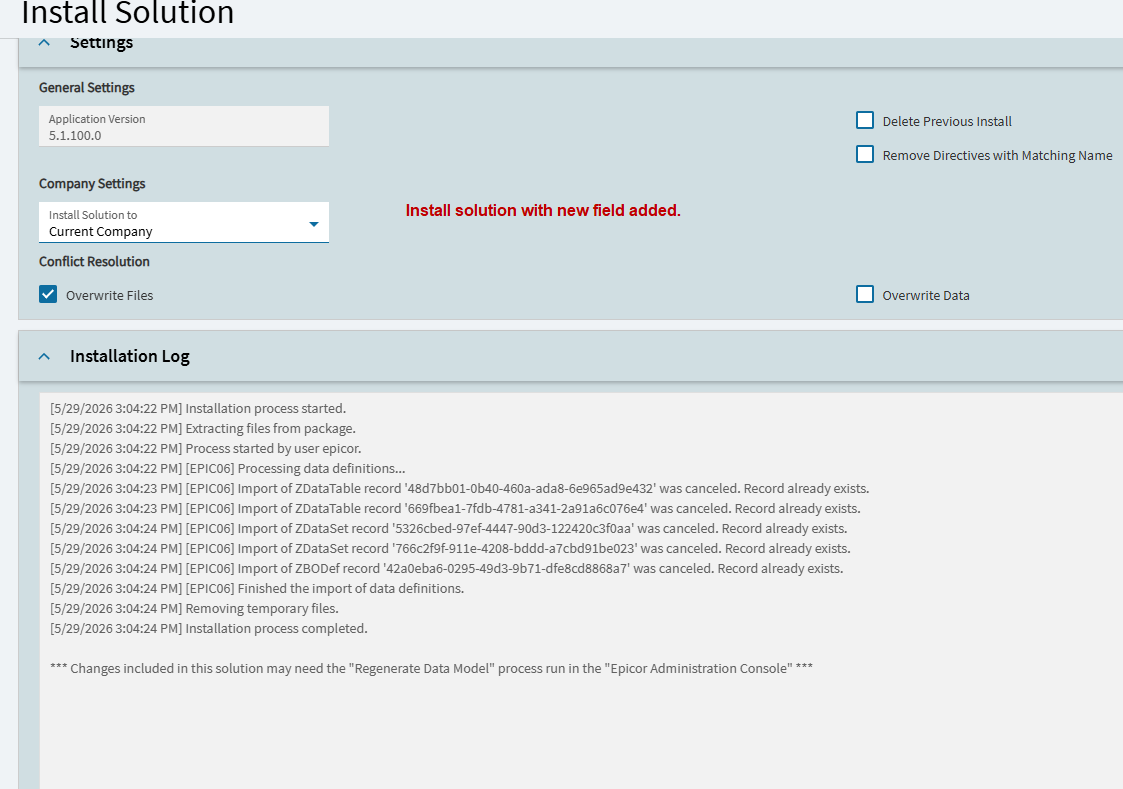
Regenerate the Data Model per install log suggestion.
Stop/Start Application Pool.
Run Conversion WorkBench Item #210 – UpgradeUserDefined ServicesToBusinessModel (this creates the business objects). This process finished with errors.
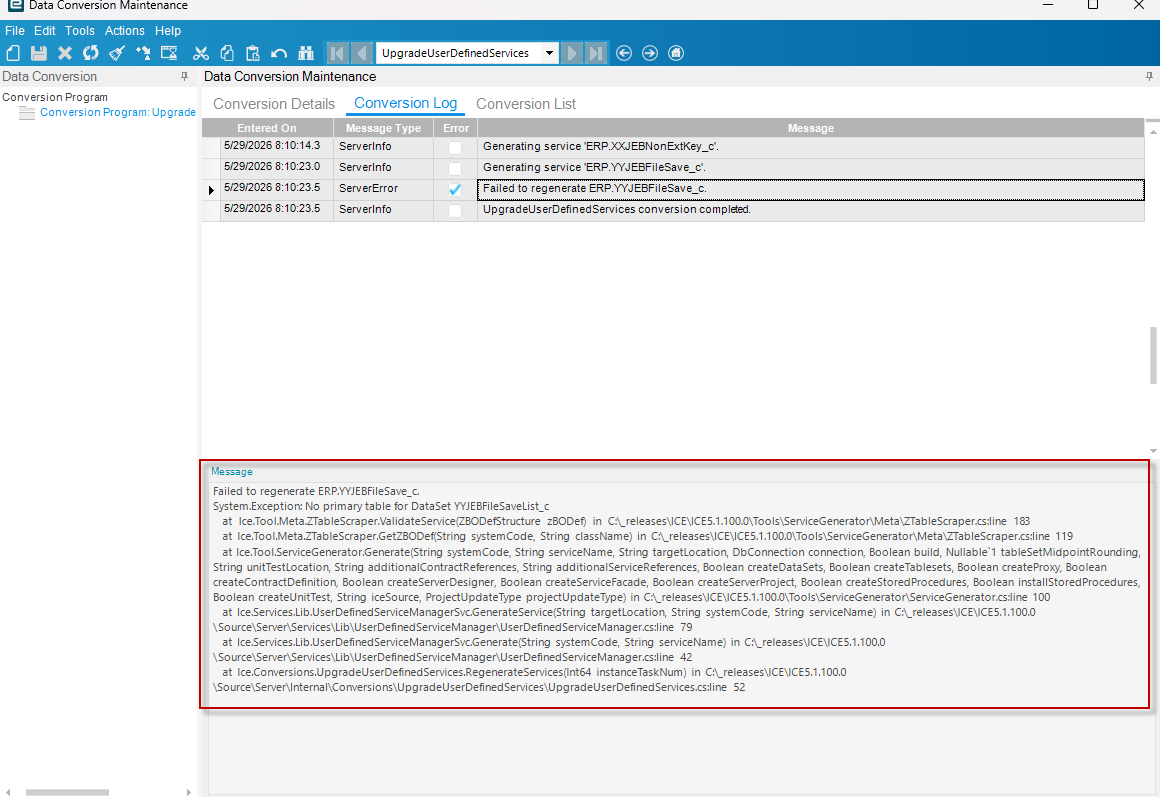
Error message:
"Failed to regenerate ERP.YYJEBFileSave_c.
System.Exception: No primary table for DataSet YYJEBFileSaveList_c
at Ice.Tool.Meta.ZTableScraper.ValidateService(ZBODefStructure zBODef) in C:\_releases\ICE\ICE5.1.100.0\Tools\ServiceGenerator\Meta\ZTableScraper.cs:line 183
at Ice.Tool.Meta.ZTableScraper.GetZBODef(String systemCode, String className) in C:\_releases\ICE\ICE5.1.100.0\Tools\ServiceGenerator\Meta\ZTableScraper.cs:line 119
at Ice.Tool.ServiceGenerator.Generate(String systemCode, String serviceName, String targetLocation, DbConnection connection, Boolean build, Nullable`1 tableSetMidpointRounding, String unitTestLocation, String additionalContractReferences, String additionalServiceReferences, Boolean createDataSets, Boolean createTablesets, Boolean createProxy, Boolean createContractDefinition, Boolean createServerDesigner, Boolean createServiceFacade, Boolean createServerProject, Boolean createStoredProcedures, Boolean installStoredProcedures, Boolean createUnitTest, String iceSource, ProjectUpdateType projectUpdateType) in C:\_releases\ICE\ICE5.1.100.0\Tools\ServiceGenerator\ServiceGenerator.cs:line 100
at Ice.Services.Lib.UserDefinedServiceManagerSvc.GenerateService(String targetLocation, String systemCode, String serviceName) in C:\_releases\ICE\ICE5.1.100.0\Source\Server\Services\Lib\UserDefinedServiceManager\UserDefinedServiceManager.cs:line 79
at Ice.Services.Lib.UserDefinedServiceManagerSvc.Generate(String systemCode, String serviceName) in C:\_releases\ICE\ICE5.1.100.0\Source\Server\Services\Lib\UserDefinedServiceManager\UserDefinedServiceManager.cs:line 42
at Ice.Conversions.UpgradeUserDefinedServices.RegenerateServices(Int64 instanceTaskNum) in C:\_releases\ICE\ICE5.1.100.0\Source\Server\Internal\Conversions\UpgradeUserDefinedServices\UpgradeUserDefinedServices.cs:line 52"
Stop/Start Application Pool.
In Service Designer Service looks like this: