Unable to Cast object of type

Good Morning everyone. I am attempt to grab the value out of a combo drop down to handle some logic based on the ProdGrup. I am getting the below error.

Unable to cast object of type ‘Erp.UI.Controls.Combos.ProdGrupCombo’ to type ‘Erp.Adapters.Controls.ProdGrupCombo’.

	private void btnPrintLabel_Click(object sender, System.EventArgs args)
	{
		// ** Place Event Handling Code Here **
		ttPartNum = (Ice.Lib.Framework.EpiTextBox)csm.GetNativeControlReference("38e1671b-0c3f-4ab3-b8ab-95f26285f1d2");
		ttPartDescription = (Ice.Lib.Framework.EpiTextBox)csm.GetNativeControlReference("b96c3530-3a3b-41dd-a3a4-4a2f933702f8");        
		Erp.Adapters.Controls.ProdGrupCombo ttProdCode = (Erp.Adapters.Controls.ProdGrupCombo)csm.GetNativeControlReference("460acbc9-46ec-4426-8b49-6575184752c6");

What happens when you specify the type that it says you’re trying to implicitly cast?

Say:

Erp.UI.Controls.Combos.ProdGrupCombo ttProdCode = (Erp.UI.Controls.Combos.ProdGrupCombo)csm.GetNativeControlReference("460acbc9-46ec-4426-8b49-6575184752c6");

Instead of:

Erp.Adapters.Controls.ProdGrupCombo ttProdCode = (Erp.Adapters.Controls.ProdGrupCombo)csm.GetNativeControlReference("460acbc9-46ec-4426-8b49-6575184752c6");

In other words, use the type that the system is telling you it wants to use.

Stop while you are head, do not grab values from the UI controls. Use the data views (assuming you are in Part Entry something like this should work)

var edvPart = oTrans.Factory('Part');
if(edvPart.Row>=0)
{
  var partNum = edvPart.dataView[edvPart.Row]["PartNum"] as String;
  var partNum = edvPart.dataView[edvPart.Row]["PartDescription"] as String;
  var prodCode= edvPart.dataView[edvPart.Row]["ProdCode"] as String;
}

You should always strive for abstraction and not tie yourself to individual controls on the screen. What happens if Epicor redesigns that screen and renames the controls? or the GUID changes.

Working directly with the dataViews affords you the abstraction required for more robust future proof customizations that will generally upgrade cleaner and lead to less maintenance issues.

If Epicor moves that control to another tab, renames it, or removes it entirely you still have access to the underlying data view its binding.

4 Likes

I had to modify it slightly but thank you! This makes sense.

I keep getting an Object reference is not set to instance of Object. I feel like I am so close but I am missing something. Message Box A and B appear but not C

private void btnPrintLabel_Click(object sender, System.EventArgs args)
	{
		// ** Place Event Handling Code Here **
		MessageBox.Show("A");
		var edvPart = oTrans.Factory("Part");		
        if(edvPart.Row>=0)
        {	MessageBox.Show("B");
		  string tPartNum = (string)edvPart.dataView[edvPart.Row]["PartNum"];
			MessageBox.Show("C");
          ttPartDescription.Text = edvPart.dataView[edvPart.Row]["PartDescription"].ToString();
          ttProdCode.Text= edvPart.dataView[edvPart.Row]["ProdCode"].ToString();
        }

Are you in Part Entry

Yes

Your code works just fine for me through the C message.

However I see you are assigning it to some ttPartDescription.Text? right after that?

Again I would refrain from assiging to or interacting with controls at all.

Like @josecgomez has mentioned, this is not Winforms. We really have to work with the dataviews. This becomes even more important when you move to Kinetic.
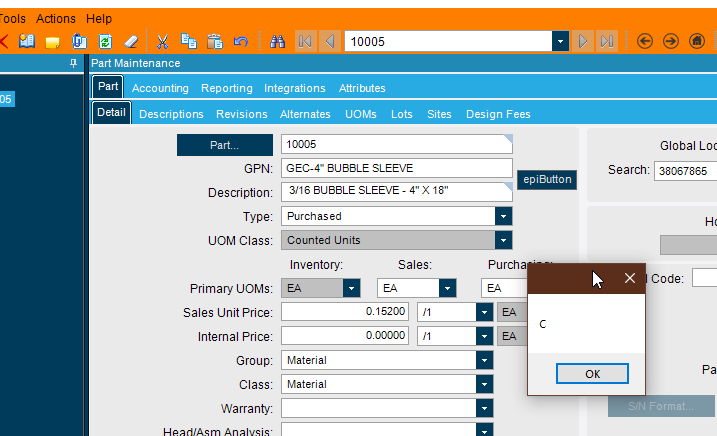
Yes, I changed to code to use the DataViews and the code finally started working after fully closing and reopening epicor.