Unable to dynamically set Caption on a kinetic dashboard

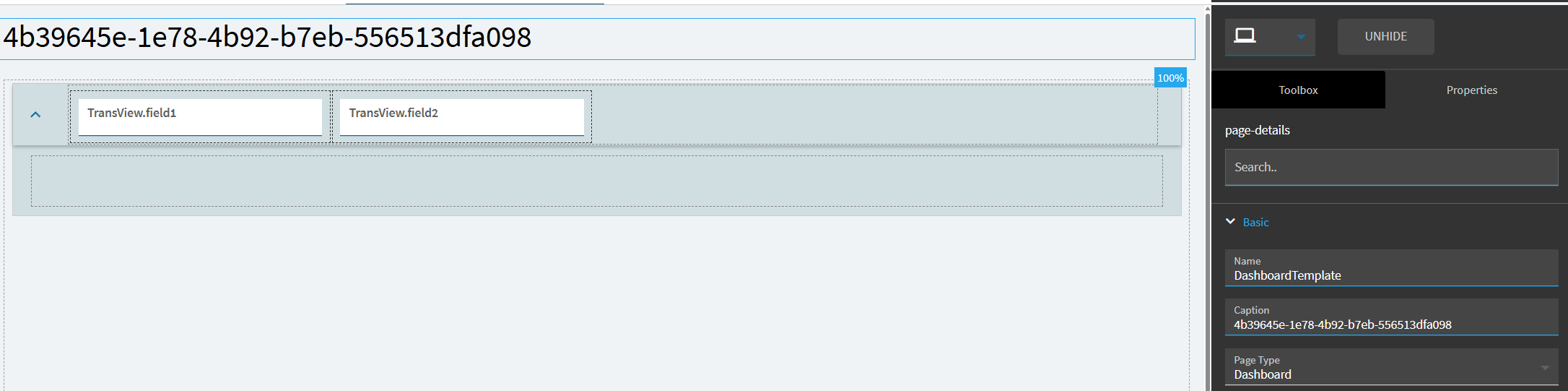
I have a kinetic dashboard app (custom app, not a custom layer) with a simple “DashboardTemplate” page in it. I set the Caption property on the page to {TransView.myfield} which works fine when the page is loaded (I set the value in the Window_OnLoad event). But then later when I change the value in TransView, the page caption doesn’t update.

Any ideas?

I have tried property set, row update, and page-navigate to, nothing makes it update.

2 Likes

I gotcha.

The app will only update this once, so you have to set it by hand, and property set won’t do it.

I have an example app that will.

1 Like

You need something unique for the caption, so we can find the right component.
I just used a Guid, but use what you want.

I created a TransView dataview to hold a few fields.

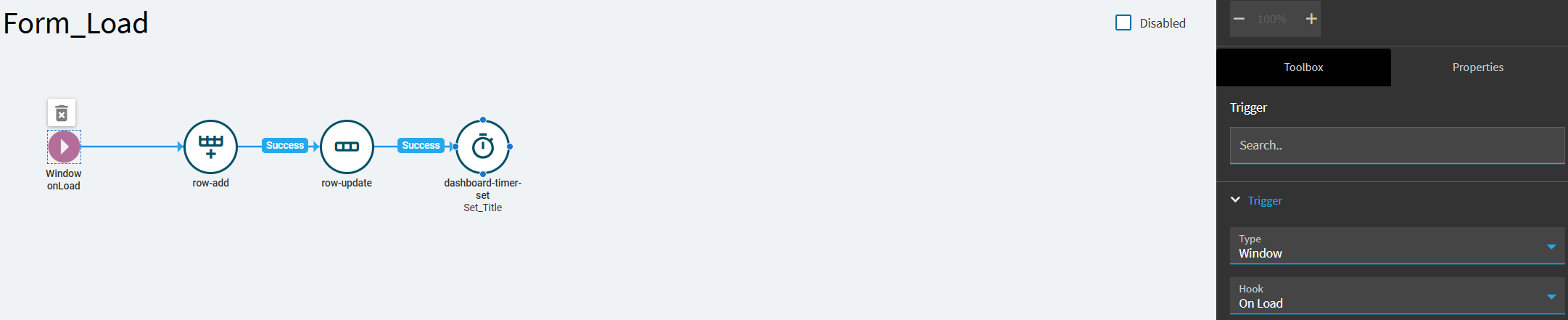
I created a Form_Load event →

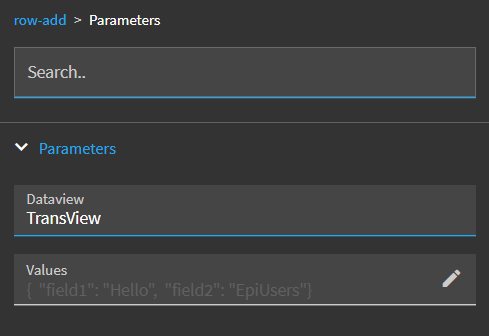
row-add
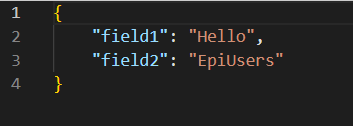
This is adding my initial row, and setting some title values.


This component is not registered for use with property set, so we need to use a little javascript to get at it via the trans object.

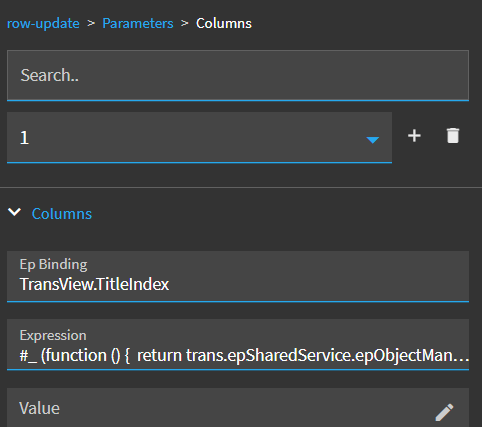
We will use a row-update field to store the component index in TransView.TitleIndex.


Code for row-update (Notice we are searching for that Guid I made the initial caption…)

#_ (function () {  return trans.epSharedService.epObjectManagerSvc._components.findIndex(c => c.title === "4b39645e-1e78-4b92-b7eb-556513dfa098" );  })(); _#

If you try to set the title too early, the page will overwrite it.
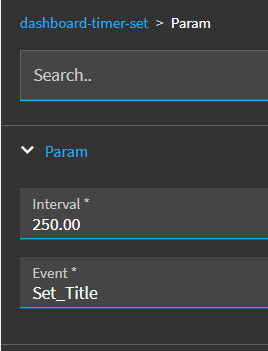
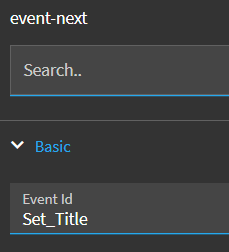
We need a delay, so we add a dashboard-timer-set and we will call another event from that Set-Title.

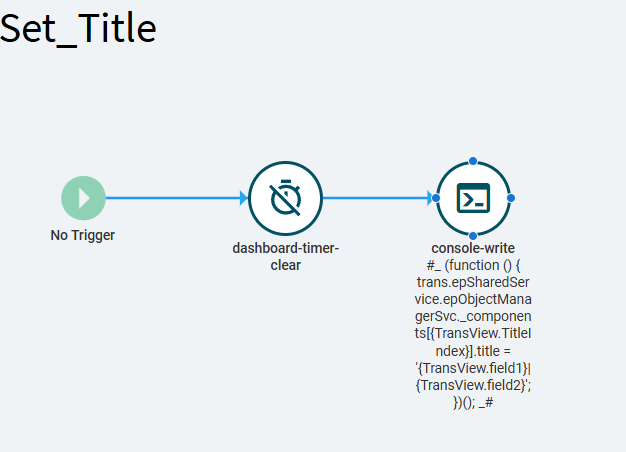
Set_Title event:

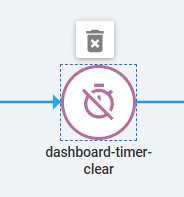
First, we clear the dashboard timer…

Then, I don’t know what happens if a timer is not set, so I did not use a success branch, just add the console-write in sequence. The console-write will update our title on demand.


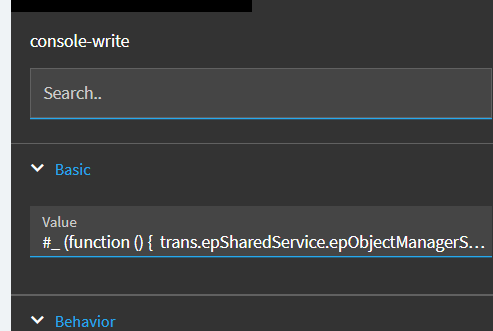
code for console-write

#_ (function () {  trans.epSharedService.epObjectManagerSvc._components[{TransView.TitleIndex}].title = '{TransView.field1}|{TransView.field2}';  })(); _#

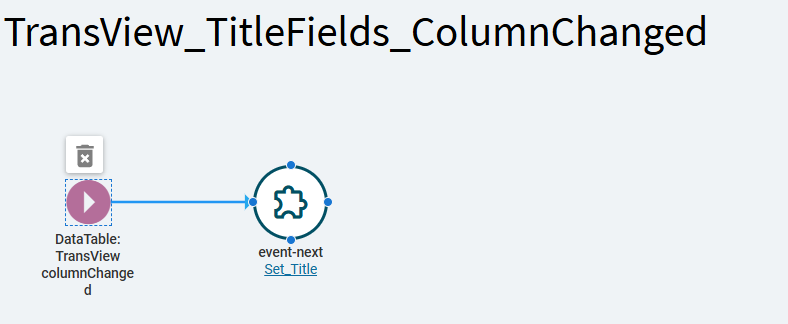
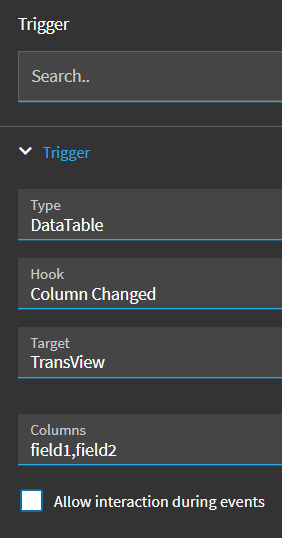
I also set up a column-changed event on the TransView fields field1 & field2:
So when those change, the title will update..


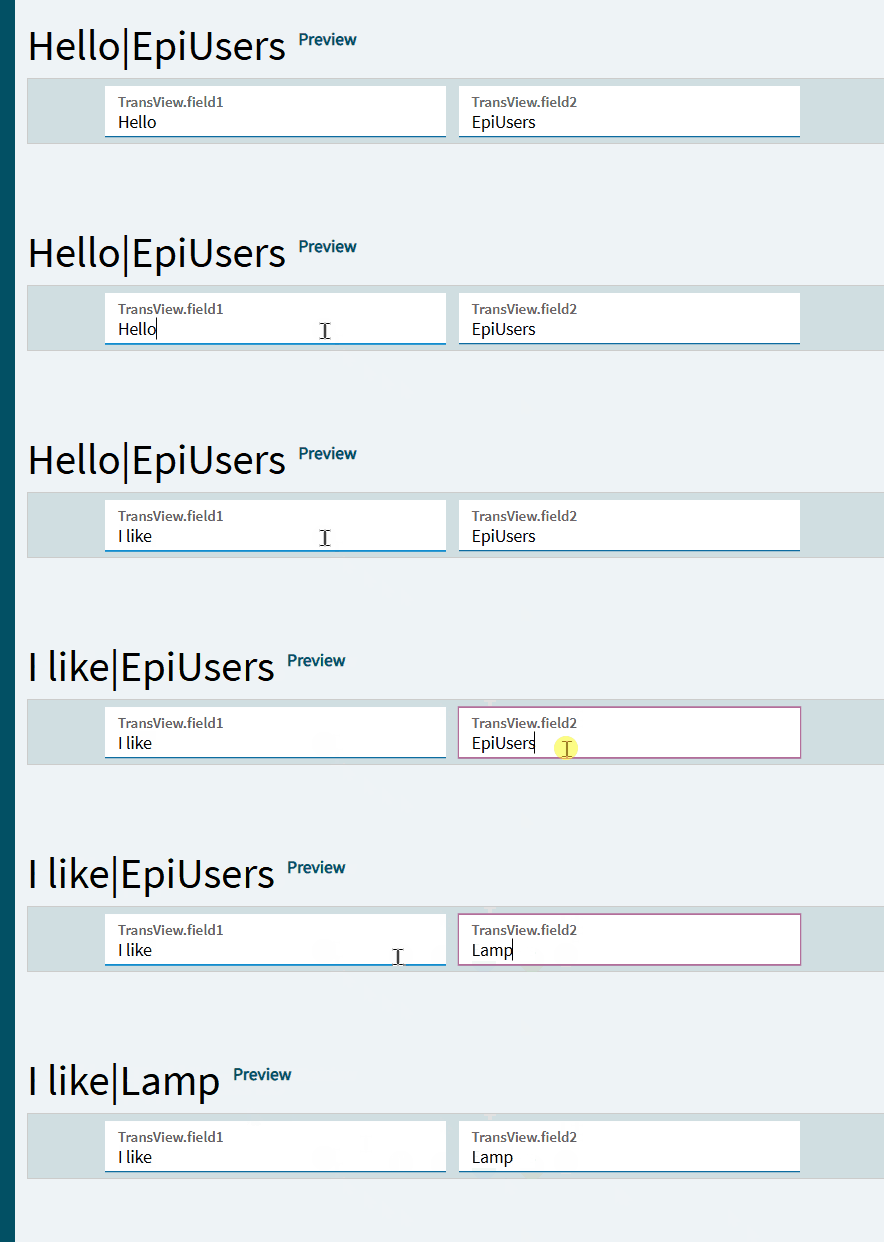
Notice on the main page, I added two textboxes. Those are bound to TransView.field1 and TransView.field2.

When those change, the title changes.
titlechanger

And…

terminator 2 GIF

Edit: Here is the app made in 2025.2.x
Ice.UIDbd.ChangeTitleTest.zip (2.8 KB)
9 Likes

And to think, all of that work would be completely unnecessary if Epicor’s dynamic binding worked out of the box OR if app studio had a label control with styling properties like font size.

Anyway, thank you for the (convoluted) amazing solution!

2 Likes

Well to be completely fair, it does work as designed..

It will pull it ONCE, if the field is defined before the page loads.
It’s certainly not dynamic, but they do pull it before the page loads.

They may just not have ever imagined someone would want to dynamically change titles.

But now we can, and we should probably make an idea for this to be standard functionality.

1 Like

Season 1 Thanks GIF by Paramount+

3 Likes

Shouldn’t I get a pass because I did the work?

Despicable Me Please GIF

3 Likes

Kevin dun gone 4th dimension client-side-dark-side. Love it! :+1:

1 Like

No good deed goes unpunished.

But to be COMPLETELY fair its ABSURD that we still have no control over font styling.

5 Likes

Every property should be bindable. It’s javascript afterall.

1 Like

Every web usability and accessibility designer remembering our previous attempts with fonts and colors…

Family Guy Reaction GIF

3 Likes

What other companies do is provide a Design System that allows web authors to globally set the look and feel for a site: Google has Material Design, Microsoft has Fluent, Apple has their Human Interface Guide, and Salesforce has the Lightning Design System. We probably shouldn’t be setting the font and color of components but rather use design tokens to do the same thing.

3 Likes

Well, we used to have that in classic, with styles. Now we don’t. Yay Kinetic?

2 Likes

Hopefully they’ll pick one of the 18 so us customers can set a style for our Epicor environments.

1 Like

All they’d have to do is provide a css override file. They don’t want to.

2 Likes

Don’t get me wrong, I want that.

But, its a slightly distinct concern - its a freaking web app, if I need to plaster some big ass text across the top of a specific screen, it shouldn’t be mission impossible to do it.

3 Likes

Another way to do this is to page-navigate in onColumnChanged of TransView.MyCaption.

This triggers view.currentViewChanged (even if you ‘navigate’ to the same page you’re already on) which in turn re-evaluates the Page Caption binding expression (under Advanced properties).

Nope, tried that, didn’t work.

Works for OOTB apps, may be a dashboard thing. bummer.

2 Likes

Right, it works on apps but not on dashboards.