Uncheck Make Direct BPM

Continuing the discussion from Automatically uncheck Make Direct CheckBox:

We have a use case where we want the Make Direct checkbox to be False when a line/release is added to a sales order for a certain customer. Meaning it should always be shipped from stock.

The problem is, for this customer, we create the sales order from a quote, and the releases always come over as MakeDirect = True.

I’ve tried a Method Directive on Erp.BO.SalesOrder.CreateOrderFromQuote but still no luck setting the field. I also tried Erp.BO.SalesOrder.Update with the same results.

Unfortunately a Data Directive on OrderRel doesn’t work because the other BO’s aren’t triggered for Time Phase and some other processes.

@ewidjaja I see you made a post back in 2017 for the exact same topic, did you ever get this figured out?

Try using SalesOrder.MasterUpdate instead of Update.

Was this using an In-Tran directive or Standard? I would think that an In-Tran would do the job. If not, I would probably create a Standard Data Directive to invoke a Kinetic Function. In the function, call the SalesOrderSvc and use the ChangeMake( SalesOrderTableset ) method.

I’ll give the SalesOrder.MasterUpdate a try and see if that works for me.

Actually I was using a In-Tran Data Directive to test with. It does update the field but like I mentioned, Time Phase and some other things didn’t look right because some of the BO’s weren’t getting triggered.

Thanks for the suggestions! Hopefully the Method Update works otherwise I’ll try the Function.

No luck using the MasterUpdate :frowning:

Still seeing the order releases created as Make Direct.

We ended up doing this as a function that runs on a schedule before MRP using the Update business object. When you’re setting Make=False, also be sure to set the WarehouseCode value – we set it as the primary warehouse for that part – and RowMod=U

r.Make = false;
r.WarehouseCode = Db.PartPlant.Where(p => p.PartNum == r.PartNum).Select(p => p.PrimWhse).FirstOrDefault();
r.RowMod = "U";

soObj.Update(ref soTs);

We are single site so we did not include the Plant value in the Warehouse selection so keep that in mind if you’re multi-site.

Awesome! Glad to hear you were able to get it working. I’ll give that a shot next but may have some follow up questions as I haven’t been able to create many functions yet. Thanks!

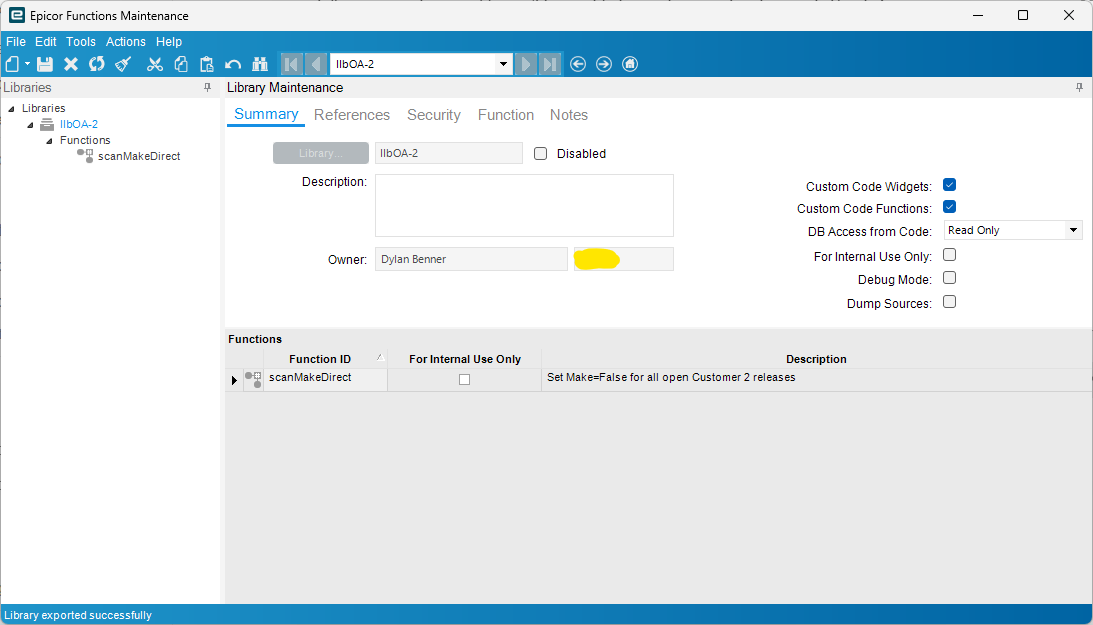
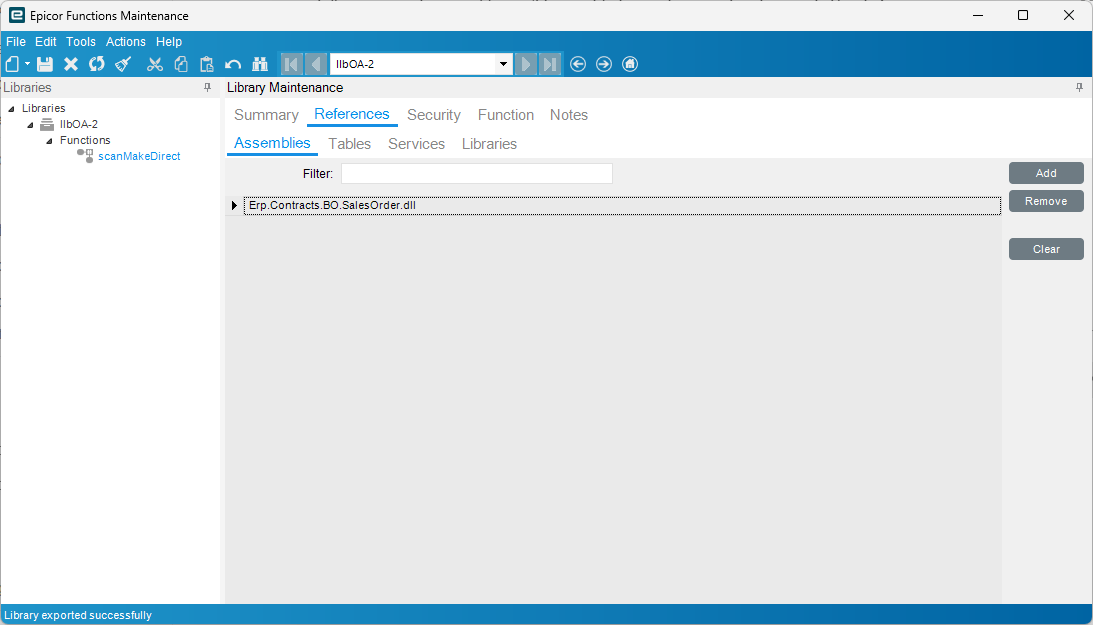
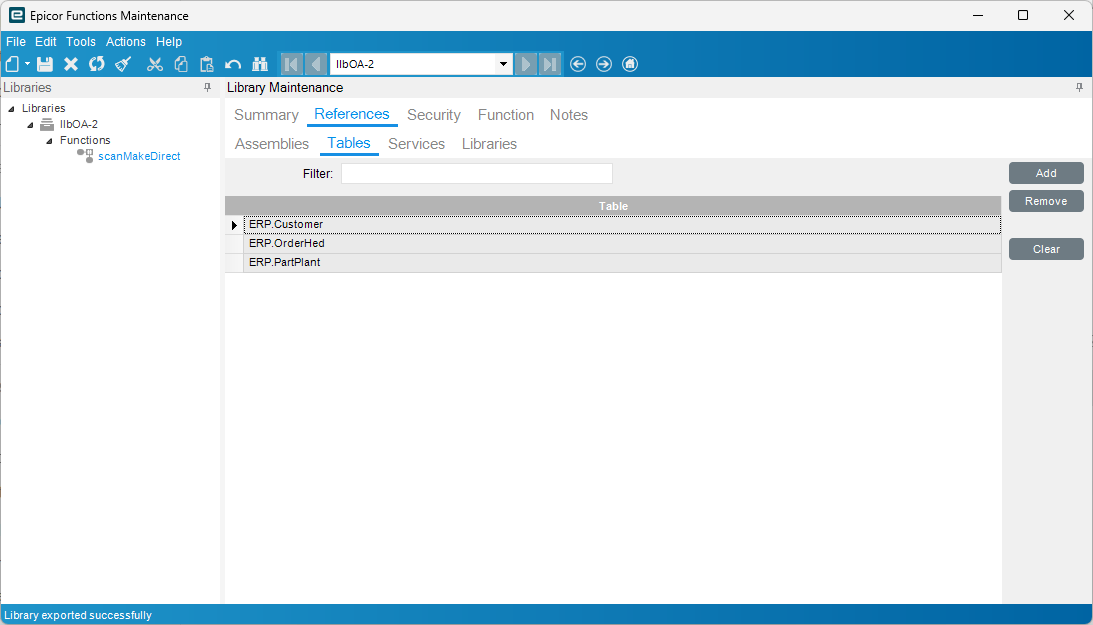
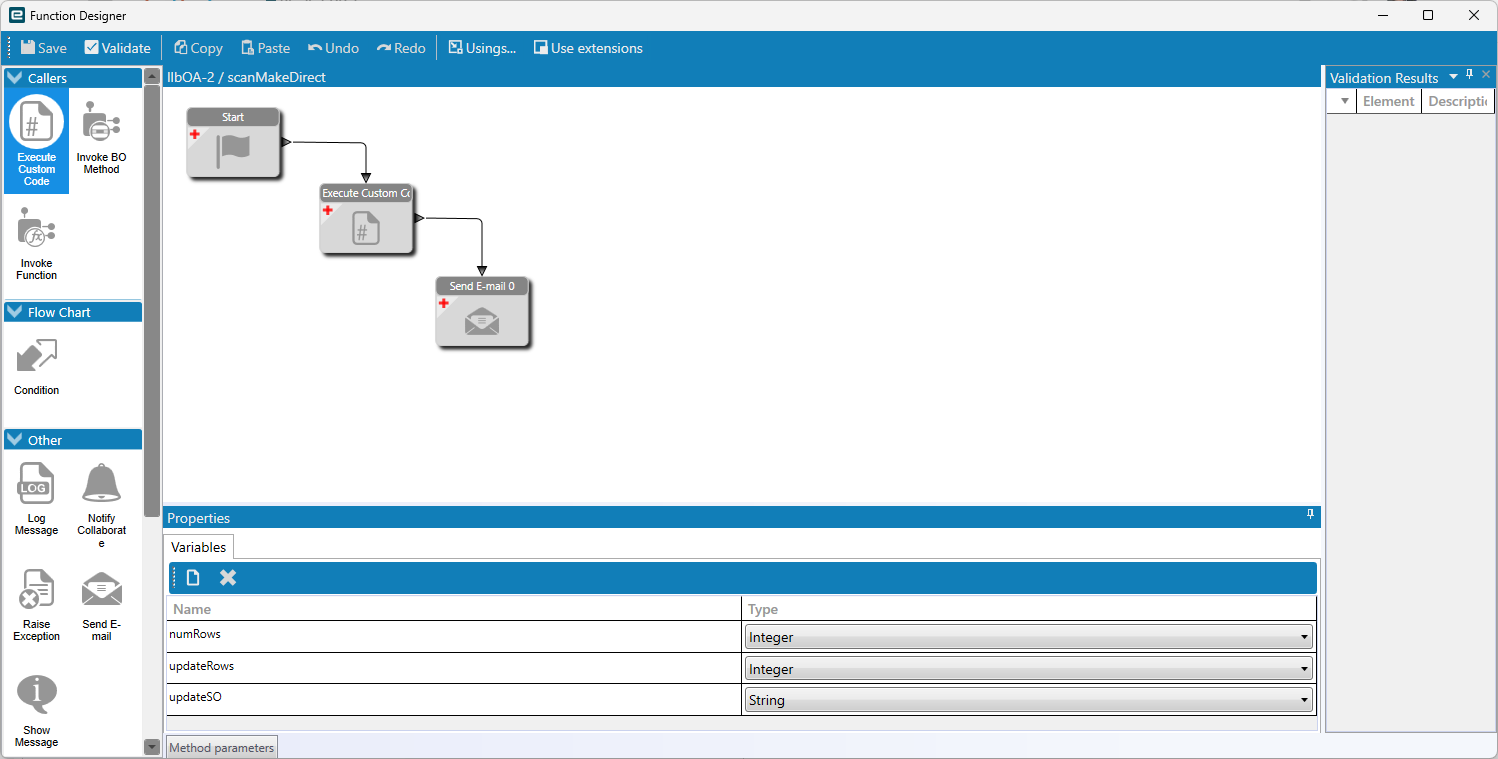
Would you mind sharing a few screenshots of how your Function is configured? Thank you!

I’m sure there’s a more elegant way to do it but it’s one of the first functions we did and never got back to it, lol


//  initial setup
//

string thisCompany = Session.CompanyID;

numRows = 0;
updateRows = 0;
updateSO = "Updated List:" + Environment.NewLine;

//  get direct ship customer number
//
int custNum =
    Db.Customer
        .Where(r => r.Company == thisCompany &&
                    r.CustID == "2"
        ).Select(r => r.CustNum).FirstOrDefault();
        
//  get open direct ship sales orders
//  check if any rows selected
//
var oh =
    Db.OrderHed
        .Where(r => r.Company == thisCompany &&
                    r.OpenOrder == true &&
                    r.CustNum == custNum
        ).ToList();
        
if (oh == null || oh.Count < 1)
{
    return;
}

//  rows selected
//  loop through releases and set make to false
//
this.CallService<Erp.Contracts.SalesOrderSvcContract>(bo =>
{
    try
    {
        foreach (var row in oh)
        {
            bool hasChanges = false;
            numRows += 1;
            
            //  get sales order
            //
            Erp.Tablesets.SalesOrderTableset ts = new Erp.Tablesets.SalesOrderTableset();
            ts = bo.GetByID(row.OrderNum);
            
            if (ts == null)
            {
                continue;
            }
            
            //  loop through releases
            //  review the Make flag and set to False
            //
            foreach (var rel in ts.OrderRel)
            {
                // skip if release is closed
                //
                if (!rel.OpenRelease)
                {
                    continue;
                }
                
                // skip if already set to false
                //
                if (!rel.Make)
                {
                    continue;
                }
                
                //  set Make to false and set warehouse to part primary warehouse
                //
                rel.Make = false;
                rel.WarehouseCode = Db.PartPlant.Where(p => p.PartNum == rel.PartNum).Select(p => p.PrimWhse).FirstOrDefault();
                rel.RowMod = "U";
                
                updateRows += 1;
                updateSO += rel.OrderNum.ToString() +"-" +
                            rel.OrderLine.ToString() + "-" +
                            rel.OrderRelNum.ToString() + Environment.NewLine;
                
                if (!hasChanges)
                {
                    hasChanges = true;
                }
            }
            
            //  commit the changes
            //
            if (hasChanges)
            {
                bo.Update(ref ts);
            }
        }
    }
    catch (Exception ex)
    {
        string exMsg = ex.Message + Environment.NewLine;
        if (ex.InnerException != null)
        {
            exMsg += "Inner Details:" + Environment.NewLine;
            exMsg += ex.InnerException.Message;
        }
        throw new BLException(exMsg);
        return;
    }
    finally
    {
        bo.Dispose(); 
    }
});

Thank you very much!

I had to make a slight change to the CustNum assignment because our CustID isn’t 1 to 1 with our CustNum and ran into small issue with a couple of the open lines not being a having a part master which causes it to error out. These were open lines for things added after the SO was converted from quote such as freight or tax. I’ll either have to add logic to only update parts that have Part Masters or change our business process to only use lines with Part Masters. Either way, once I closed these lines and put it on a schedule to run immediately the other lines were all Make Direct = FALSE. Time Phase looked good too!

If I ever make it to Insights, I’ll owe you a beer lol.

Thanks again,