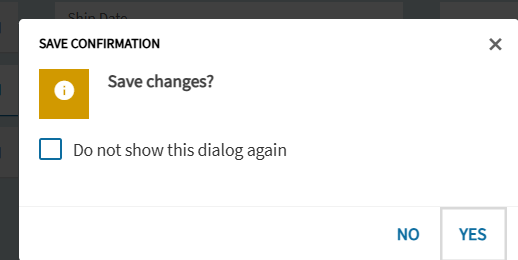
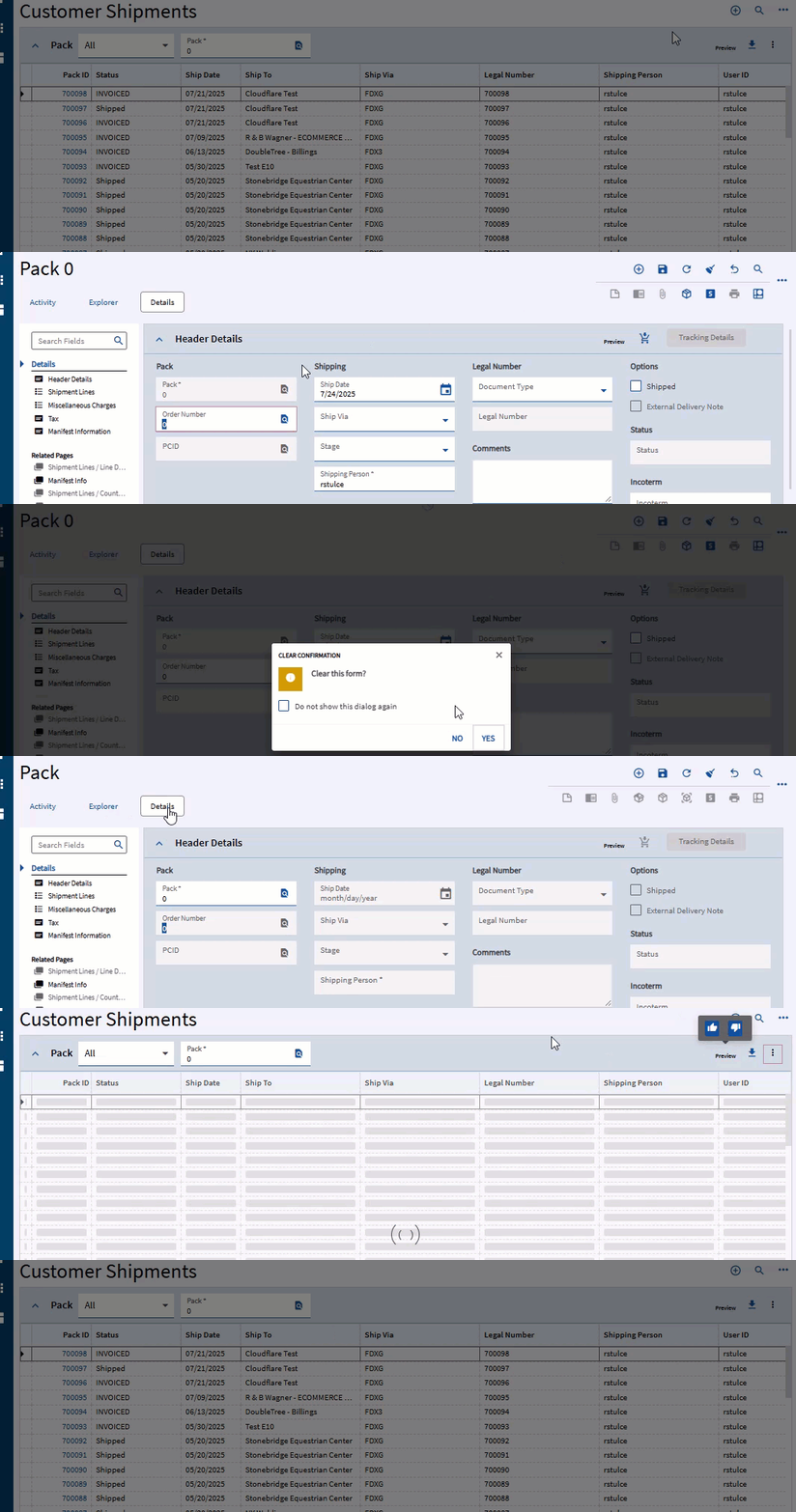
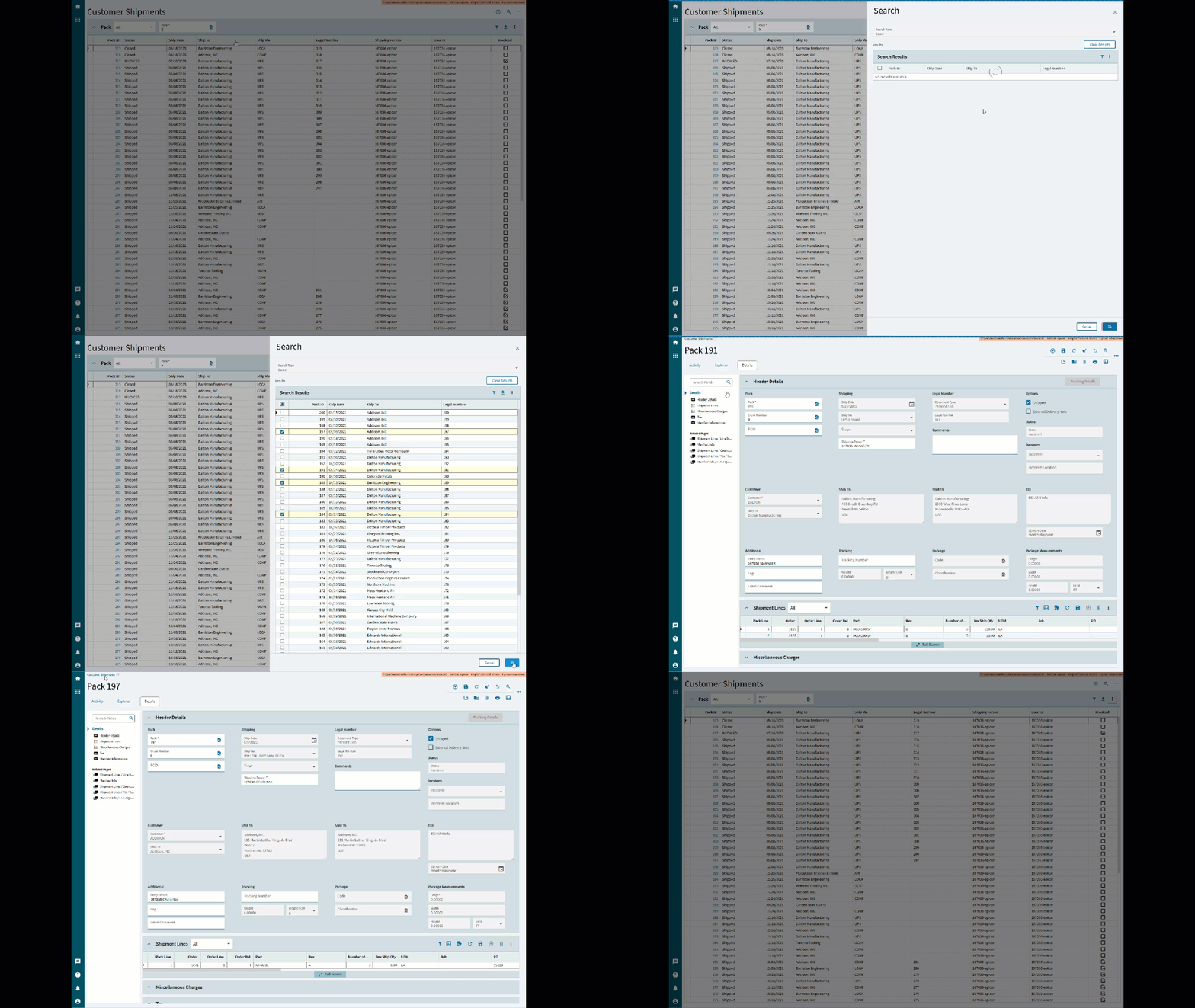
On an empty pack/the “new pack” screen, when clicking “Customer Shipments” to return to the list of all shipments, a pack number will automatically be generated. Is there a way to stop this from happening? We only want pack numbers to generate when we’re ready to fulfill orders, i.e. by putting an order number into the field, and not at any other time, in order to reduce potential misassignments or other record-keeping errors.
You’re on the new pack screen. The client has an empty pack dataset. When it saves, the client will send the server the empty pack dataset and receive back the dataset filled with a pack ID (part of the primary key in the database table, so required to save) and any other default field values.
We cannot go directly to the order filling screen in Customer Shipment Entry. We need to go through that list of all packs first in order to get to it. The reason we ever return to the list screen is to troubleshoot orders, or for other auditing purposes.
There is no issue if we go straight from a pack that has either an order #, and order # and parts, or one that has shipped, back to Customer Shipment Entry.
This issue only appears when we go from a new pack (after clicking the + in the upper right on the pack screen) directly back to Customer Shipment entry. It automatically fills/generates a pack # and doesn’t immediately take us back to the list, which is undesired.
We are still getting to grips with Epicor so my apologies if any terminology is the incorrect way to refer to any screen.
Thank you for the explanation as to why this occurs. But this doesn’t solve our problem. We could simply go straight to Customer Shipment Entry from the most recently completed order- without clicking New Pack- but remembering to do that is hard to explain and justify as we attempt to organize an SOP document for our shipping workflow. It’s clunky. We would prefer if clicking GUI elements simply took us to the intended page in an intuitive way without performing any extra steps.
If we clear the form using that button, it does clear the fields, but then returning to that Shipment Entry landing page will then show the open pack # it just generated in the list.
This actually ends up causing us more problems as we try not to orphan pack numbers; if we clear the fields, then enter a new order # to be shipped, it will then assign the next pack number in the sequence, rather than pulling back in the one it automatically generated, effectively skipping it. We then have to go back and manually reuse that pack.
It’s little more than an annoyance that pack #s get orphaned in this manner- at least to our shipping team- but it causes some trouble for our A/R team when they’re auditing orders, who then have to ask up and down the chain why there are empty packs in the list. We are trying to get ahead of/eliminate this conversation if at all possible.
Thank you so much for your continued attention to this topic, Randy!
The gif really helped. We tried it, and clearing the empty form does exactly as you demonstrated.
As to where this info leaves us- I’m not really sure. Now that we know why it happens and how to avoid it, we can get our SOP documentation completed.
However, it remains baffling that we need to clear a form that otherwise appears empty in order for it to not automatically create an open and order-less pack when all we want to do is return to the Customer Shipment Entry screen.
I suppose I’m just confused as to why clicking on one element does something you’re not asking it to do. I guess this was implemented as some kind of time saving feature? Unfortunately for our purposes, we only want to generate packs when we have orders to attach them to; we want to be in control of when and how pack #s are generated, for the logistic/accounting reasons I mentioned previously.
Is there any way to turn this feature off at all? No worries if not.
Also, we’ve tried leaving Shipment Entry open and just opening orders in a new tab, but the way our Kinetic(?) client is set up, doing that opens a differently-named version of Shipment Entry that for some reason has less features than we need compared to if we just opened it in the same window.
Why are they clicking on the Plus to add a pack-slip when they don’t really want too? What business need are they trying to fulfill? That may help us help you.
The shipping department receives a variable number of orders throughout each day, so they often open a new pack to be prepared for new invoices, only for none to show up, or for there to be some other auditing or logistical need to arise between shipments that requires us to check orders besides the current one.
We don’t like leaving a shipped pack up on the screen because then we run the risk that anything that ships out while it’s still up will overwrite info such as freight charge, tracking #, etc. It’s rare but it has happened.
To reiterate, we receive a variable number of orders every day, and often have to step away for other tasks, but need to be prepared incase hi-priority orders e.g next day or overnights come in close to our pickup.
Being told to just tell our associates to “stop doing this” when it’s something we feel forced to do by the volatility of our business is frankly quite patronizing. I have tried to explain our circumstances in as much detail as possible and to be met with this response is somewhat disheartening.
Ideally, wouldn’t anyone want a program to just work for them, instead of having to keep track of every unintuitive quirk it has?
@aosemwengie1 was not trying to be patronizing, she was trying to offer a solution to your problem. Sorry if you took it as patronizing.
The problem that you are running into is expectation versus reality. This is the way the system works, right or wrong. What you are considering a quirk in the system may be a feature to another user. When learning a new system, it is best to have no expectations. This will allow you to learn how the system works and avoid frustration when it does not behave the way you are expecting.
Unfortunately, this behavior is on every screen in Epicor. Sales Order, Purchase Order, Part, etc. Someone clicked on the plus symbol that requests a new record from the system. If the person who clicked it does not intend to use that new record, it needs to be deleted or cleared.
Sorry if you find this response patronizing, I’m just trying to help you understand Epicor and how it works. You and your users will continue banging your head against the wall if there is not adequate training on the system.
If you want to prevent the auto saving, you can put in a BPM that requires for a certain field(s) to be filled out, and if it’s not, throw an exception. Unfortunately, they will still have to click on the clear button, because if they don’t, they’ll get a message and it won’t let them leave. But it at least stops it from happening accidentally.
To @jkane s point, that “auto save” feature is there to prevent people from accidentally losing their work. Imagine you did fill out a bunch of stuff, and accidentally left, now all of that is gone.
If you click “New” in any screen expect a “New” record. That makes sense and IS intuitive. You have told the system “I want a new record”. Then by hiding the “Do you want to save box” you have confirmed that you always want to save. You have told the system exactly what you want it to do and it’s doing it.
If the above is truly happening you need to have it reported as a bug to Epicor. They have guards in place that prevent this from being possible. Search “Row has been modified by another user” for more info.
The less then one second saved by having a “New” record ready to go vs clicking the button when they actually want to create a “New” record is like pissing in Lake Michigan. You’re not saving steps you’re pre-taking a step you might take later.
If you’re hell bent on doing it this way, have your company provide two computers. One you can review and audit existing shipments on and one that has a new record up and ready to go, always.
Philosophically for a minute
The above statement… isn’t always a good thing. “Work for them” means very different things to many different people. Having consulted in the past I can tell you the customer is not always right. Some company processes are so dicked they can’t be fit within a system. That’s the point of ERP. A system that creates repeatable results.