I’m working with a business that implemented AUOM on Go-Live.
Most of their products are made from sheet metal of all kind (steel, aluminum, stainless, etc), cut with lasers with bending and welding. So a big part of the process is nesting the required parts on the laser and managing full sheet and offcut inventory.
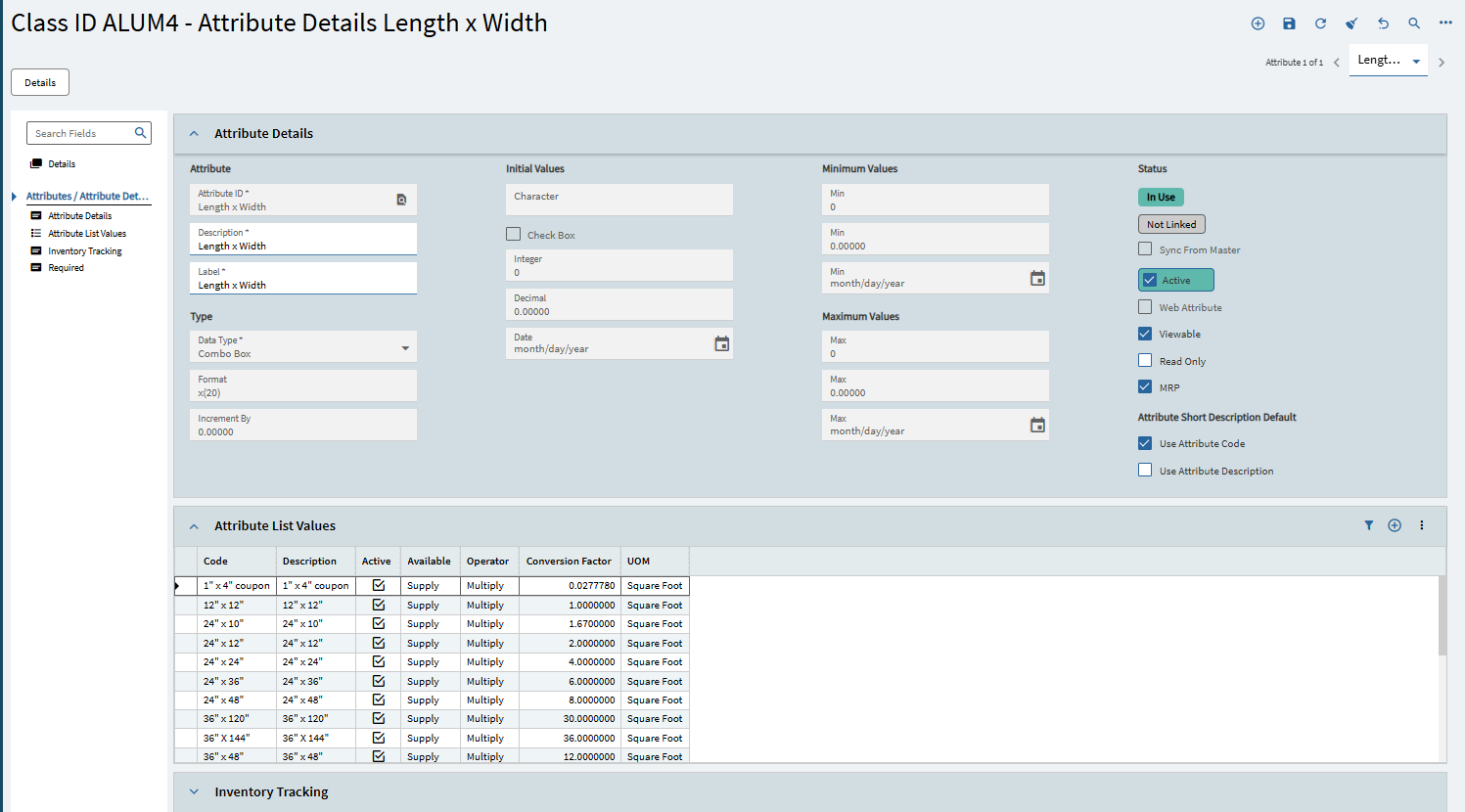
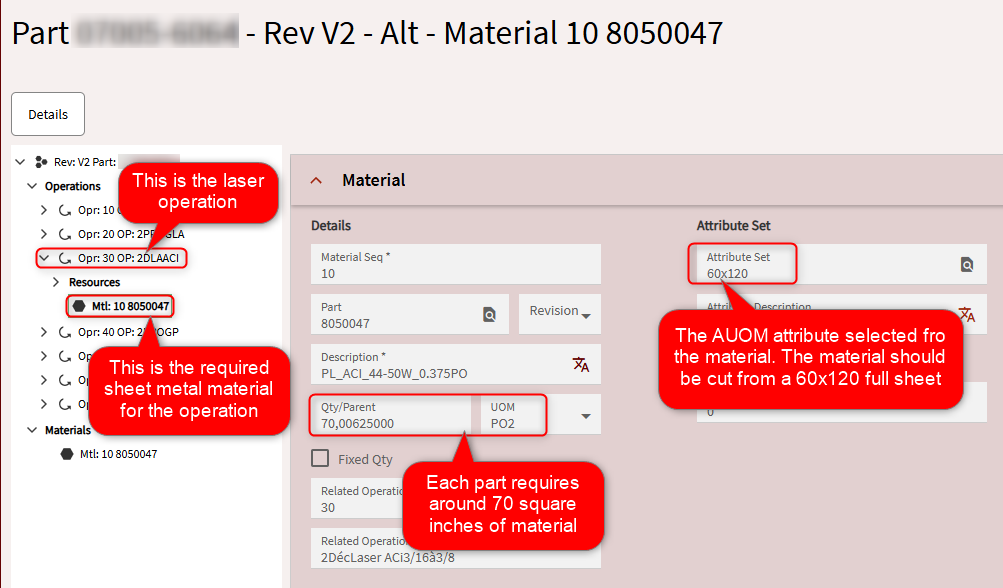
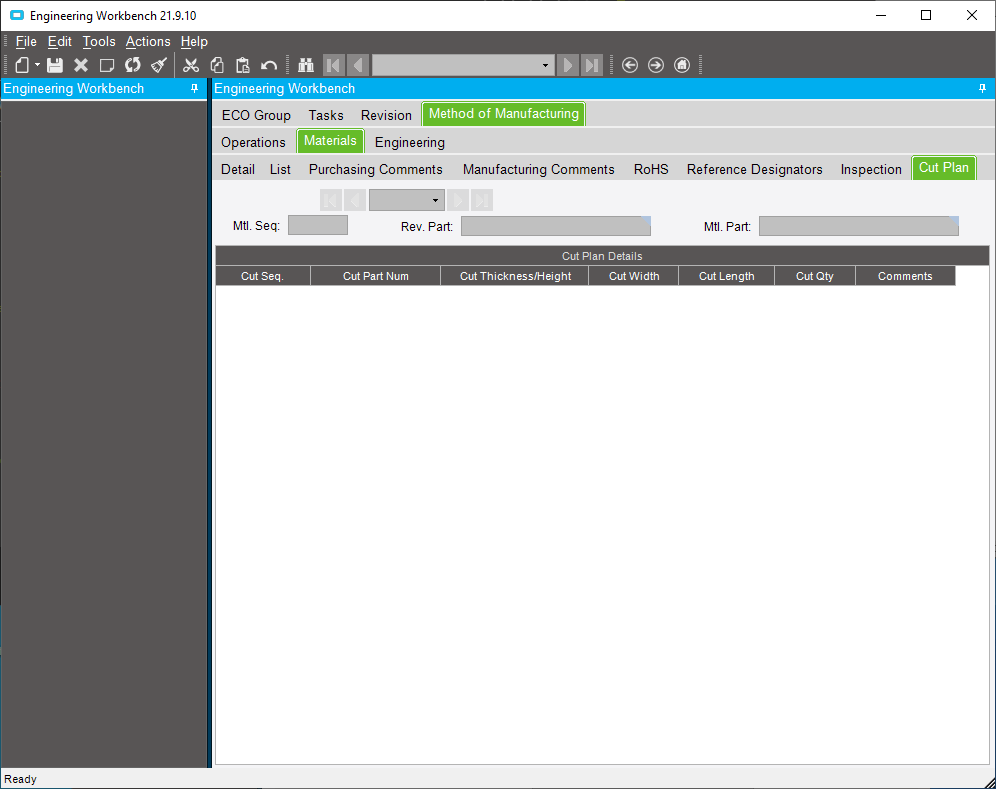
On the method of manufacture, you must specify the AUOM “attribute” for materials. It means that you must tell the system from which sheet dimension the part must be cut from :
This is how MRP can plan ahead the material requirements (time phased, PO suggestions, etc). If this part is required on a job, 70 square inch of 60x120 sheet will be required. Add all the job mtl requirement for 60x120 sheets and you can see how MRP comes up with suggestions and how time phased handles it.
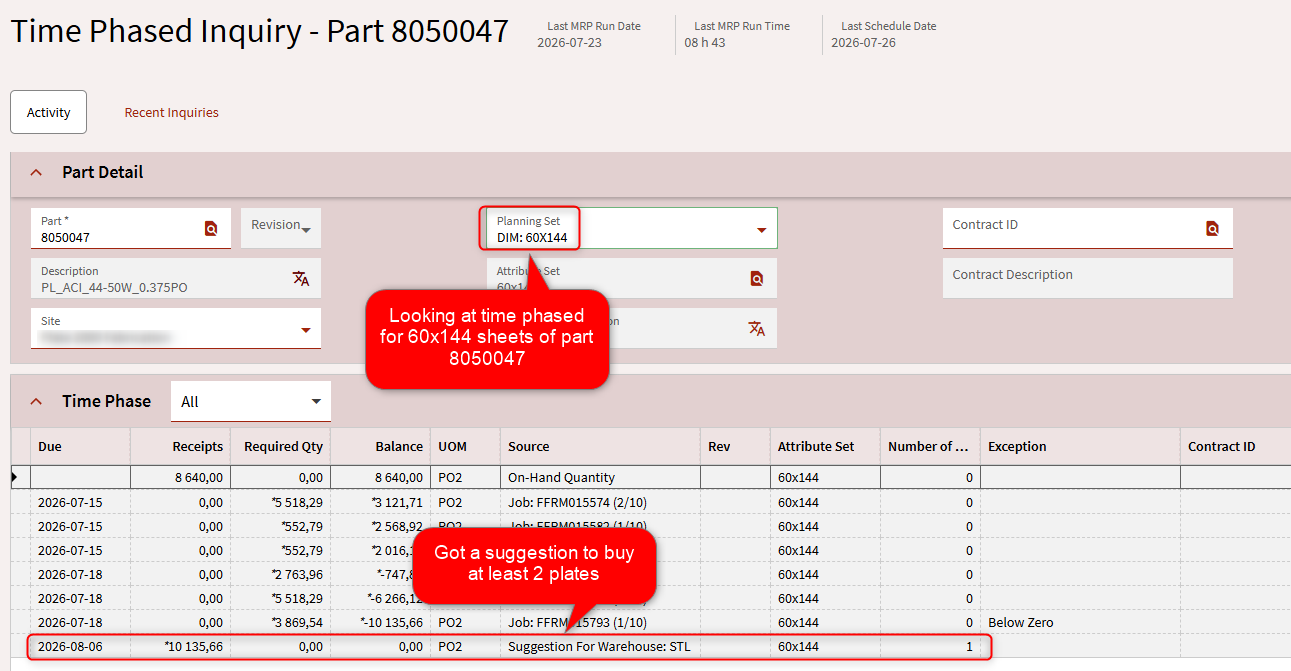
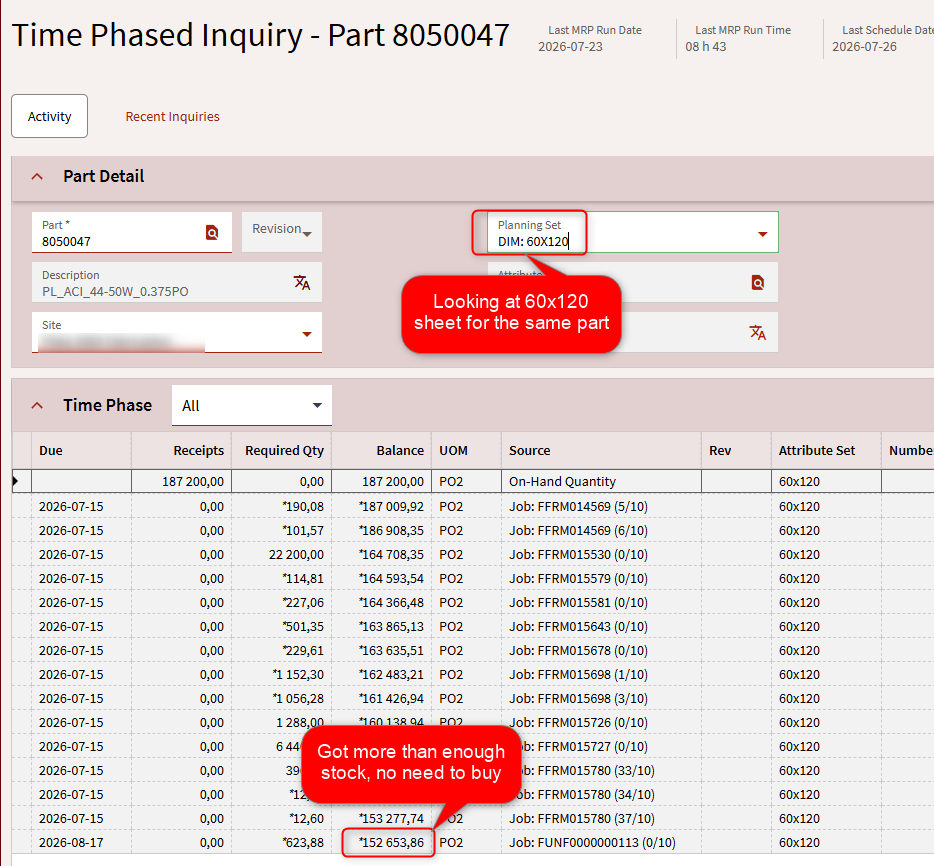
That’s a problem. The requirement says “you must cut this part from a 60x120 full sheet”, but in reality it can be cut on any other sheet (48x96, 60x144, 48x48 offcut in stock, etc), but the system does not handle those “change attribute suggestion”. For example, if this job material required 70 square inch from a 60x120 sheet and you don’t have any in stock, you’ll get a buy suggestion for a 60x120 sheet, even if you have 100s of 48x96 sheets in stock.
Here’s an example :
Obviously, you need to make sure that the part can actually be cut from another sheet dimension before ignoring the suggestion. The process would be to open Job Entry and go manually change the Job Material AUOM attribute to select another sheet dimension, which is very heavy for users. We had to build a dashboard to present the “consolidated” view of time phased, which presents all the requirement and inventory in evey AUOM attributes for parts.
Now, about nesting. Our nesting software fetches the Job Materials to be cut from epicor, with the required partnum and op start date. The user selects the Job Materials to be nested, checks the inventory to select a plate, and build the nest accordingly. Our VAR is specialized in sheet metal, so they build a batching software fully integrated with Epicor. This batching software reflects the nesting, so it builds a batch made of all the job materials selected, specifies which sheet (full or offcut) to select from inventory, and if a new offcut is to be return into inventory after the laser operation. The app handles issue materials and labor transactions, and create new AUOM attributes for those new offcuts if necessary.
This part works very well and make it worth it to use AUOM. The users can see the entire sheets (full and offcut) inventory in real time and select a specific sheet for the nest/batch. The material handlers then fetch the required sheet and returns the new offcuts to inventory after the laser is completed.