My configurator was working great last week and this week the most important input field appears to be read-only and seems to have the last initial value that was set regardless of whether an initial value is currently set. Has anyone else experienced anything like this or know of a solution?
Is this a kinetic configurator or a classic?
it is Kinetic
Ah bummer, I haven’t made one of those yet
Asking something you may have already done but check to see if there is a read only expression on the control.
Kinetic configurator has many issues and so far I have not released a working one to any of my clients. Currently struggling to make one work in Kinetic but have I think 4 tickets open.
When you say expression, do you mean the “on-field changed” code under the action menu? If so, I had some data validation going on there and it worked great the week before last, but when the current issue cropped up I turned all of that off.
Under Properties/Behavior there is “Read Only Expression”. Code in there can conditionally make a control ready only.
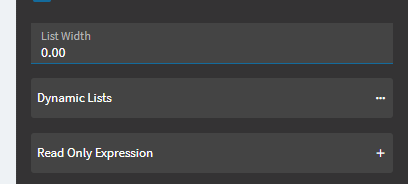
It turned out to be formatted as currency, and that caused a weird overflow where no matter what was typed in the box nothing ever got written to the actual variable. The update last week apparently went from loosely enforcing something to strictly enforcing something that broke the field.
Interesting, thanks for the update. The Kinetic configurator does seem to be a bit weak/light on the error messages/handling. Either no error or “there has been an error contact your administrator” with no indication of what went wrong.