Is it possible to update PO due date from New PO Suggestion - Material List tab?
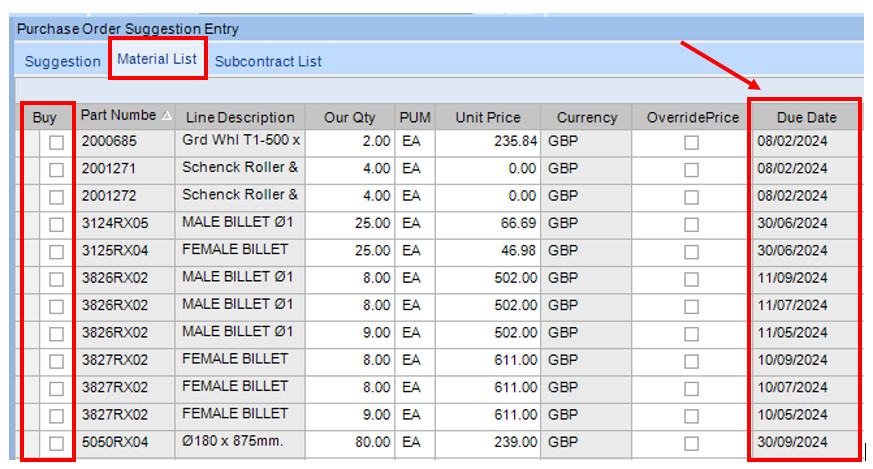
Under the New PO Suggestion screen, we normally review our suggestions from the Material List tab then tick the “Buy” column and generate PO from there.
However, the “Due date” fields on this screen is greyed out (see below).
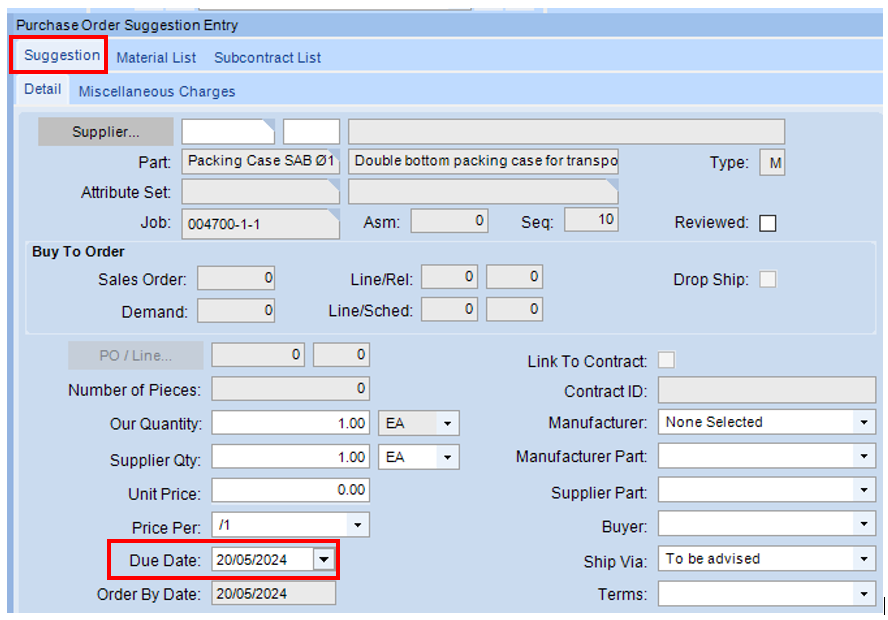
So to update the Due date before the PO is created, we have to go into the Suggestion - Detail tab and in there the Due Date is field is NOT greyed out (see below).
I don’t believe you can.
However, you can create an updatable dashboard that allows you to change the due date on the purchase release without unapproving the PO!.
I setup up dashboard where the Releases are shown and the table is filtered based on the buyer and supplier selected from another query. THis makes it much easier to update the duedate when you receive confirmations and changes from the suppliers.
The updatable due date is hidden by default for some reason. There is another DueDate column that you can unhide via personalization and/or customization.