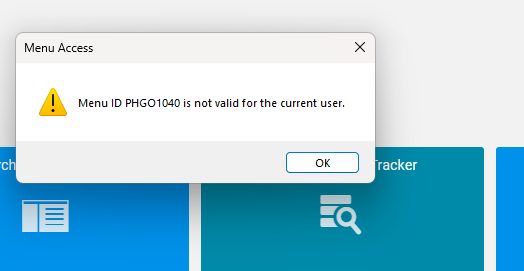
I have a new user that I have given the appropriate permissions to access PO Entry. In classic he can open the module with no issues. If he launches in kinetic, he can see PO Entry, but when he tries to open, the error below is thrown. I can’t even find PHGO1040 anywhere in the menu tree. I’m a classic clinger who will die on that hill, but a few users insist on using it, so here we are…
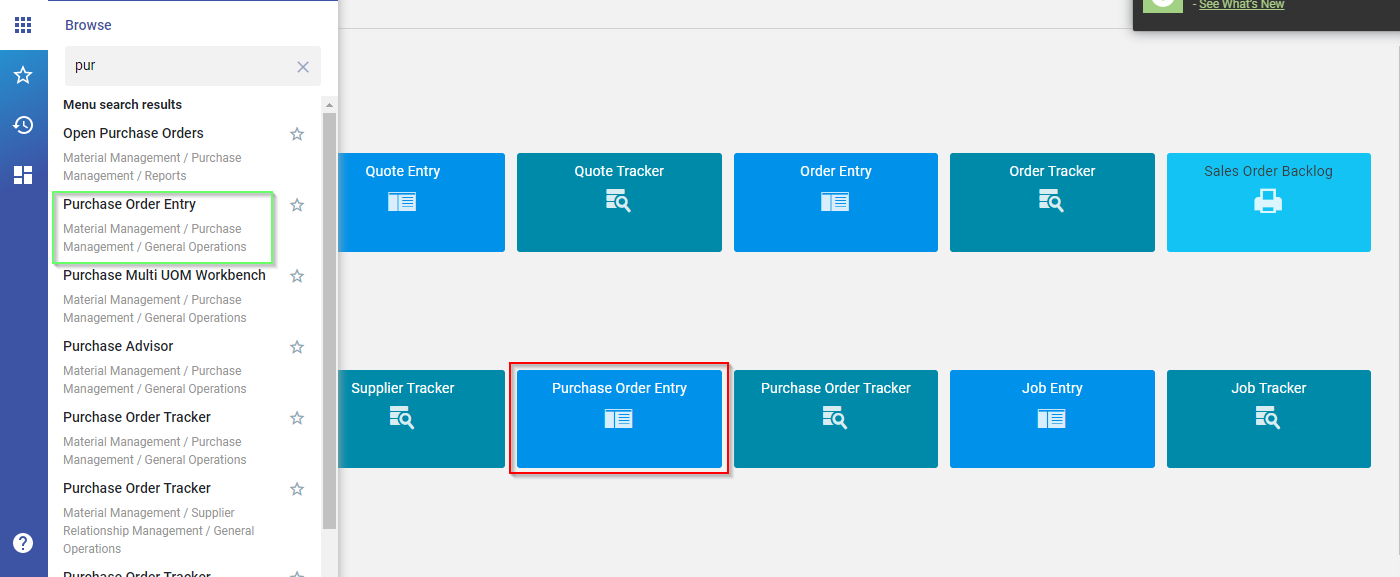
I’ve never even heard of Purchase Contract Management, but you did kick me in the correct direction. For whatever reason, the PO Entry tile in kinetic is not the same as PO Entry under material management (shown in green below).
If you look closely, the Order Entry/Tracker and Quote Entry/Tracker tiles on the default Kinetic home page point to the Customer Relationship Management menu tree… so if you don’t have CRM you get that same error. At some point they’ll fix it (maybe they already have), but it’s also a useful learning opportunity to show them how to use the tools to fix it.