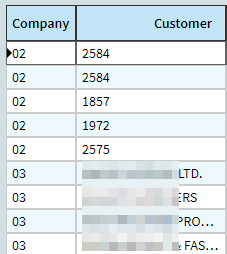
I’m working on migrating to Kinetic a dashboard which used a fancy BAQ to dictionary of ValueList keyed by company. We were able to drastically improve performance by only calling the BAQ once to get all companies’ Customers. This allowed us to have a multi company updatable BAQ and select the correct list of customers to use in a combo box on each row depending on their company.
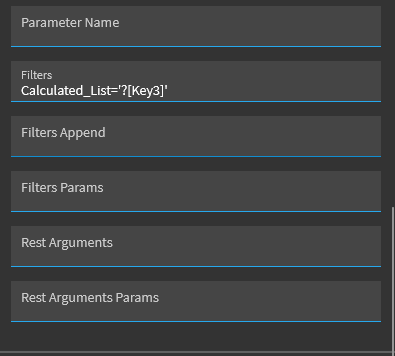
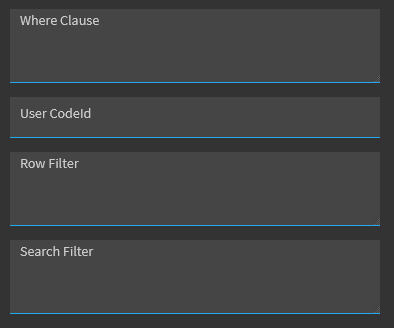
Looking in Kinetic I though I could recreate this by loading a view with a BAQ with the Company, CustNum, and Customer Name and then using the grid’s combo editor to filter this view. The only thing that I was able to get working was a hardcoded value in “Row Filter”, but that obviously won’t work when company can change each row.

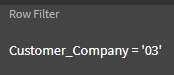
Haven’t had any luck with trying to use square brackets for row data like on the Filter Param field or Curly. Is there something I’m missing? Is it possible to set a row filter that is not hardcoded? I tried looking through the MetaUI folder to find “rowFilter”, but just seeing hardcoded values or things set by events during a particular row selection. That wouldn’t help with showing the customer name on each row before editing.
I also tried filtering my combo view by the company when the user clicks on a row, but that just breaks every other company’s cell display
Is there a different way to do this efficiently that I haven’t been able to think of because of going down this rabbit-hole? I’m going to end up needing to have three different combo like this on each row so I can’t have something firing off BAQ for each combo on each row.
Been bashing my head against this too long already so I’m hoping for a different perspective