We Want to auto invoice our customers daily. We are going to use the Get Shipment process to get all of the invoices. We then want to post those invoices and print and email if needed but I cant seem to find when I need to trigger the post process.
If you want to auto post and email/print you will need to enable the out of box “Auto Invoice” functionality. See this helpful video on that:
Or make a BPM which is the route I took. It’s still in testing but it works great and gives you more control over error handling. I can share it here if desired but i take no responsibility for f’ing up your system hahahaha.
OOB Auto-Invoice will not auto invoice drop shipments
The trigger which is a post process method directive on Custship.UpdateMaster which calls the UBAQ “AutoInvoiceCustomerShipments” that performs the actual calls to generate a random group id, make an invoice for said group, and post it. We use breaking/routing on our form style so that is why I invoke our task agent to print the form in breaking/routing mode (Auto email the customer).
Step 1 in the UBAQ : Set global variables based on the query results
Step 2: Set an invoice group name to a random 8 char ID
Step 3: Ensure invoice group does not exists (ID’s can be reused once a group is posted). If it some how does generate a new random name
Step 4: Invoke get new AR invoice group method with the name generated
Step 5: Update to create the group and ensure the group is unlocked
Step 6: Call the Get Shipments process. You may need to modify the variables here to suite your ar workflow:
Step 7: if the BO above returned items in the out error vars begin error handling and send email out
You will need to modify the email values to suite your needs. Its an html email with the ability to have a pretty logo at the top of the body. This will also delete the group
Step 8: if no errors invoke post invoices method
Step 9: Check errors from posting routine and send email out to notify
Step 10: you can delete the last 2 blocks before the final auto print routine. These are specific to us:
Step 11: Auto print to email invoice to customer. You may need to modify this to match a report style with breaking/routing
jeff:
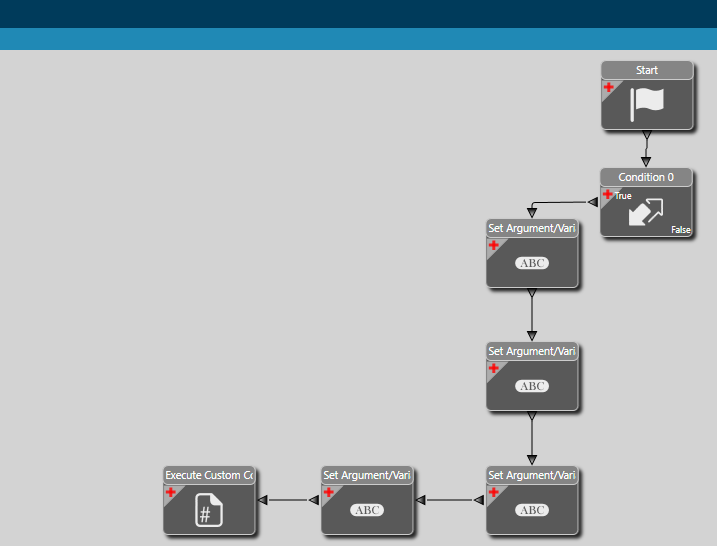
I realize that this is an older post- I downloaded the BPM you shared, I am not sure that it is the same as your description (steps 1 thru 11…) see workflow below, custom code is mostly calling the ‘UBAQ’: