For some users if they print preview it opens in a new tab automatically, for other users they have to open the notifications bell and open themselves. Both users have the edge agent.
Is this some kind of setting? Browser rule?
For some users if they print preview it opens in a new tab automatically, for other users they have to open the notifications bell and open themselves. Both users have the edge agent.
Is this some kind of setting? Browser rule?
We’ve noticed the Default App in Windows for PDF should be the browser, our offical one at work is Edge.
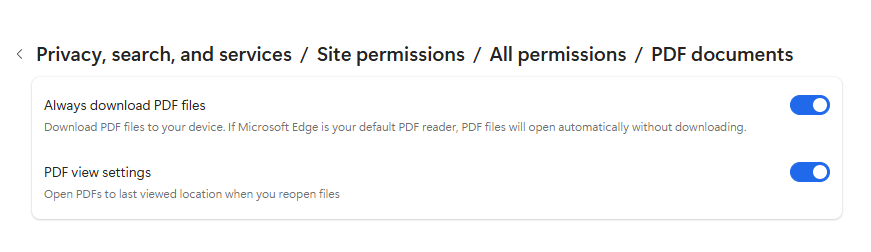
In Edge settings enable these:
Seems to work but 
My default is Adobe Acrobat which causes it to not open in the browser.
Epicor also has a KB for it: KB0136991 - Previewing Documents in the Kinetic Browser CheckList
It says not to check the download from my post above so…
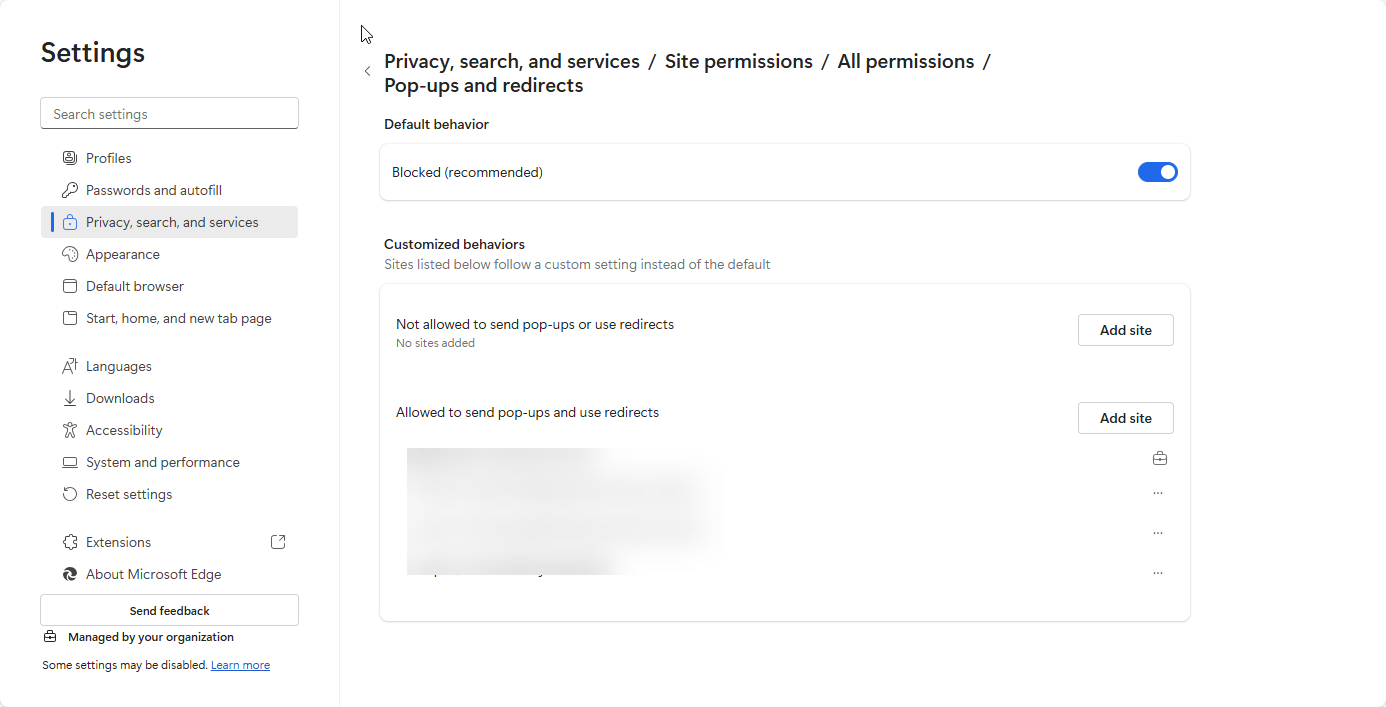
If they are using browser and popups are blocked, that’ll cause this. We have exceptions for live, education, and all our non-prods in the browser configuration for allowing popups, sleeping tabs, and removing performance/memory optimizations.
There is an event that fires every (30?) seconds in a Kinetic Tab that triggers the auto popup of print preview. If it’s already been displayed (for example, user has another browser or smart client running on same computer or other computer), it won’t pop up.
In this particular case this was the issue. But I have other users were it is spotty, and I doubt the default app for pdfs is changing throughout the day.
it’s also depending on the size of your generated PDF…
Check pop-up blocker settings make sure it’s excluded.

I’ve done a group of 10+ JobTrav and had no issue…
I think perhaps what was meant is the complexity of the query generating the dataset?
Or maybe he’s a steganography fan, and encoding a data dump of parttran in his company logo.