Hello friends! I am having an issue with our schedule- we are relatively new to Epicor (Launched on Jan 6th) and we are looking into things and noticing that our production schedule is loading jobs onto the weekends, although our calendars have no checkboxes selected for the weekends. is there a reason why this may be the case? We should only be running two shifts, from late Sunday into Friday night. Any ideas?
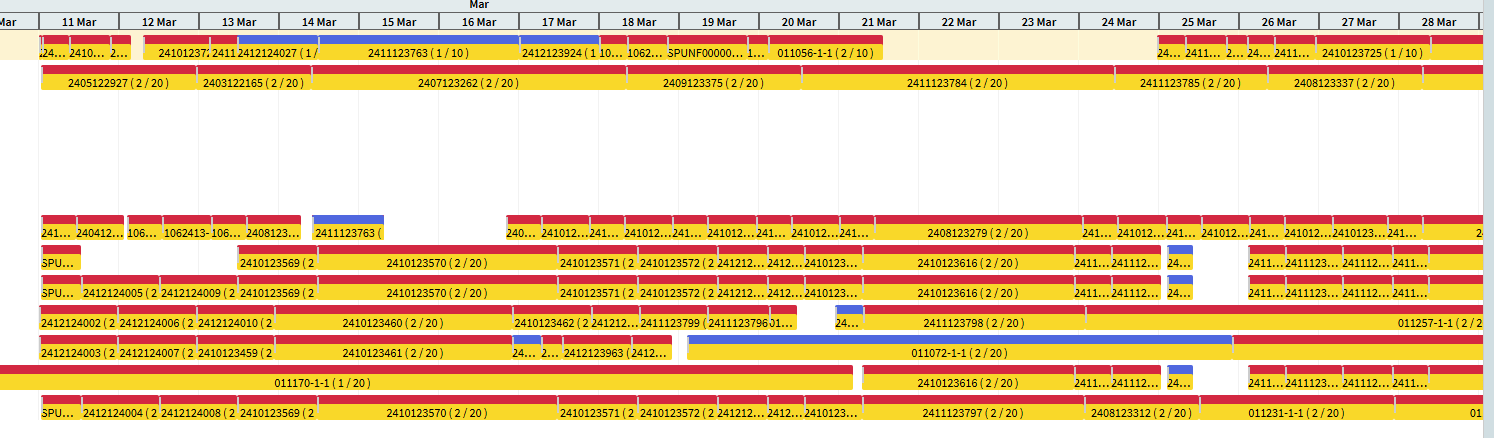
Things to check:
- Is there a production calendar defined at the Site Maintenance level
- Is there a backward scheduling start time defined at the Site Maintenance level
- Are there production calendars linked to ResourCe Groups and Resources
I checked all of those, and it looks like those are all in place. Does this have anything to do with finite capacity / finite horizon?
Are you running the schedule Finite?
I am not entirely sure what you mean, to be quite honest. Is this some kind of configuration?
You can either run your schedule Finitely or Infinite. Finite means that load will be placed against resources only for the amount of capacity that the resource has. Infinite will schedule an infinite amount of load on a resource.
Basically, resource X has a capacity of 8 hours on Monday. Does your scheduling engine only schedule 8 hours or are there 100 hours scheduled against that resource?
The latter! It has some unholy production time of 4500 hours a month, so way more than possible.
Then you do not need to use the Finite Capacity and Finite Horizon fields. They will not impact anything.
Well, currently, that number is set to zero, but jobs are still setting on the weekends.
Is your calendar showing that weekends are available production dates? Can you show a snip of what your Production calendar looks like?
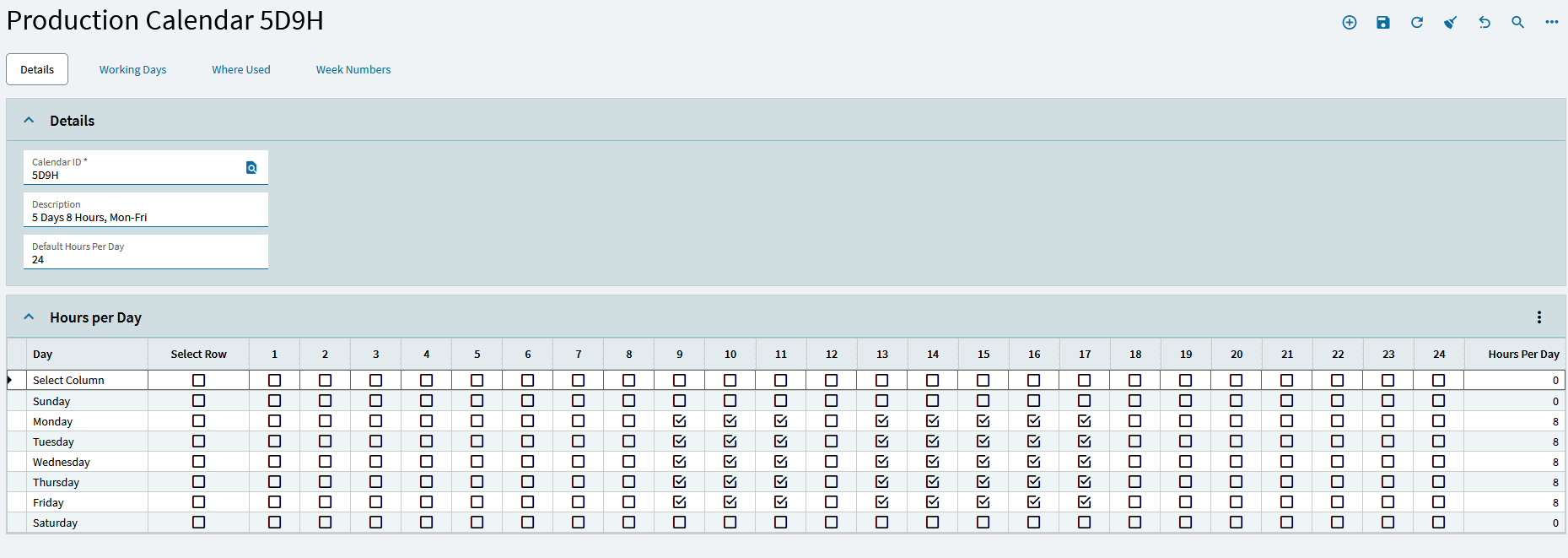
You should only have the check marks in the days and hours you are producing. On the example above, see how Sunday and Saturday do not have any checkmarks?
Also, it’s quirky because the number 1 in the column is not 1 a.m., it is midnight, so 2 is 1 a.m., 3 is 2 a.m., etc.
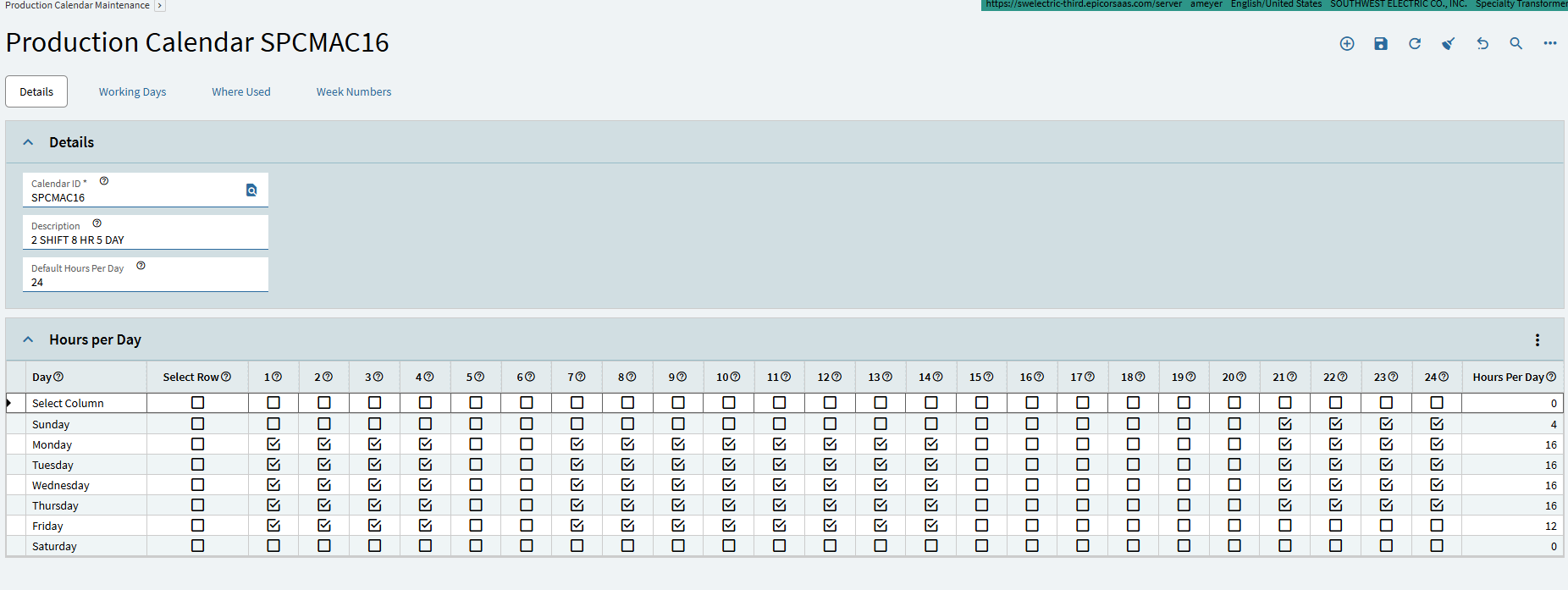
Yes, many of our operations have a dozen or so hours on them. Is there some kind of checkbox to say “hey, you can stop at the end of the shift, the next person can pick it up”?
I see that you do have 4 hours on Sunday which may be causing the schedule to have Sunday hours (8:00 p.m to Midnight).
Sometimes people set up a Main Production Calendar and then specific production calendars for site and/or resources. If you have done that, then make sure that all of your resource groups/resources are using the proper calendar (which I am assuming is the one you shown us).
I agree with @Nancy_Hoyt & @Beth fwiw 
Here are a few things I learned, and not a direct answer to your question, but thought you should know if you do not.
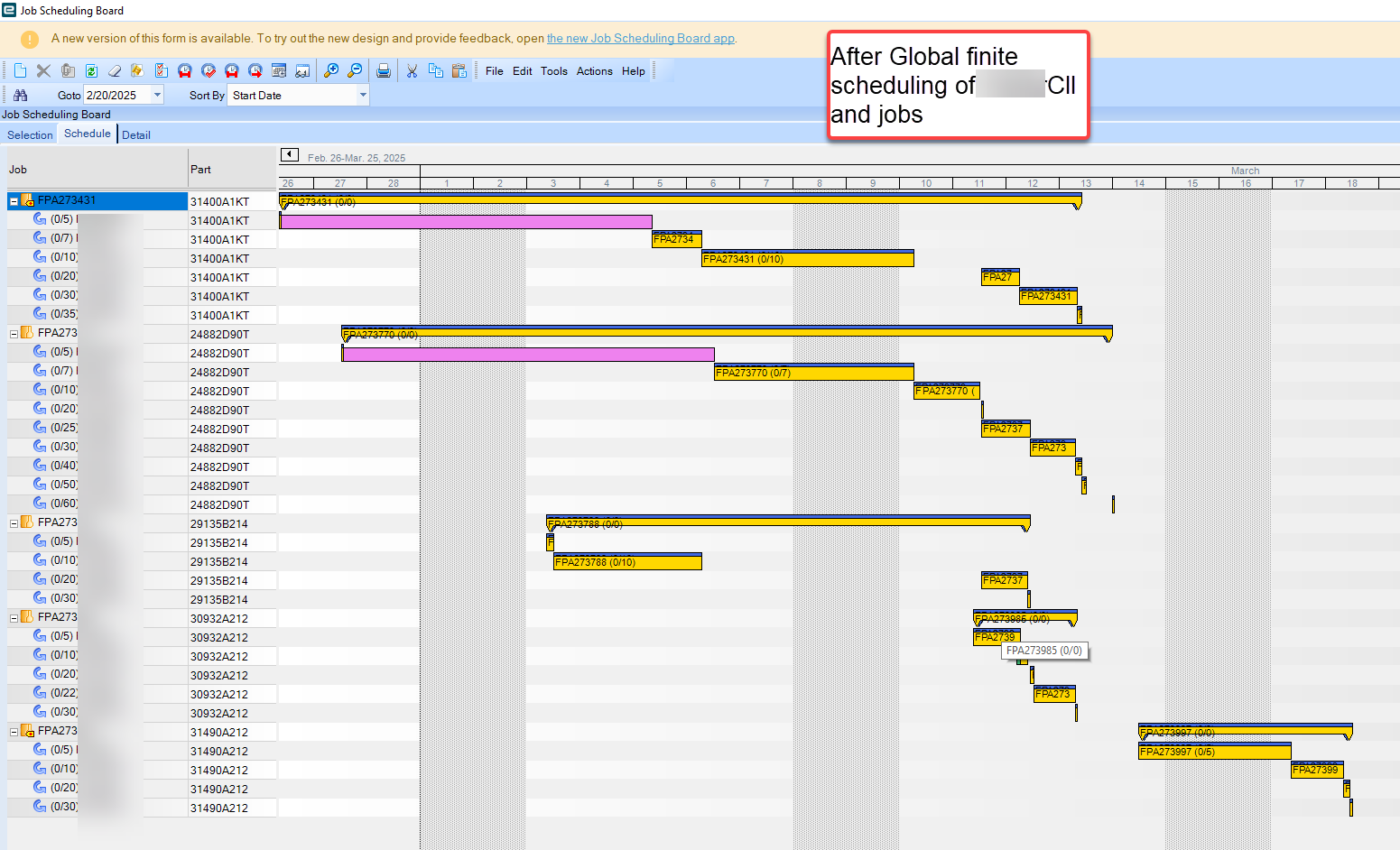
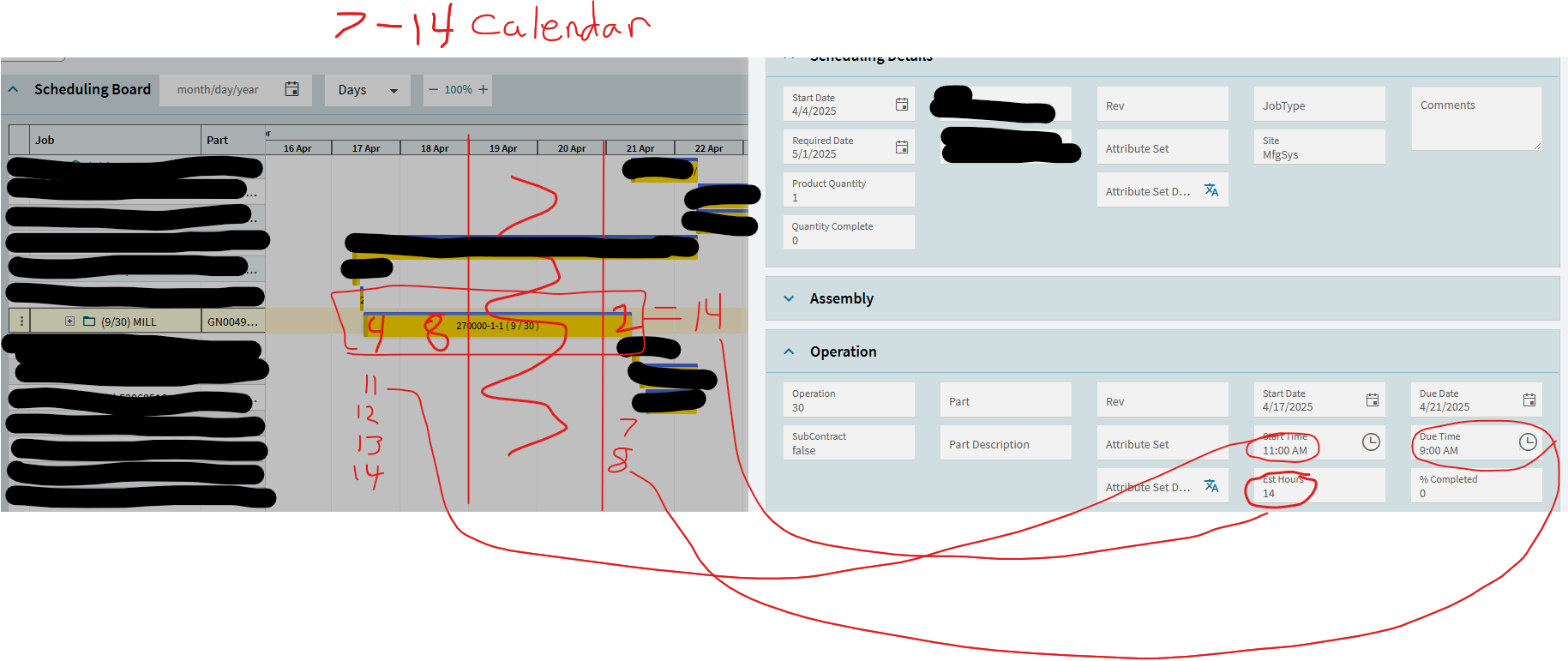
The bars will cover the weekends in either case shown above - whether you have weekend hours or not. In the case where you do not, and the Sat/Sun columns are grey, it’s simply showing the operation extends to the next day(Monday) but doesn’t add hours/time to the operation, not change the estimated time requirement. I’ve not found a way to hide those days, even if you tell the system that Sat/Sun are not work days.
Not that I’ve seen, but I’m not on the latest version.
Additionally, the MAJOR flaw in the scheduler is that if your operation requires both an operator and a machine, and the operator is available for less time than the machine, the scheudle will break up the operation b/c it’s been assigned to that operator, and it will not consider that the
Not at all. I’ve been trying for years to find a workaround other than virtual operator resources.
Alongside what @SueLowden and @Beth mentioned, calendars are checked in a hierarchy, from the lowest(resource) to the highest (company) for availability.
One last thing, way back when, we were told to never have ‘gaps’ in the checkboxes (for a single day) in the scheduler - it can mess things up. But recent discussions seem to indicate that it is no longer a problem.
Nancy,
How did you get you Job Scheduling board to show the non-working days in gray? We are in Kinetic cloud. Was this a normal feature for Classic or was this a customization.
Hi Roland,
It’s the classic view.
Nancy
You were spot on! Nice catch, thank you so much!
No problem. We are less than a year into Epicor and I had the same question.
It would be nice if Kinetic Cloud grayed out the non-production days and didn’t show operations on non-production days to avoid confusion.