The idea proposed to me is to PCID every box and pallet in the warehouse.
We make nothing in house these days except the final product (a huge truck) and the truck frame and boom - stuff that would never be on a shelf anyway. The point in saying that is that basically all inventory in the building is parts that were received off a PO.
The PCID idea is meant to be a solution to our horrendous inventory management.
Would it help us?
Backstory
We can’t keep track of anything well. Surprise part shortages and inventory adjustments abound daily.
Best solutions, in my mind are
Better engineering BOM structure - more modular, less nitpicking.
a. My explanation is long, but if you disagree, skip this point. It’s fine.
Smarter part numbering. Goes with #1. Again, you may disagree; all good.
Better warehouse/plant organization. Big project - can’t wait for that.
Human management and auditing
a. This is the truest and simplest solution
b. It has not happened in my 13 years, so I’m not entirely optimistic…
So, without all of that, barcodes are the go to solution. Insert anecdotes here about the grocery store and UPS.
There are already yellow labels with barcodes on every box all over the building. They are NOT PCIDs. Just part number and original box qty. So we apparently can follow that procedure.
But now the supposed improvement is to swap those for PCIDs.
From here, I am not sure if I see this as an extra burden with no benefit, or as a needed control that slows people down to do the right thing.
EDIT: For SEO sake for future readers, my coworker used the term SSCC, which seems to map to PCIDs.
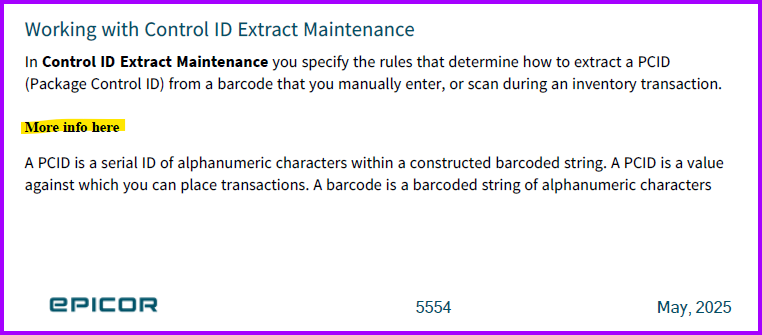
The main purpose of PCID is to put multiple parts in a container you can then perform inventory transactions on. So if you have 100 things in a pcid you can move them all with one inventory transaction instead of 100. So if this is the problem you are trying to solve then yeah, use them. If not probably not.
That’s the sense I got as the (much) more common use, but thank you for confirming.
Makes sense.
Here the proposal is for boxes of a single part number in some quantity. Maybe your scenario might occur here also, but that would an exception not the bulk of the usage.
We use PCIDs for everything it is a huge burden if not used correctly
If you are having trouble with inventory already adding PCID on top of it is not going to help.
PCID prevents you from doing things like simply shipping a handful of things. You either have to go through the entire picking and reserving process or you have to split out of the PCID to ship unless you are only shipping the entire box
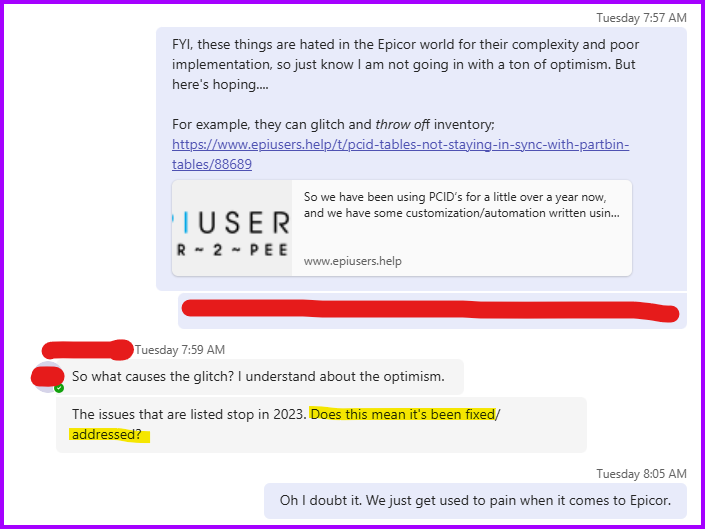
Also PCIDs constantly get out of sync with Part Bin it’s super buggy so all the time the PCID will say you have X quantity when you have Y quantity.
It isn’t reliably replicated so ofcourse Epicor can’t / won’t fix it
We use PCIDs only because we need a way to account for physicical pallets for our 3PL services but I do not recommend them in Epicor they are downright awful
I would say the best solution might be cycle counting. Weekly or even daily cycle counting schedule should help specially if you setup your ABc Codes right
Someone who was standing next to me can testify to the variety of facial expressions I had as languished over how to not be sarcastic with my response to the “surely it has been fixed by now” reply.
Man, thank you for sharing. The team had me demo a PCID to them because we get multiple parts in one rack when they are shipped to us and they wanted to see if a PCID would help them. If you’re simply doing inventory transfers and then moving the item out of the PCID to then transfer it individually to a workcenter bin/issuing to job, is that when you see these things go out of sync? Or…? Any thoughts on what types of things cause the imbalance? And how are you resolving it?
@Banderson has done a bunch of investigations maybe he can expand. I’m not 100% sure what causes it we just see it all the time randomly. It isn’t really random I just don’t know the exact sequence of events but it isn’t consistent enough for us to be able to get it fixed. It has to do with transactions though, pputting things in and out etc. Picking , Packing , Shipping, Receiving, UnReceiving (I think this one is the biggest culprit). Someone will receive a PO into a PCID then move some crap around then put it back then UnReceive, then do it again 10 times…
This process does result in the occasional PCID with quantity that doesn’t exist getting left in the system, which requires a data fix from support to fix. It sucks but the frequency of this happening compared to the volume of skids we ship without issue and the visibility/benefit of the workflow is not enough to stop us from using it.
I am starting to suspect these stuck PCIDs getting out of sync is due to session timeout issues when someone clicks ‘Shipped’ but I am not technical enough to troubleshoot it effectively.
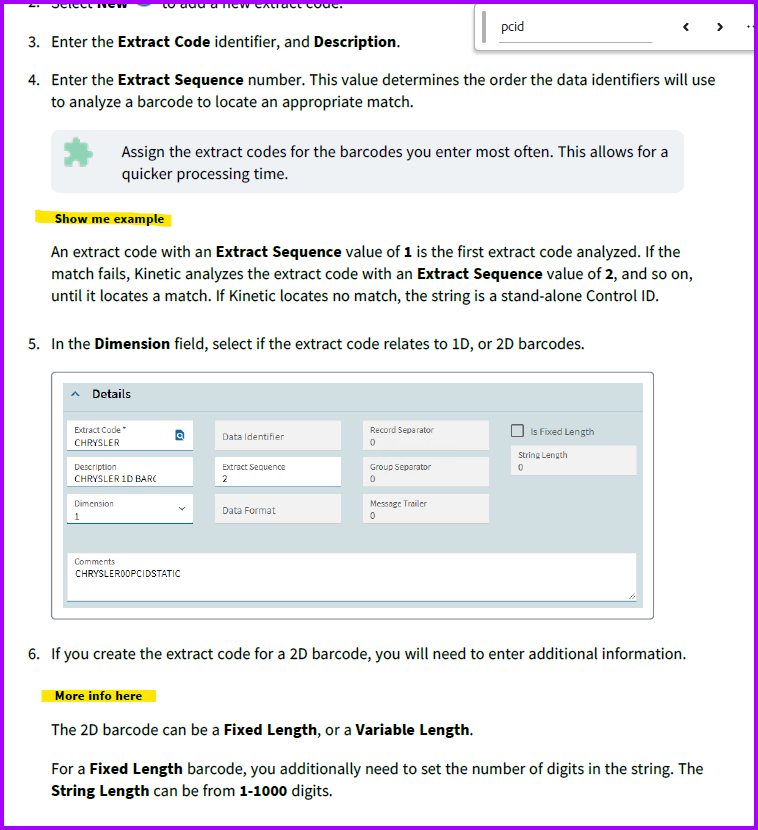
You don’t need to set all of that up to use PCIDs. If you can put the PCID in a scannable code on a label you can just scan that like any other part number/upc/etc and transact with it.



 :
: