I’m looking to add some data to the time Phased Material Requirements report. Buyer and Part Class specifically from Part Entry. Any ideas where to start? I don’t see a BAQ linked to it. So probably something in the Report Data Definitions?
That report may be a bit extra annoying since it’s not dealing with standard tables. You’ll need to edit the Report Data Definition to add Part (Class) and PartPlant (Buyer). You’ll need to join these to the calculated fields in the Tphse table that’s being generated. Then you’ll have to go to Report Style, edit the report, add the joins and fields to the SSRS query, then add them to the SSRS report itself.
2 Likes
It turns out the Part Class was actually already in the table, just had to add a new text box. Buyer is trickier. i went into the RDD and unchecked excluding it as it’s already under PartPlant in there. Then I added a new calculated field in the Report Style. Not sure how to link it though.
1 Like
also, this might even get tougher because there is a hiearchy for buyers and planners… if you dont set the buyer/planner in PartPlant, then it falls back to the PartClass/ProductGroup, and if not there, then it falls back to the site table (If i remember correctly).
but one other thing… my question (one that i would have asked when I was a consultant). Why are you printing this report in the first place. Very few customers (in my experience) use this report since we already have he Planner release workbench, and the PO Suggestions screen that allow for filtering. Printing out to get lots of paper that becomes obsolite the moment you print is fairly old-school.
1 Like
We don’t use Planner Release Workbench. At least I have never seen someone use it.
We don’t print the report. We have it email everyday for when parts go below 0. It’s super helpful as we get an 8am report for any emergency parts that are required. Including when they are needed.
1 Like
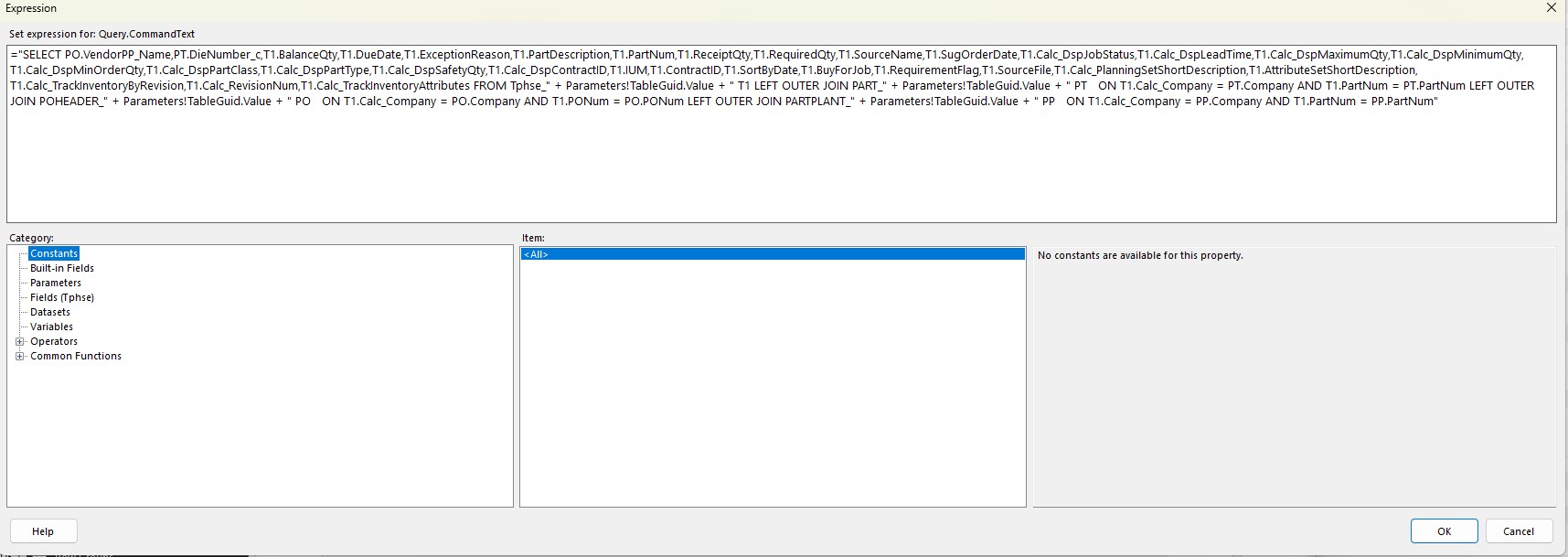
Have you figured anything out with this one yet? I believe i have my Relationship joins correct and my SQL Expression in my RDL is sound. However, its not returning any data for the fields i have added. Seems like a tough one to add any additional fields to.
I did not figure anything out. I resorted to exporting the Report each day and then reading it to an excel file in which I already query other data with to combine them.
Post some screenshots and I can see if I see anything wrong. I’ve made similar changes in the past and it took some effort, unfortunately I don’t have copies of those changes to refer to now.
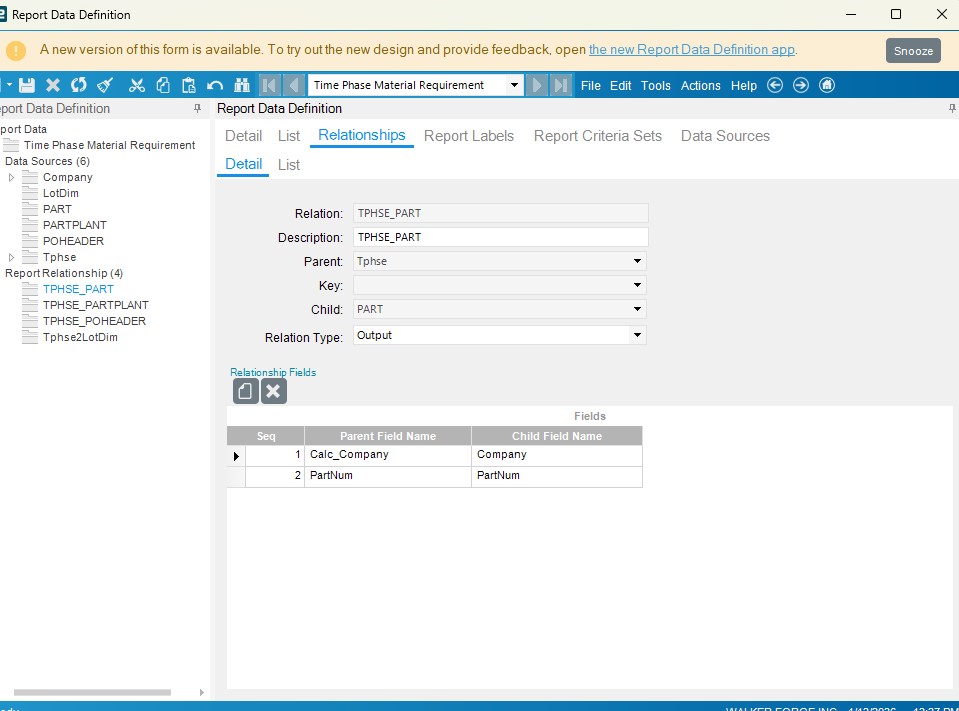
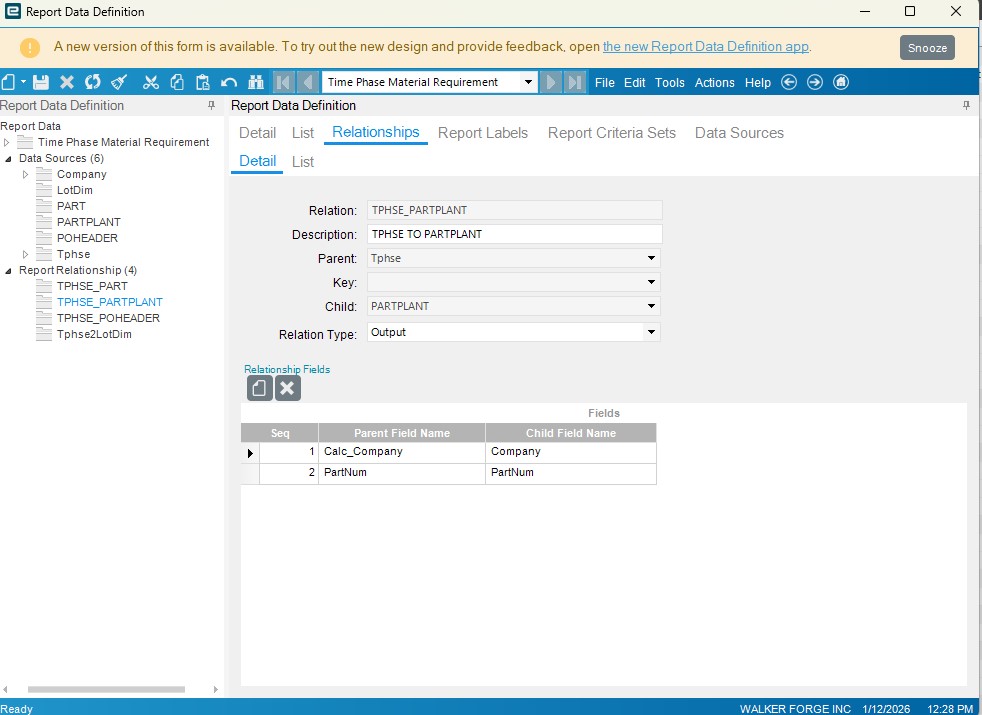
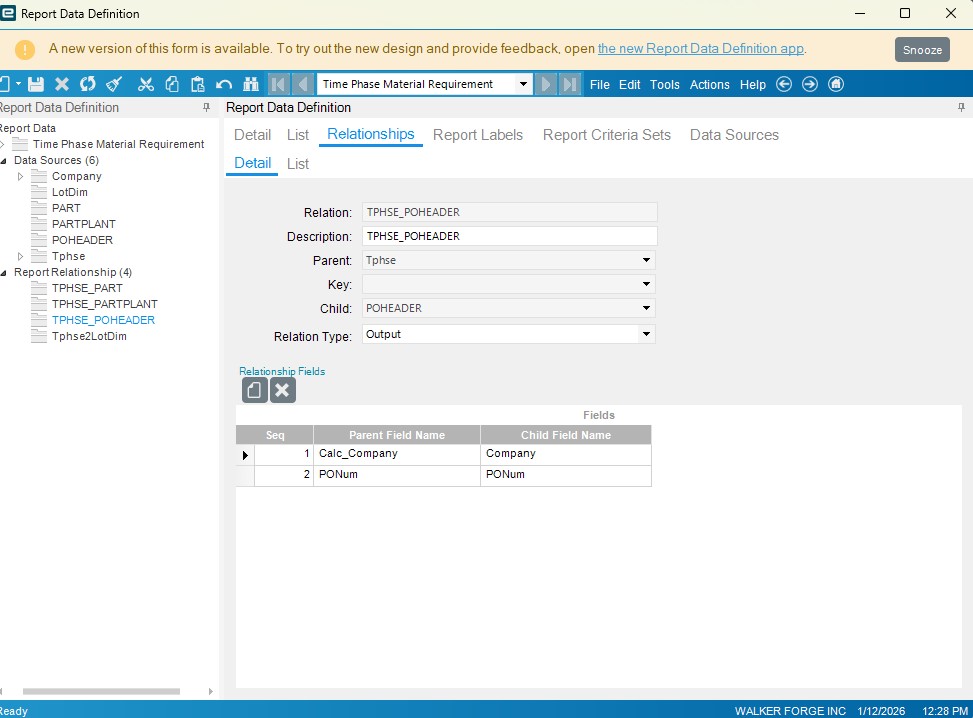
Hey Ken, thanks for the reply. Here are my RDD screenshots and my Expression Code. Im not getting any errors and the report is running successfully just no new field data i put in. As always any help is appreciated!
1 Like
Not seeing an obvious issue. Have you verified Calc_Company does in fact have your company ID in it?
Yes, I have. There is a “Company” field there too but it appears the fields we want are the Calc_Company. Okay well thanks for checking anyway!
1 Like