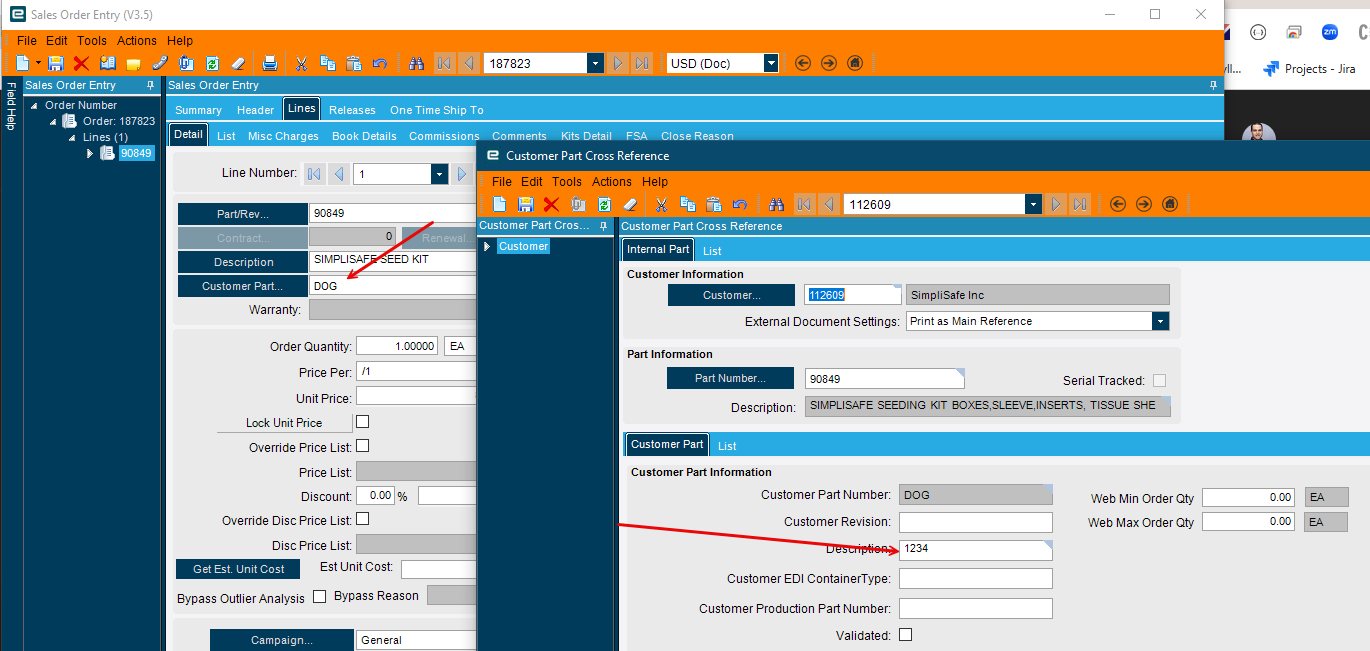
Not sure who is aware of this little feature, but when entering a Sales Order line if you enter a Customer Part Number, Epicor will automatically create the cross reference to your internal part number. Pretty nifty feature, but you cannot enter a Customer Part Number Description, it just takes your internal part number description.
I traced the transaction. I entered the Customer Part Number and tabbed off. Checked the Xref and it was not created yet. Went back and clicked save. Checked the Xref and it was there!
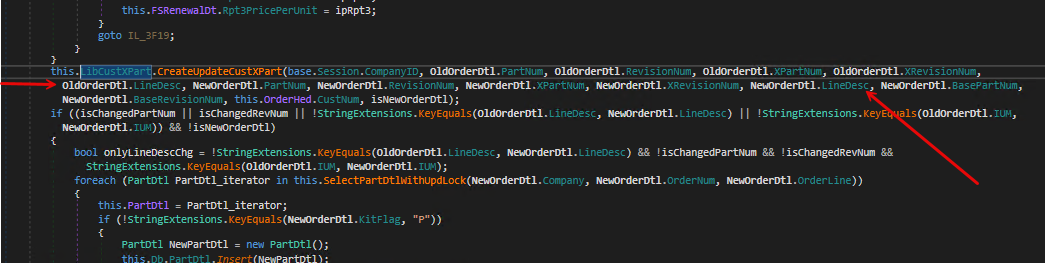
I went through the trace and there was nothing that appeared to create the record. Network tab did not have anything other than the MasterUpdate.
So, how does it get created? Anyone know? I am guessing it is a db trigger or something but do not know how to track it down.
Maybe go into the Customer Part Cross Reference and add a new one there with trace/debugging?
I also recently came across this behavior and also discovered that if my customer part has a different description from our part number, that changing the customer part in Sales Order Entry updates the part description to the description entered for the Customer Part.
Add a CallContextBpm.Character01 to the screen and called Customer Part X Ref Description.
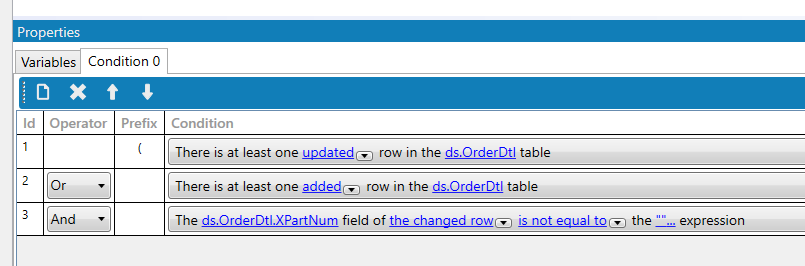
Create a Order.Update post processing BPM that says IF we just updated an ORder Line
Check to see if we got a CustXPart cross reference and if we do update the Description with the value stored in CallContext.Charcter01
So, that would be very hard to intercept with data you have on the order line. Best way would be to put a BPM on MasterUpdate after to then go and take the part number and description (from a UD field) and update the record that was just created?
var orderDtl = this.ds.OrderDtl.Where(r=>r.Added()||r.Updated()).FirstOrDefault();
//Checks to see if this is a new CustXRef and  if it is you can store a special Key in the ErpContext which can then be read all the way down at the Trigger / Data Directive.
if(!(from xC in Db.CustXPrt where xC.Company == orderDtl.Company && xC.PartNum == orderDtl.PartNum && xC.XPartNum == orderDtl.XPartNum select 1).Any())
{
  if(Erp.Internal.Lib.ErpCallContext.ContainsKey("MONKEY"))
  {
    Erp.Internal.Lib.ErpCallContext.RemoveValue("MONKEY");
  }
  Erp.Internal.Lib.ErpCallContext.Add("MONKEY","1234"); // Here you can store the description you want to use on the other side. Pull it from CallContext or a UD field...
}
Data Directive:
In - Transasction on CustXPrt
Custom Code:
if(Erp.Internal.Lib.ErpCallContext.ContainsKey("MONKEY"))
{
  this.ttCustXPrt.FirstOrDefault().PartDescription = Erp.Internal.Lib.ErpCallContext.GetValue("MONKEY").ToString(); //Pull the value out of the Context
Erp.Internal.Lib.ErpCallContext.RemoveValue("MONKEY"); //Clear it
}
 Odd that it’s not showing up in a trace.