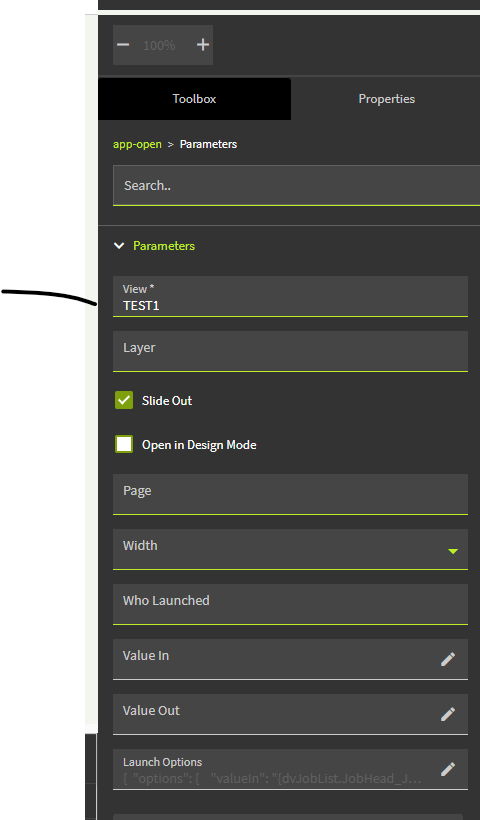
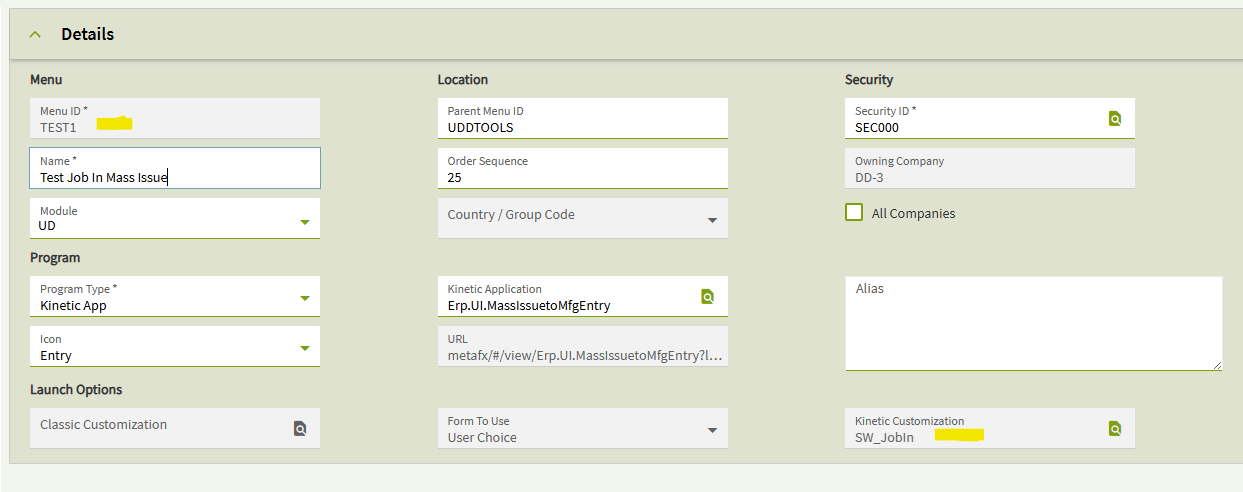
So at the end of a long week of learning App-Studio and doing this a lot…
I’ve made some progress, but my head hurts now, and I’m hopeful one of you smart people might be able to lend a hand.
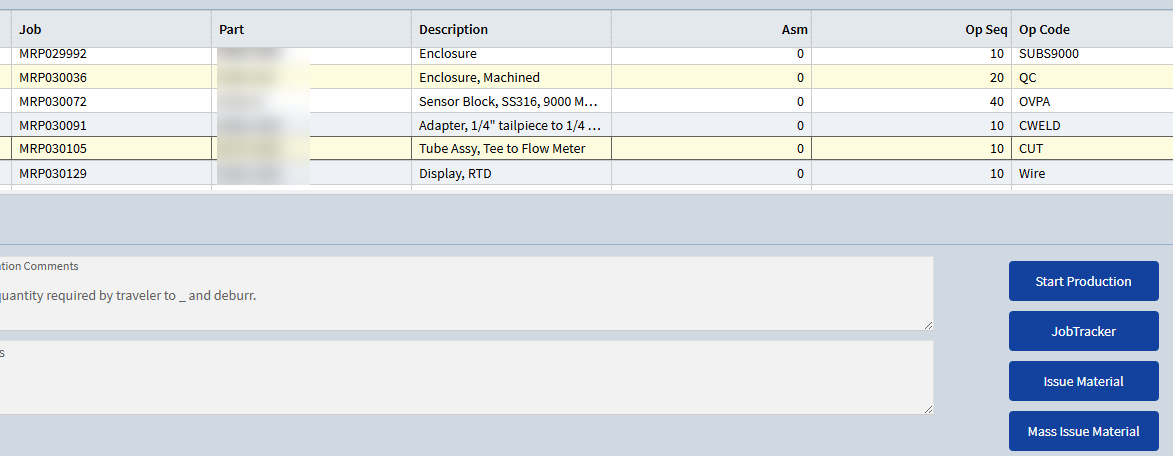
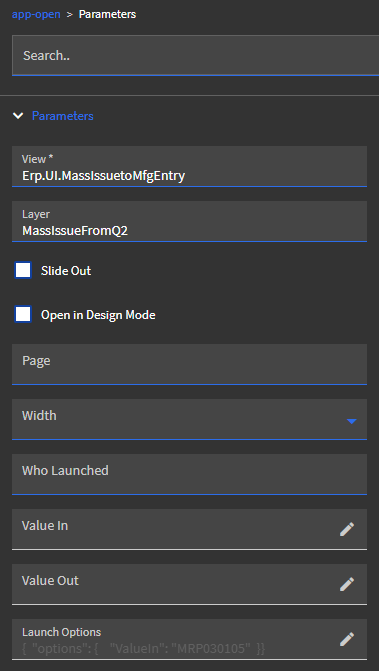
I have an app that displays a list of jobs and has buttons to launch Start Production, Job Tracker, Issue Material, and Mass Issue Material with the job number from the selected row.
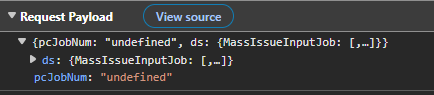
However, when I do the same thing with Mass Issue, it says, “A valid Job Number is required.” I’ve managed to figure out the error is with the OnChangeJobNum method and pcJobNum being “undefined”.
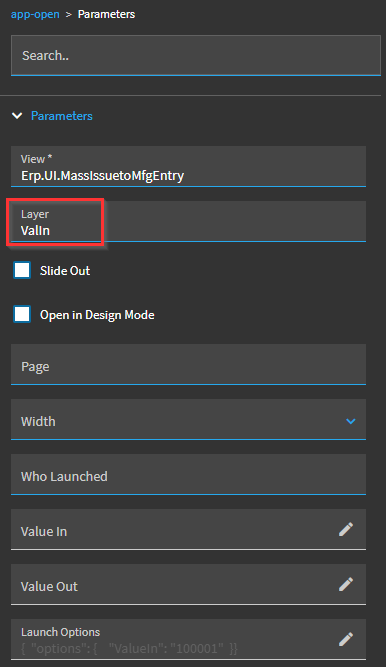
That’s what the base event is using to load it in. So it looks like that’s correct to what you have. Have you tried setting a fixed value to pass in, like “ValueIn”: “ABCDEFG” and seeing if it comes through? Maybe it isn’t resolving your table’s field’s value or the value is undefined at the point it triggers.
Also try saving and closing your progress then reopening application studio entirely, maybe the launch options dialogue is bugging out and not actually saving what you entered.
Thanks for the reply @LoganS, I tried hard-coding a real job number as you suggested, and I got the same results. It launches Mass Issue, but it errors with “A valid Job Number is required.”, but if I manually type in the same job, it pulls up the record.
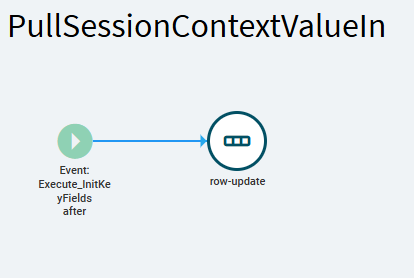
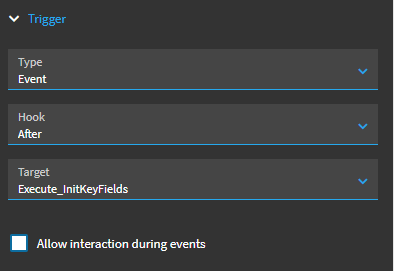
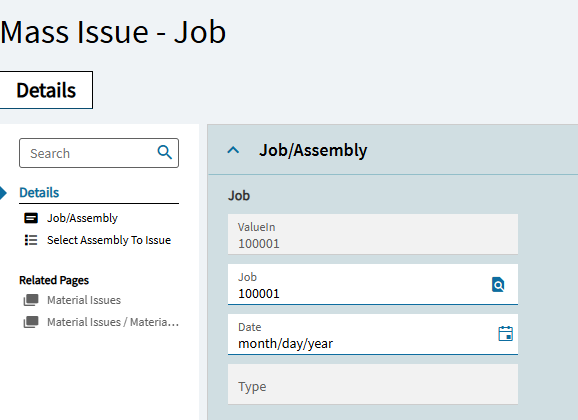
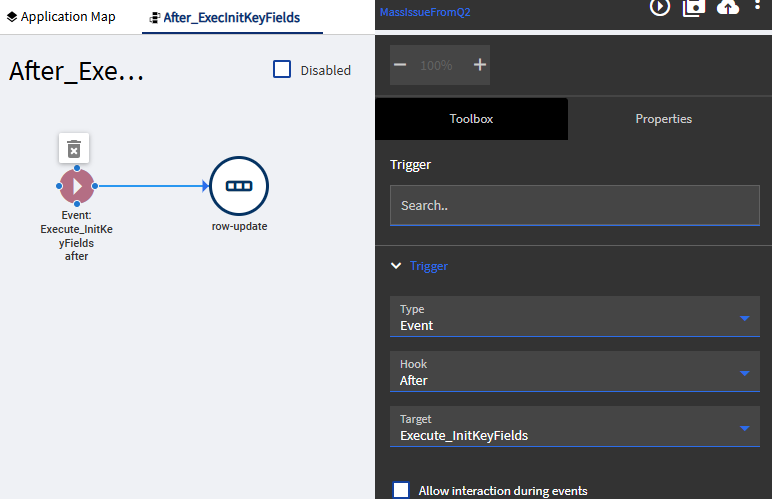
Interestingly enough, I was able to pull it in during an event set to Event → After → Execute_InitKeyFields
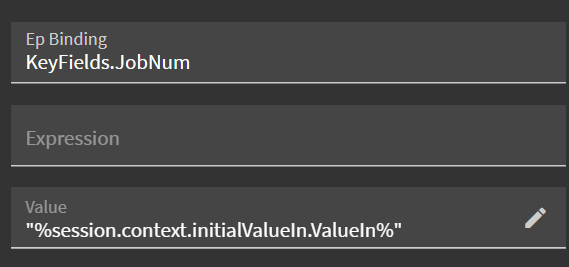
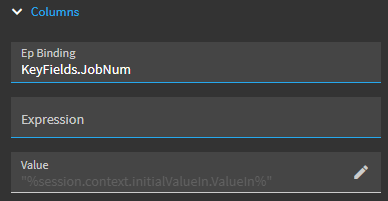
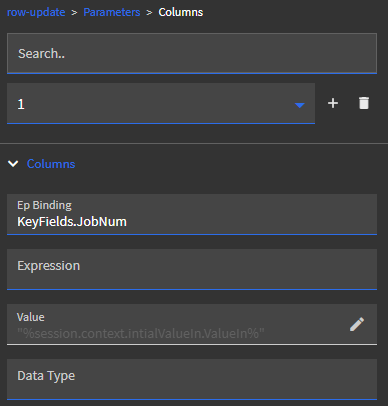
You’ll need to do a row-update and assign the column manually. It’s definitely coming through with valueIn, as I was able to bind it to a call context field and display it in a text box. However, it seems the event that sets it isn’t getting called.
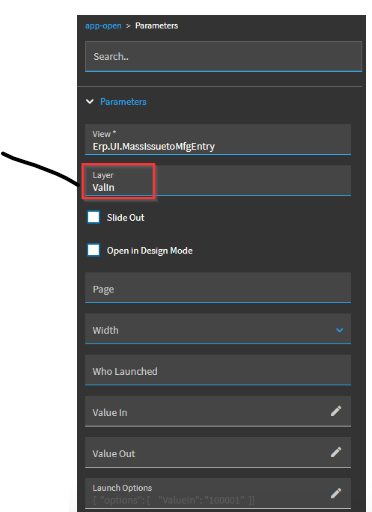
So on your button event, you’ll need an app-open with the customization layer
Still not working for me, however, I’m getting a different error message. I assume I’m missing something simple here, but my setup looks like yours as far as I can tell.
Error:
Cannot read properties of undefined (reading 'ValueIn')
What does your row-update look like in Parameters and Columns?
Can you output a debug slider message in your event before the app-open to see the value you are passing?
Hello @DeanMiller, sorry for not replying sooner. Unfortunately, I was not able to get this to work yet either. We have someone working on it, and if they get it working, I’ll be sure to update this thread.