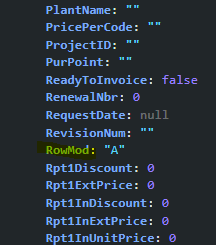
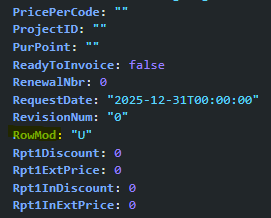
I’ve got a button on the Lines Detail tab in Customer Shipment Entry. The button invokes a function which is fairly complicated, but as part of the logic it reads the ShipDtl table, including the row that’s being updated. The problem I’m having is if the user has changed data on ShipDtl, but has not clicked SAVE, what’s on the screen and what’s in the database are NOT the same, and I’m getting inaccurate data.
I thought I could put a condition at the front of my button click logic with a condition basically ShipDtl.RowMod = “” - if it’s false then I’d have to commit the change to the database. I believe that means I’ll need to make a REST call (couldn’t find that in this help system, but I know I saw it). However, that condition is not working. When I look at the ShipDtl dataview from application studio, I don’t see a RowMod field as part of the dataview.
I suppose I could call the update every time the button is pressed, but I would think that’s overhead that I don’t necessarily need to do.
Perhaps you can tap into existing events. There is one called PerformUpdate. The first action in this event is to call an event called Dataset_hasChanges. That event has a condition of: %dataset.CustShip.hasChanges% === true
If that’s true, then it goes through the update process.
I’m wondering if you can call PerformUpdate prior to your function call. That might get your through the whole “dirty-row” stage and save the data to the server, if required, prior to your function.