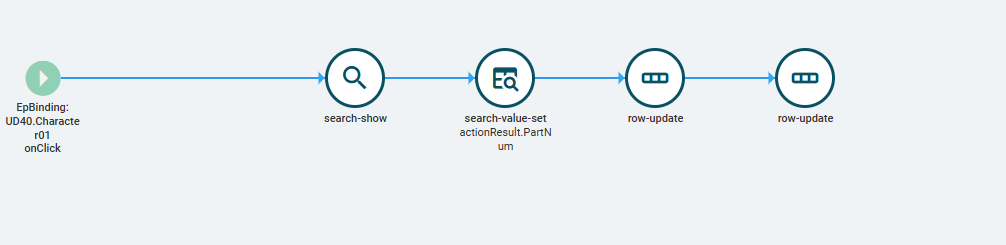
Hi all! So I have a chip selector that i want users to be able to select and add parts to when needed. It’s current able to do that for the most part. Current functionality allows:
opening search window, selecting multiple which adds to the chips.
Allows manual entry of the chips
Issue at this stage is that once the chip select has entries they’re being overriden if you try to add new entries via the search which actually makes sense to me. since I have a Search Value Set widget that the value is actionresult.PartNum.
I’ve tried a few things to no avail. Any tips on how to approach? I’ve never used this tool before so super confused haha.
Did you ever get any resolution? I am searching for this also (or some other way to accomplish the same goal). I’m trying to avoid adding a custom button, some logic to open a new search selection tool, and then some row update that overrides the original output location with the original value + the new value. Honestly, I’ve tried to overwrite the output of the chip selector search using events and I’m not able to get it to do anything of the sort.
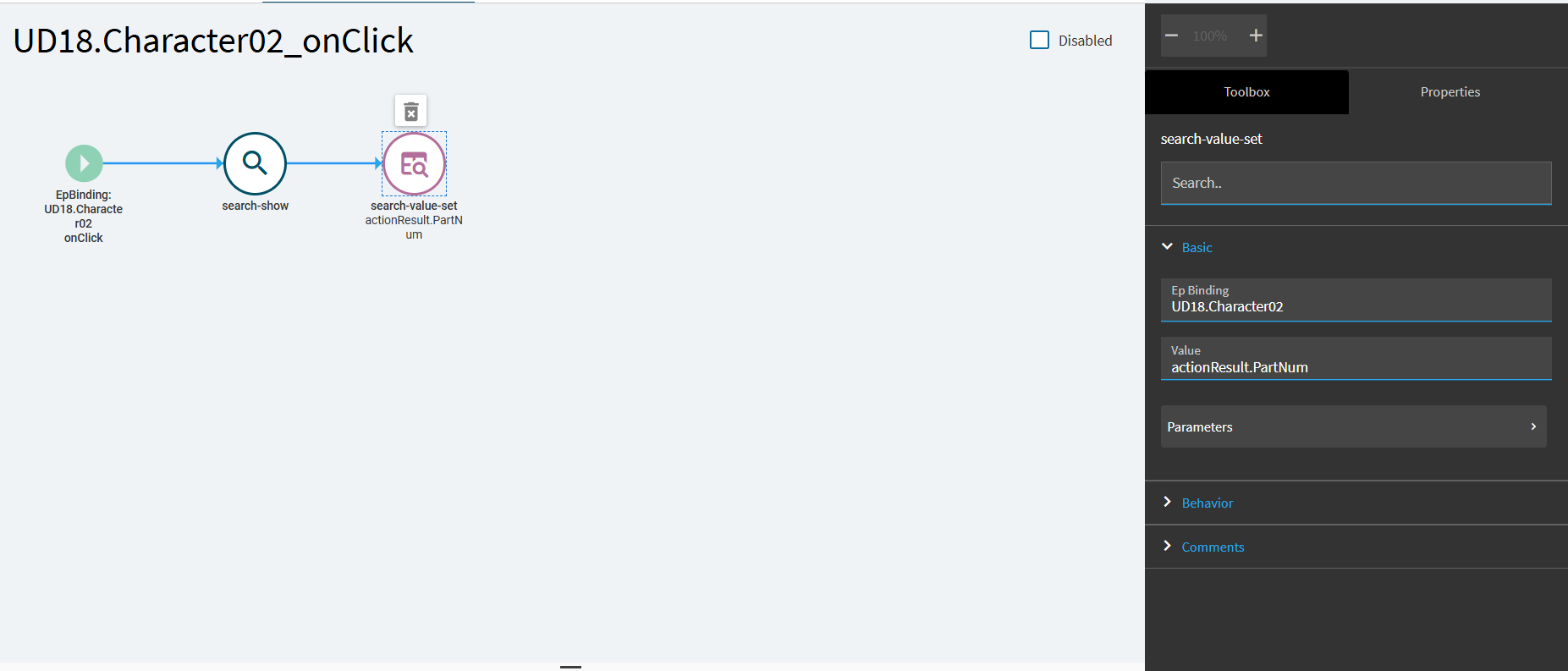
but cannot get any value expression to eval other than actionResult.CustID It’s like the search-value-set action doesn’t evaluate expressions the same as other actions unfortunately.
Curious, does search append to search results with each iteration in classic ui? Is there a searchOption selectedKeys?
The search-value-set indeed doesn’t evaluate expressions like other ‘value’ props It just assumes dataview.column and grabs the column name. So CustID from actionResult.CustID for example. Which explains why actionResult doesn’t even have data afaik
There are two modes to search-chip-selector affecting how results are added. Manual and Auto. Manual does replace and auto appends. It’s hardcoded to manual and drops into auto when you paste insert.
Unfortunately havnt found a way to set to auto so paste is the only way to add to existing selections as far as I can tell.
Still curious whether inability to search and append is a classic parity issue.
I think that may be why this feels like it should work… those classic search screens would always have a list view (for instance on a print screen) that would allow you to search and select or click that handy new button. It just doesn’t look that way in Kinetic but the functionality feels like it should be there.
I will give this a go. That looks so simple. I tried a dozen things but I don’t think I quite set it up like that. Thank you!!
Nice Ben. I thought I tried saving out the new search value then appending to the bound prop and it broke keyboard entry andor multi-paste features if the chip-selector but I’ll try again.
EDIT: dont have time to try right now but maybe the broken bits I recall are related to onClick vs onSearch trigger.
Ah good shout. Just tested and yes. entering in a value just slides the search out.
Turns out the Search-Show has to be the first in the event. Not to worry moving the first row-update to blank out the temporary search field to the end rather the start and adding in the search validation restores that functionality while still maintaining the new append functionality.

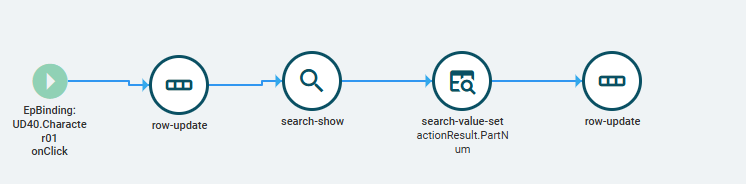
 moving the first row-update to blank out the temporary search field to the end rather the start and adding in the search validation restores that functionality while still maintaining the new append functionality.