estm8ben
October 5, 2022, 4:21pm
1
Hello friends,
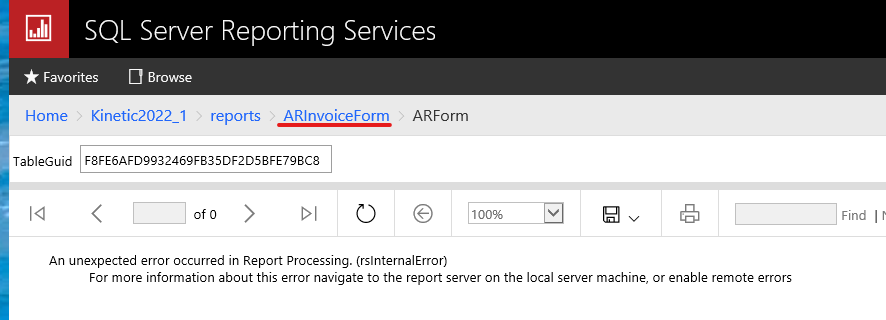
(Yes, the GUID still has a set of temp tables on the server)
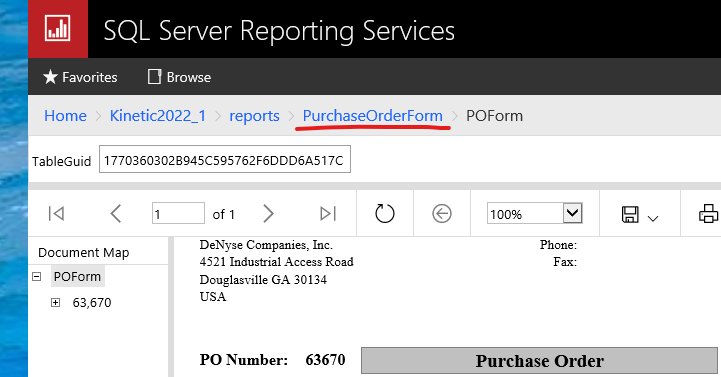
In contrast, POForm generates fine:
Why might ARForm work on GUIDs for a while and suddenly stop, but POForm continues to be fine on GUIDs?
Anyone have any insight?
Mr. Ben: Have you tried creating a new GUID? or is that what you are showing in your screen shot?
DaveO
estm8ben
October 5, 2022, 5:00pm
3
New GUID and the old one I still had archived from last week when it was working.
Could your RDL be pointing to your Live instance? Try checking your dataset settings?
DaveO
estm8ben
October 5, 2022, 5:07pm
5
This is a dev instance of Kinetic built only for testing. We are live on E10.
The datasource is correct in ARForm and POForm.
gpayne
October 5, 2022, 8:05pm
6
@estm8ben I would recycle the app pool(s) just for giggles.
estm8ben
October 5, 2022, 9:09pm
7
I tried that.
I even jiggled the handle while I was in there.
utaylor
October 5, 2022, 9:57pm
8
Ben, what does the log file say on the server?
estm8ben
October 6, 2022, 2:22pm
10
Looks like I’m getting an error about a failed Viewstate.
It provided this link:
utaylor
October 6, 2022, 2:32pm
11
That’s what you found in the log file?
estm8ben
October 6, 2022, 2:48pm
12
I also found this:
processing!ReportServer_0-10!5b8!10/06/2022-10:33:17:: e ERROR: Throwing Microsoft.ReportingServices.ReportProcessing.ReportProcessingException: , Microsoft.ReportingServices.ReportProcessing.ReportProcessingException: An unexpected error occurred in Report Processing. —> System.NullReferenceException: Object reference not set to an instance of an object.
utaylor
October 6, 2022, 2:49pm
13
That looks a lot more like an issue you can solve for.
I feel like that is some custom code. Is this a custom report style?
Does the base invoice form still work ben
estm8ben
October 6, 2022, 2:50pm
14
This is the base ARForm - unedited.
utaylor
October 6, 2022, 2:50pm
17
And it doesn’t work for any invoices or it works for some and not others?
estm8ben
October 6, 2022, 2:53pm
18
I generated a new archived print of Invoice 233968 chosen at random from the list.
I can see the PDF.
I have retrieved the new GUID - 99A69D42EB414F6FBEE865A3AF1CB6BF
I go to the URL for my SQL Server Reporting Services.
I find the correct ARForm for “live”.
I paste in the new GUID.
I get this error
estm8ben
October 6, 2022, 2:54pm
19
If I use a bad or non-existent GUID I get a different error.
POForm works fine in this same process.
utaylor
October 6, 2022, 2:54pm
20
If you try to do this on a different computer (like the SSRS server) can you use the guid to preview the report? Do you only have this issue on your computer?