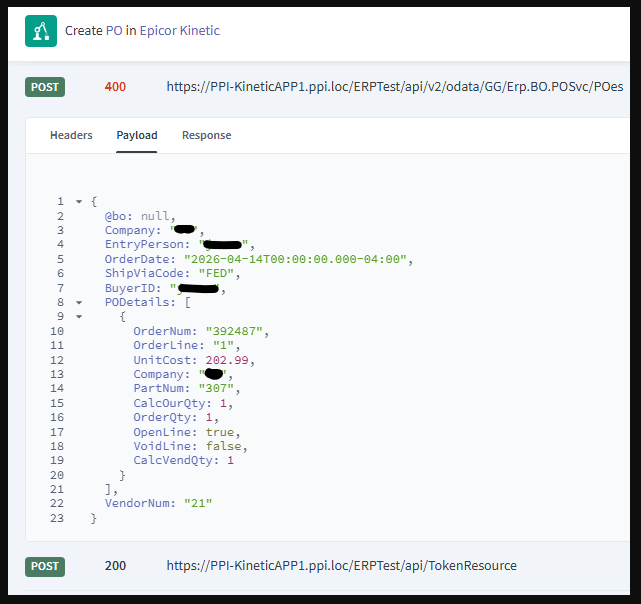
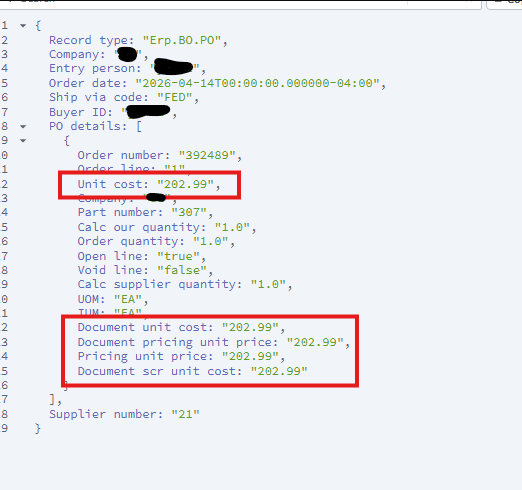
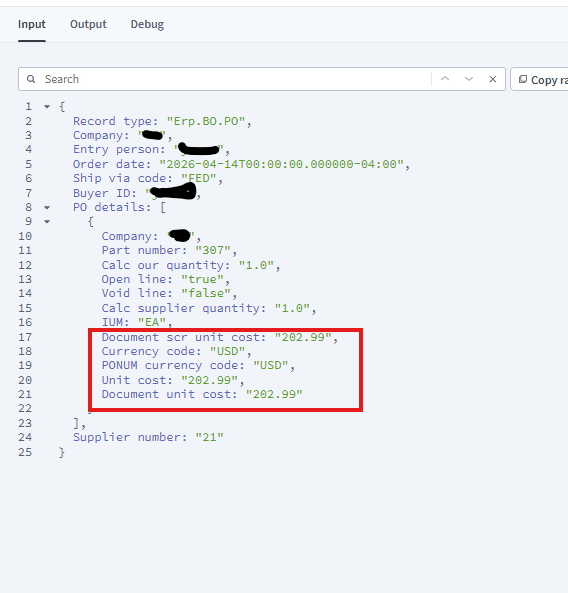
I am using Automation Studio to take SO and create PO. At first the recipe I had was making the header but completely ignoring the Detail in the PO. I added the company field to the Detail side and now it is failing with : A valid quantity is required. at line: 3406.
Any ideas what could be causing it?
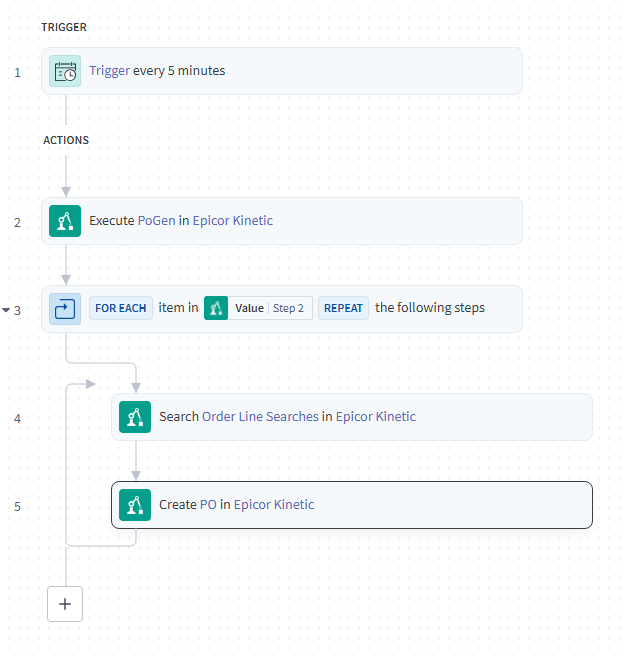
My recipe is looking at a BAQ to get SO numbers that need a PO.
I am then using the Search Order Line Searches and feeding it the SO numbers to retrieve the Order Details.
Lastly, I am using the CreatePO to make the PO header and Detail.
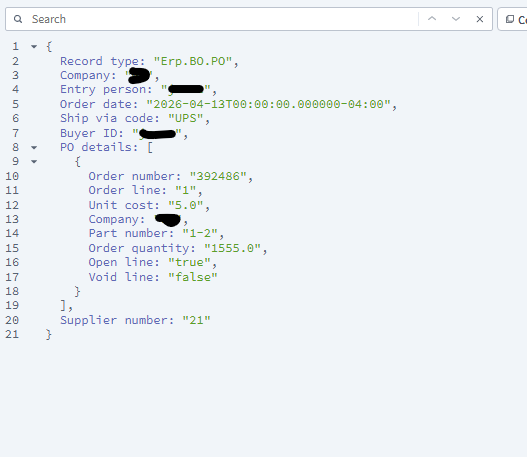
I am using the BAQ values to create the header and the Search values to make the Detail. Here is what My recipe is trying to feed the detail.
I’d take a step back and look at how you would enter in the po line manually. The PO line has two qty values IIR our qty and supplier qty. So maybe that’s the problem.
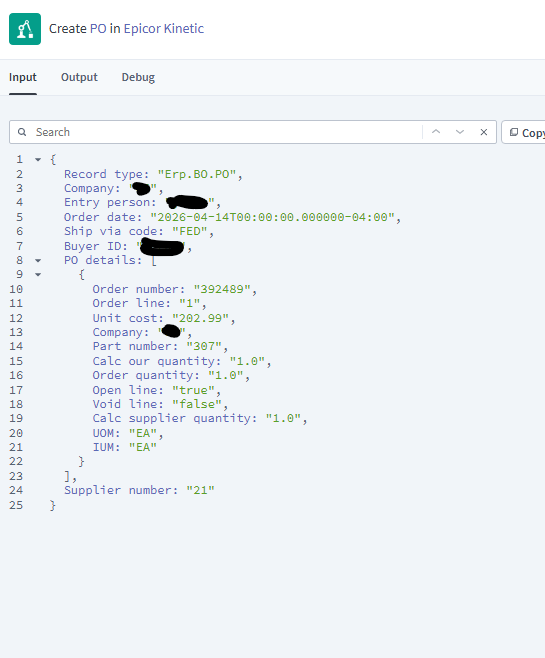
So that worked. I was able to add the line that way. But it did not link back to the SO like I want it to. Even though I am feeding the values. Also had to add the IUM with the OUM.
I’m always going to say what I said, “Trace how the UI did it first” It helps you get the payloads right from the beginning. Sometimes I have to remind myself even. Glad you got it sorted out.
Unit Cost - you need a currency code. I think there’s two of them.
Link To Order - 90% the SO release needs to be Buy To Order, then on the PO you set BTOOrderNum, BTOOrderLine, BTOOrderRelNum.
Out of curiosity - Why did you decide to do this through Automation Studio and not a scheduled function? I’m looking for more ways to utilize AS and I’m coming up short.
I will definitely try that. Well to be honest we just got automation studio. We are doing away with EDI. Some of our EDI orders come into our secondary Epicor companies and have to be send to the primary via multicompany and POs. My though was it would be best to have the entire process replacing EDI and DMT running in the same spot. Plus, I wanted to get more familiar with AS.
Coming back to this. Does anyone know how to look at the BO and methods that epicor calls when adding a line. I would like to see what all is being done so I can recreate the steps. In the application itself all I have to do is add new line and enter the BTO ordernum and BTO orderline. I have to be missing something behind the scenes.
Looking at the developer tools I only see four things happening.
GetNewPODetail - When I click on new Line
ChangeDetailOrderNum - When I add the order Num on the BTO OrderNum
ChangeDetailOrderLine - When I add the order Line on the BTO OrderLine
CheckBeforeUpdate - When I save
Update
I don’t think I am missing anything. That in itself bring in the other details from the order. When I do this on the recipe it wants a PartNum to be fed in.
I am getting very close. I can make the PO link to the SO but only with certain parts. Any idea what setting could be causing the link to fail at times?
It seems as like the recipe works for parts labeled as ROLLS but not for Parts labeled as MATS. Labeled = classid
Issue ended up being a mismatch in IUM and PUM. I was only feeding IUM so the PUM was defaulting to the company default, causing a mismatch. Orders are now linking successfully.