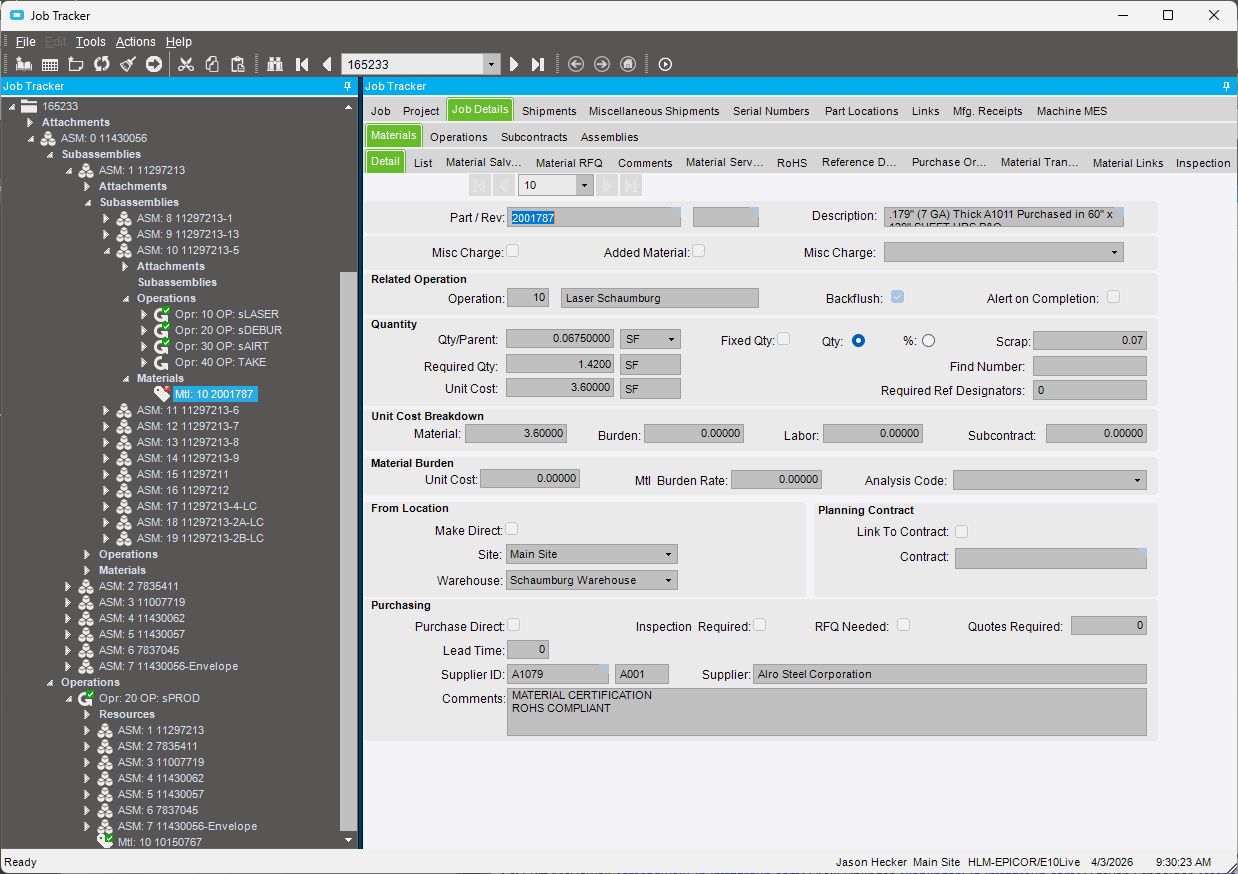
That Operation was marked “Complete” and had a full quantity of 22 pieces recorded against it, but the backflush never took place.
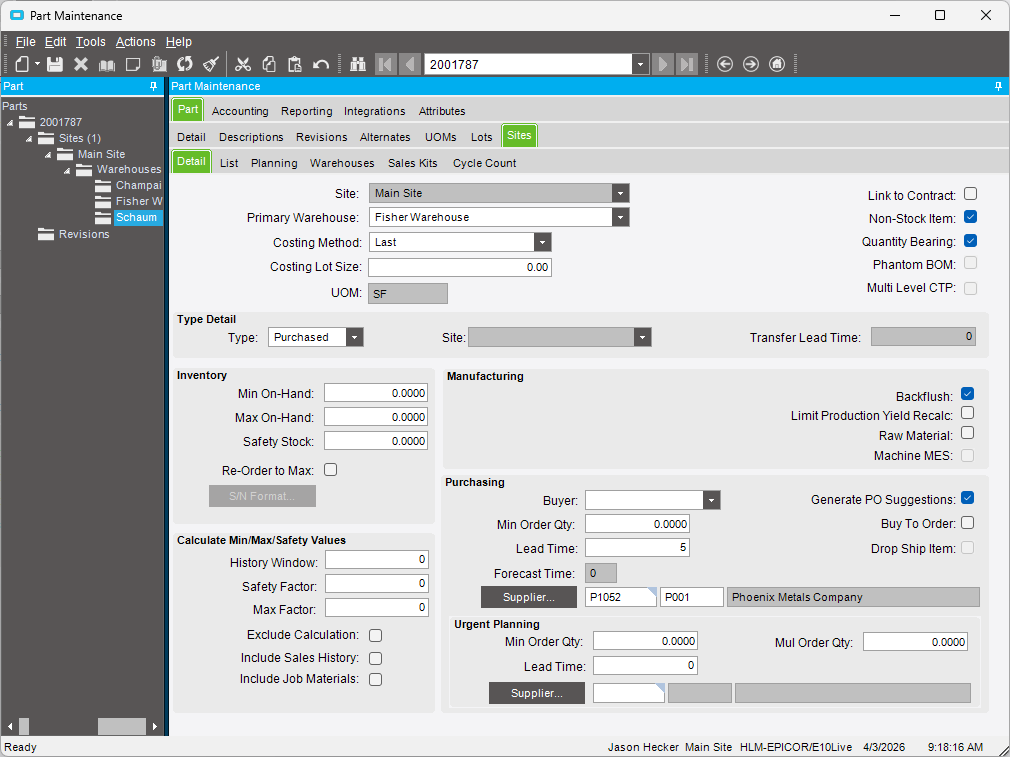
I am wondering why that is. The only thing I can think of is because the Operation took place in a different Warehouse. The Default Warehouse for that Site on that Part is the Fisher Warehouse, but the operation took place in the Schaumburg Warehouse.
The Part is marked as Quantity Bearing on both the Part level and Part > Site level. It is marked as Backflush on the Part > Site level as well.
But, now that I think about it, the Warehouse on the Job Material is set to the Schaumburg Warehouse, so that should preempt any Primary Warehouse set on the Part level…right?
It also appears that this material is successfully being backflushed for this operation (sLASER) on other jobs, but not on all other jobs.
I feel like I am chasing my tail here trying to figure out what is missing here. Anyone have any ideas?
I’m not overly well versed in backflush logic but… a couple thoughts…
If it works “sometimes” then I would think that it is probably a job level thing, or a labor level thing… not your part setup.
The PART was set to backflush, but is the MtlPart on the job marked backflush? It should default based on the part record, but someone could have unchecked that box on the job.
How? Via MES, Time Entry, etc.? Can you look at that LaborDtl for that entry and see if there’s anything different vs a job which DID backflush correctly?
What are the UOM settings for SF? Do you allow decimals? Round up/down/math?
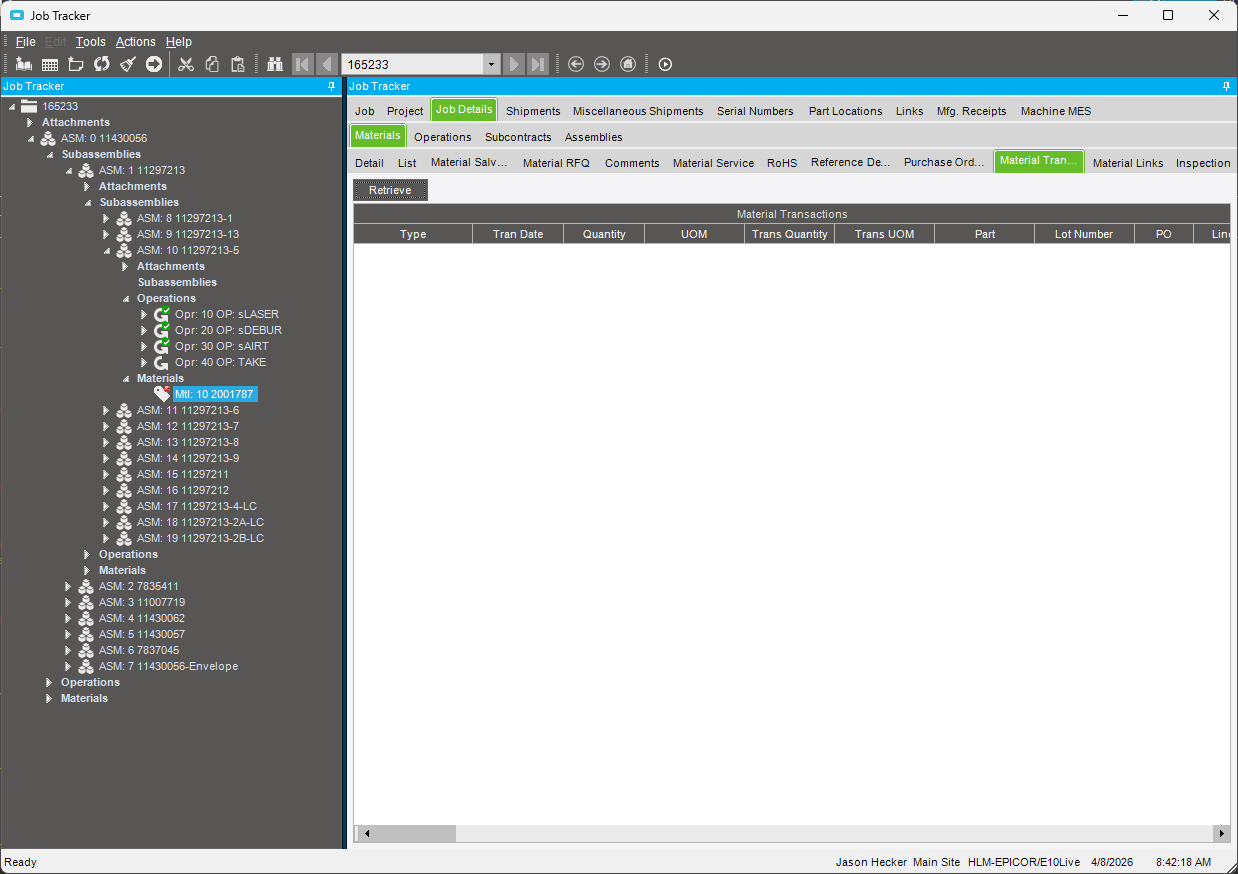
What does Job Tracker > Job Details > Materials > Material Transactions show? Are there any transactions listed for the materials that won’t backflush? Do the quantities make sense?
We have some materials listed on our BOMs for costing that have Qty/Parent values that are so small that sometimes the backflushing rounds down to zero if employees report just a couple of pieces at a time.
We do allow decimals. I am not sure how the rounding is handled but I know we go at least 4 decimals. We may truncate after that, or round…not positive.
It is empty, which is what I am finding weird. It should show something, shouldn’t it? I mean if we completed the operation then Backflush should have kicked in and issued those materials (I’d think).
This would not fall into the same situation that you are describing. In this example, we would need 1.42 SQFT, so it wouldn’t be rounded down to zero (which would cause no material transaction to take place).
The warehouse matters. Where was the inventory when the back flush should have happened? It needs to be in the same warehouse that the job/operation is in.
And do you have not allow negatives on? I would assume if you allowed negatives it would force inventory negative where it wanted to back flush it from, then you could “fix” it by moving inventory to that location to backfill it. The fact that it didn’t do anything makes me think it might have hit a negative stop.
Can you show the material transaction tab in job tracker for that material? It could be a rounding error too where it mostly got issued but not 100% of it.
I have a case open because at some point last year we were no longer able to ship packs if a back flush operation on any of the jobs would result in negative inventory. No transactions are even generated if there is enough material when closing the job, so idk why it cares.
They claim nothing has changed, its always been this way and should be this way.
We don’t see why it happens before the jobs are actually closed, and we find it annoying as we would like the job of shipping and the job of fixing inventory or job boms to be desynchronized.
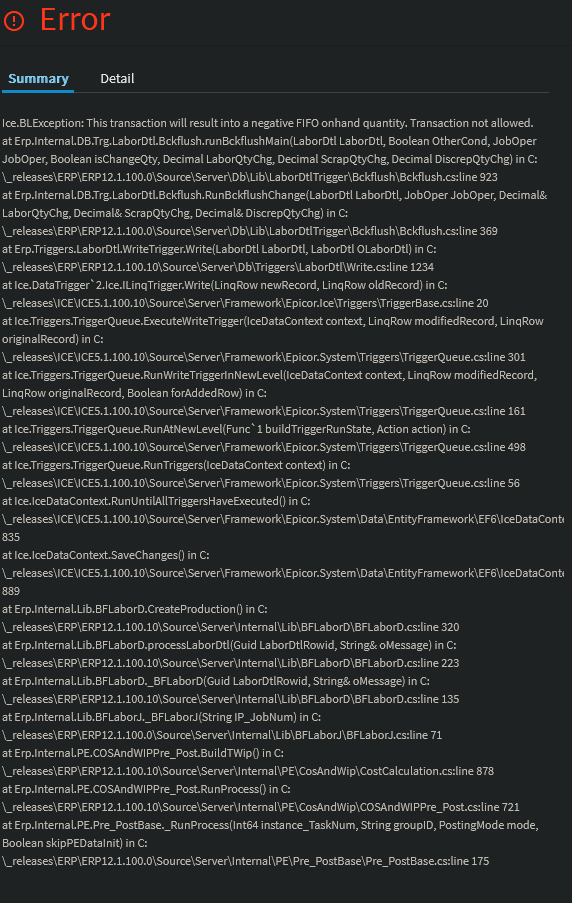
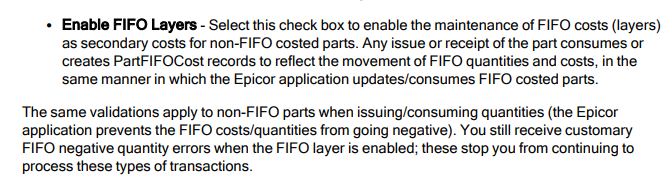
So anyway, in some cases based on the error message, black flushing is prevented by negative FIFO - maybe its not for other costing types.
Its super annoying - the product is already made so preventing it from shipping is insane. Yes it should warn you that inventory is off, but if the product is made let us ship darn it.
Typically a template BOM is reused and we bought a different size of stock steel or something - or we are getting low and we used scraps not on the books - whatever the reason its not helpful.
Yeah, I think you’re right… It’s super confusing. And I’m taking back my earlier statement.
I believe the rationale is, if it’s automated, and there is no user interaction it has to do something. So it will push it negative. Even if not allow negatives is turned on.
That’s a company setting for you to decide what happens. In an ideal world, a warning would be enough that the user would finish what he’s doing, then immediately go figure out why the warning popped up and fix it.
But the reality is, if the system let’s the user click ok and ignore it, they will. So the company has to decide how they want to handle those errors. If a mistake was made or there is an anomaly, it’s a lot easier to fix it when it happens, and not 6 months down the road. However, if the the end users aren’t willing to take responsibility for it without business rules in place, then things like stopping people from shipping until the upstream anomaly is fixed are the kinds to solutions that get put in place.
Neither are ideal. But it’s more of a philosophy question than a technical one. The fact that we have to babysit some 55 year old shipping clerks like they are 12 is maddening!
Yes, and I think we want it to prevent transactions. But when I shipped a back flush job in the pilot and then checked the material in part transaction history it didn’t make a transaction - the transactions seem to be made when we go through end close jobs.
So to us, its warning us when it should not as its just prophesying that jobs on the shipment will have issues when they close. Maybe its assuming when a job is shipped its automatically closed - but that doesn’t seem to happen for us..
Anyway this might be a bit off topic from the OP but we see backflush material abnormalities even if they aren’t the same ones
There was no inventory in the Schaumburg Warehouse at that time, but again, shouldn’t the system have allowed it to go even more negative than it already is?
Yes, we do have Allow Negatives on. That part is currently in the negative in the Schaumburg Warehouse.
Here is the Material Transactions tab…it is showing nothing after hitting Retrieve.
If I do a SQL Query of: SELECT * FROM Erp.PartTran WHERE PartNum = '2001787' AND JobNum = '165233'
and it returns 0 rows. So there was no transaction of any kind for it.
You might have hit an edge case the Epicor didn’t test for.
Did you check these against your theory of the warehouse being the problem? If it were me, I would start looking for patterns to see if I could reproduce the issue on demand, then you can submit a ticket to get it fixed. (if it’s a bug)
Looking at previous jobs with the same material/operation/warehouse requirements and there have been plenty of instances where that material backflushed successfully.
I’m going to rule this as an edge case for now and see what happens moving forward.