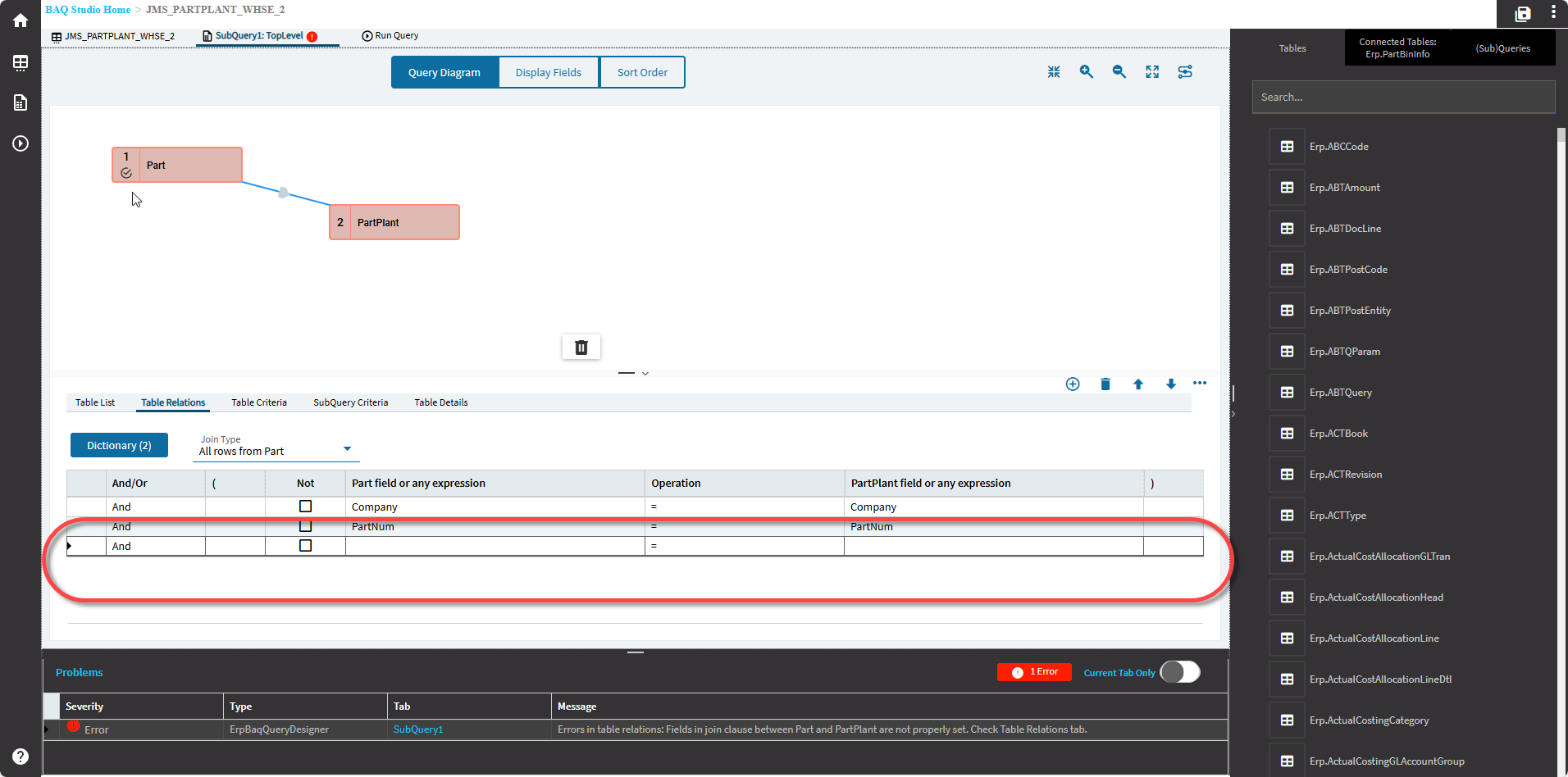
Is anyone else seeing bugs with the BAQ designer? When adding tables and modifying the joins, it doesn’t select the correct link, so you try to add join conditions and it adds blank lines to the wrong tables. This seems new.
Not to me.
The whole thing is a mess, we need a group effort to get classic BAQ designer in Power Tools, as well as method and data directives editors.
Not ready for prime time.

This seems like behavior I’ve seen since BAQ designer was implemented in Kinetic. It comes about by some combination of adding tables, joins, etc. - It’s the javascript BAQ UI tripping over itself building the objects in memory and displaying them. The display gets out of sync with the data.
I’ve just gotten into the habit of saving and refreshing the browser frequently. It’s like a video game, if you don’t save often, you gotta go back and beat that boss again.. but if you save too often you save past the point of no return and now you get to figure out how to slam potions while you run away in shame.
Yeah it seems UI related.
Also not having a good Epicor day .. earlier today I deleted all our BPM’s by importing one from pilot and ‘overwriting group’. 
Uhm… that’s a thing??? why is that a thing???
Yeah that’s one of those things that shouldn’t exist imo.

This is exactly what I’ve been thinking leading up to the Classic Sunset. I’m still using classic for BAQ’s and BPMs and if they would include it in Power Tools for the next year or so, that would be ideal.
Where have you been lol.
Same we use the Classic BAQ Designer, it is more intuitive and better laid out. The tabs are just there, the font is small enough so you can see everything right there.
No I have never seen this actual behavior before. When you click on a join line it doesn’t select and you can’t add conditions.
I am waiting to hear from support to see if they can restore a backup from Live to Pilot from before yesterday.
Like others, I have seen it behave this way - actually just today and it was starting to drive me mad. Solution: Save, close browser window and reopen the BAQ. Just a session refresh did not resolve for my instance.
Tim Lester
This is from 18 months ago and the problems existed from day 1 of using the kinetic version.
Lucky! I’ve seen it more than once. If possible, I use Classic to fix the BAQ but if you have a reference BAQ then you’re likely screwed if clear cache doesn’t fix it.

don’t forget about SSRS Breaking/Routing (Report Style) as is only available for the Classic or Modern UI and disabled for Kinetic 
What’s in the SQL?