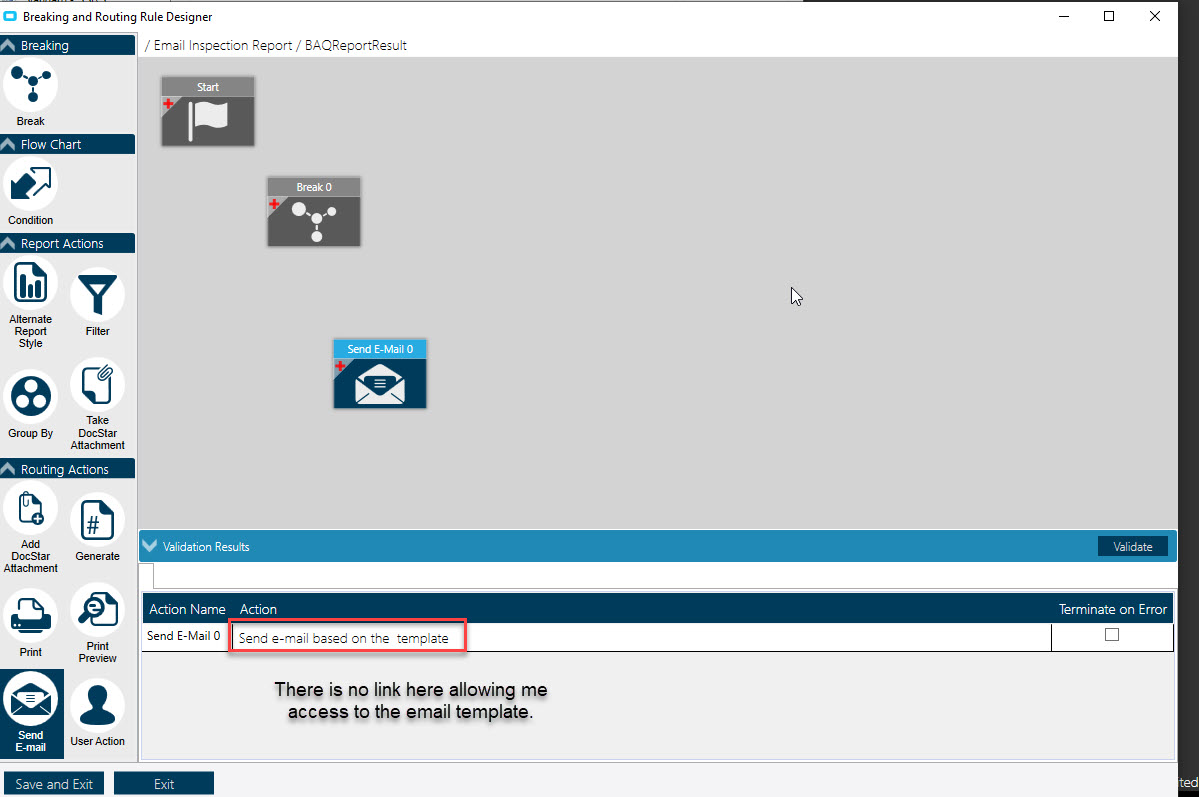
Hello all. When I attempt to create a new SSRS Breaking/Routing from the “Breaking and Routing Rule Designer”, and I select the Break element, it doesn’t give me the list of columns from which to choose what to break on. (Under Action at the bottom) Also, if I select the “Send Email” element, I don’t get a link with access to an email template. (Under Action at the bottom). I have used this extensively in the past, but for some reason, it’s not working now. It may be something simple, right in front of me. On existing Break Routings, when I click on the “Send E-Mail” element, I can see the link at the bottom which allows me to access the email template.
Can you post a screen shot of what you’re seeing?
Since it sounds like your just starting this rule, I would delete it and start again.
- When you start the designer, you’re asked which table will contain your break ‘elements’ (fields).
- When you’re ready to design your email, first drag the email icon onto the designer workspace. It is then that you’ll be able to click the link to access the template.
You’ve probably done this and there’s something else amiss, but certainly starting over can’t hurt - if those fields are indeed missing.
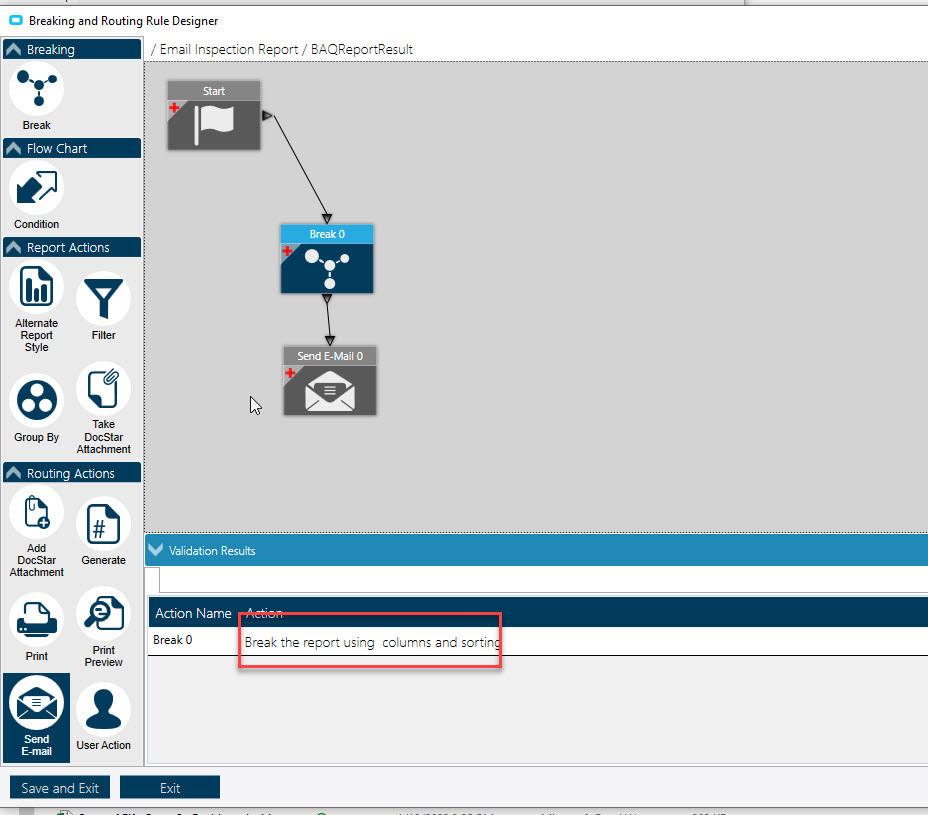
What happens when you link Start to the Break widget? Also then click on Break and see what options open up.
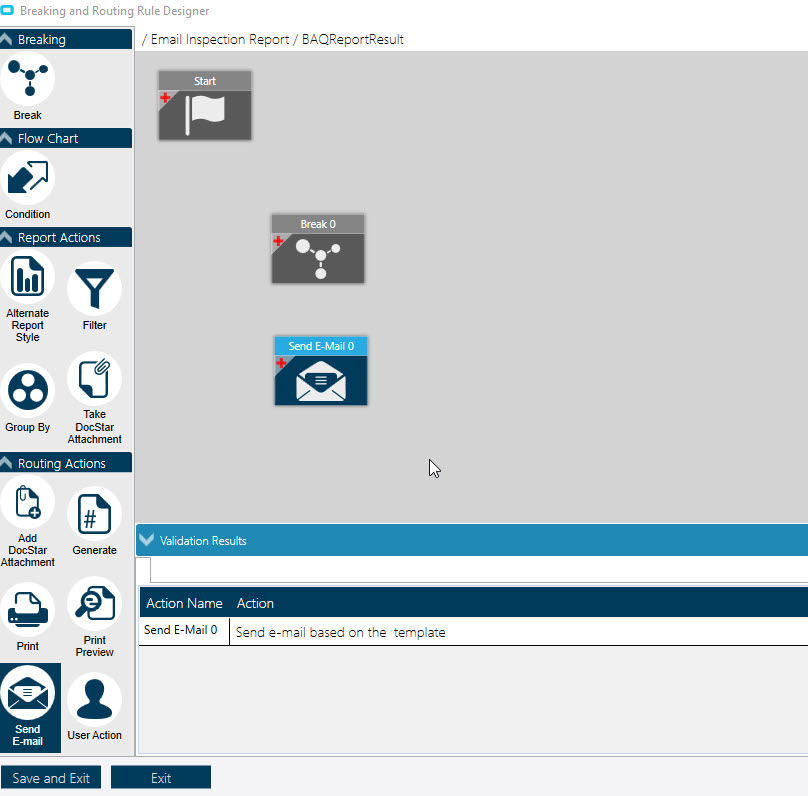
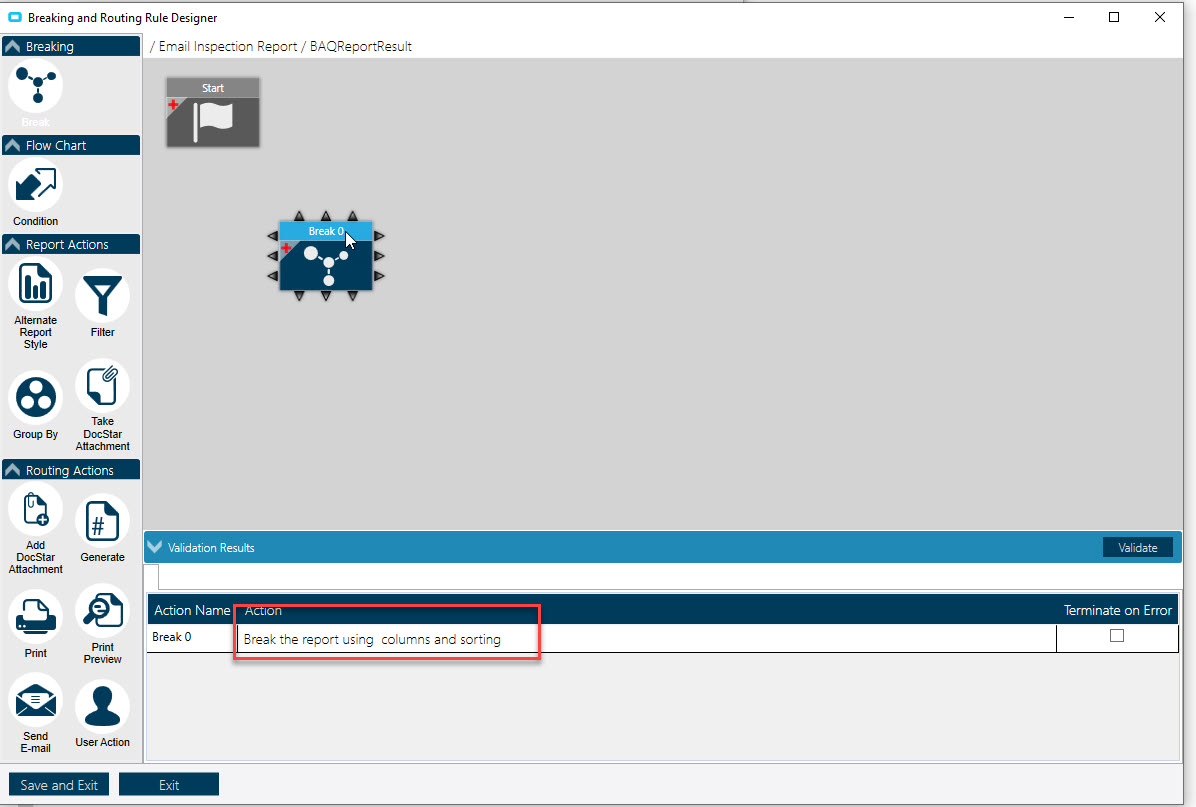
Thanks Andrew. I deleted the rule and started again. It is from an existing BAQ Report, so the “Break Table” is “BAQReportResult”, which I selected. I then go into the "Breaking and Routing Rule Designer and select “Break” and don’t see the usual list of fields under the Action area (Screen shot). Nor do I see a link to the email template when I drag “Send E-Mail” onto the canvas. (Screen shot). Thanks for your help!
Please, close the designer and take a shot of the “SSRS Breaking/Routing” tab
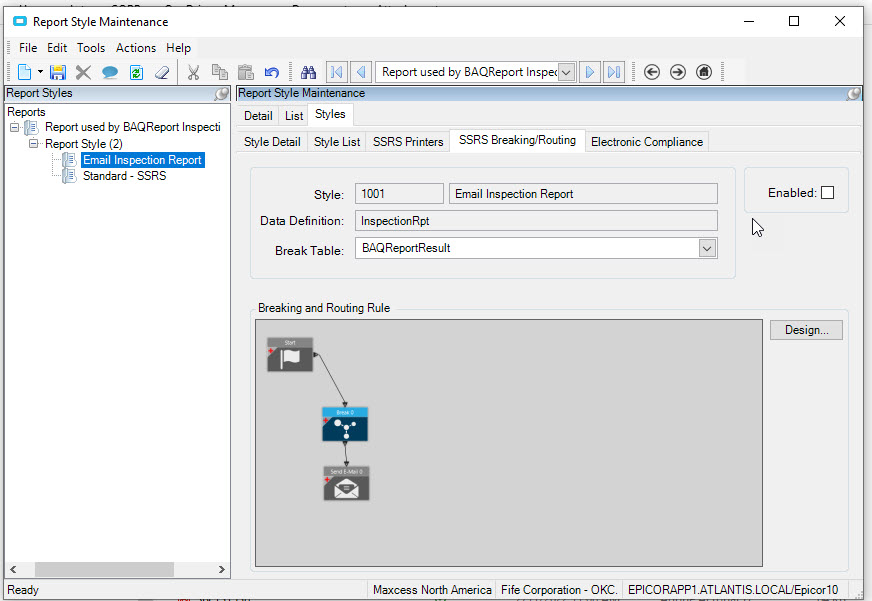
Just to narrow this down to this particular report… Do you have any other reports with breaking/routing rules that DO function properly? Are you able to create another quickly, just to test if the functionality works in your environment?
1 Like
Kelly,
If you try to create a new report style and start from scratch do you see anything?
In other words, if you start a new style is the issue still occurring?
Thanks. Yes I have verified that other reports with breaking/routing rules do work. However, I run into the same issue when trying to create a new rule, no matter the report.
Have you raised this issue with support yet?
I find it odd that anything new you create for any report is not working, but existing routing does work.
Click on Enable I believe then it’ll work as you expect.
Hmmm… so ALL new rule attempts are problematic. However, existing rules work.
Possibly something amiss with the report server?
I think that Enable checkbox is for after the rule is designed and validated. The design of the rule comes first, yes?
Thanks Utah. Yes, when I create a new report style from scratch and supply all information: Description, Report Type (SQL Server Reporting), Data Definition, Report Location and Output Location (Database) and then create a new SSRS Breaking/Routing, the same issue occurs.
That’s exactly right. Yes, in fact, just this morning we just resolved an authorization issue with the report server. I was getting authorization errors. Any ideas?
I would pull up a report that already has breaking/routing rule and see if you can access the designer elements. I wouldn’t save anything, merely root around a bit to see if you have access to the elements, in a working rule, that you do not have access to in a new rule.
This is really trying to figure out where to start really looking for the problem.