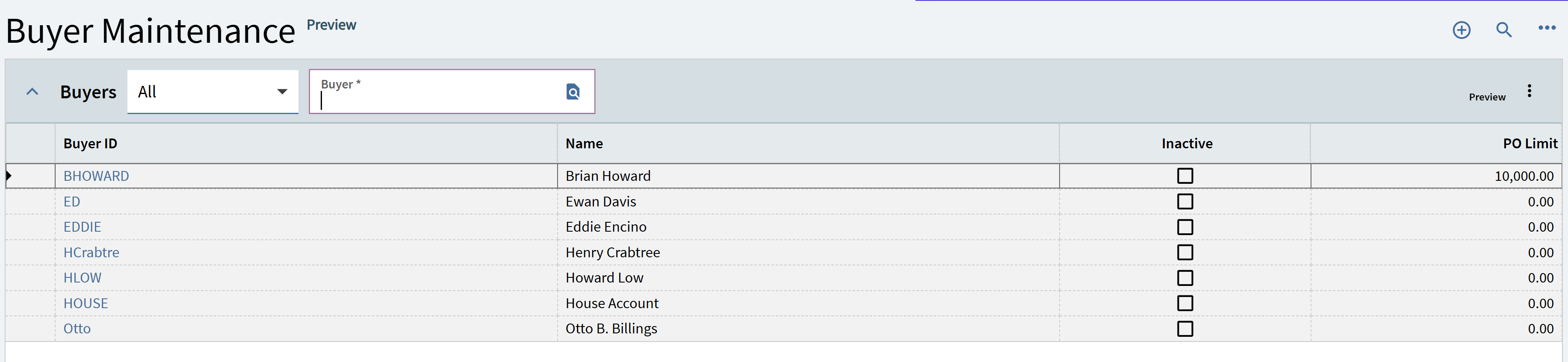
Last time I tried customizing a Landing Page was v2023.1 and it was a complete flop… nothing worked at all.
Sounds like there are still some bugs, but are you guys at least seeing some improvement in recent versions?
Last time I tried customizing a Landing Page was v2023.1 and it was a complete flop… nothing worked at all.
Sounds like there are still some bugs, but are you guys at least seeing some improvement in recent versions?
Nothing proprietary here:
Buyers_POApprovalQueue.baq (20.8 KB)
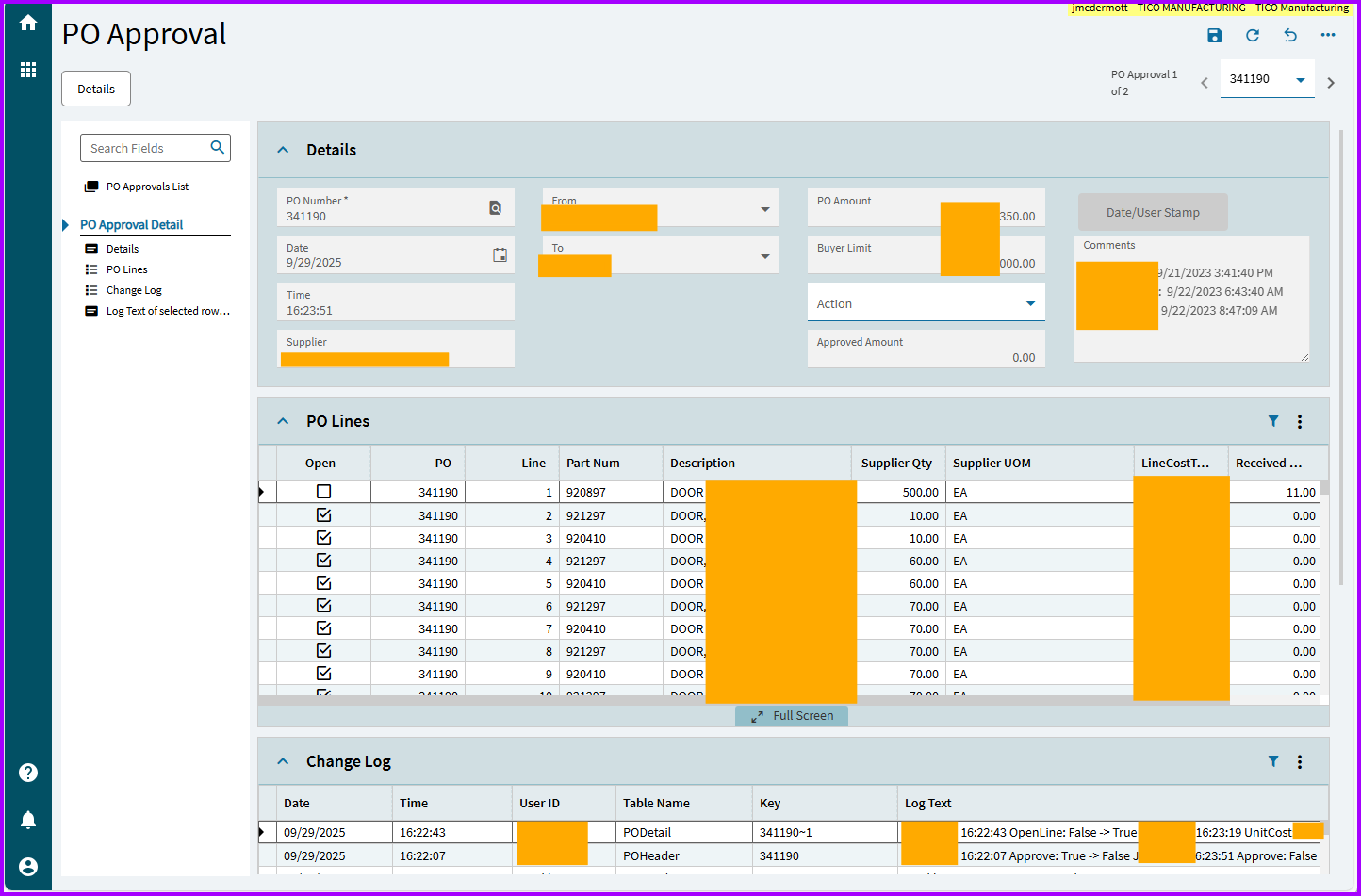
Since I am on a tear - the PO Approval screen was always absurdly barren. So I added the PO lines (read only) and the change log for that PO - so that the managers could actually make informed decisions…
OK, enough hijacking. I’m out.
Nice @JasonMcD!
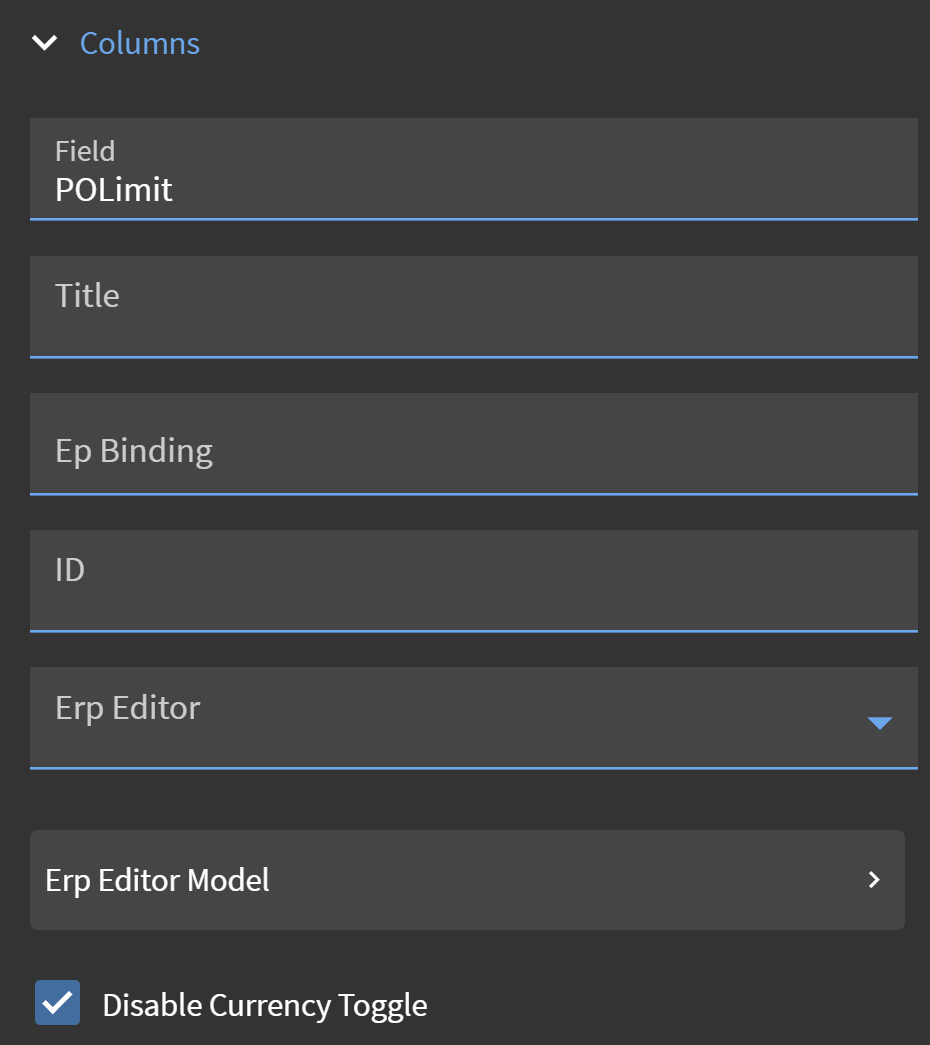
Have you tried ticking the disable currency flag on the column in the grid model?
Often there is oddities in some versions where it will make the column disappear fields that appear to be values but in screens that don’t have a currency switcher similar to dashboards.
I have not. And I couldn’t find where to do that. In the LandingPage dataview, it is set to a number and not currency.
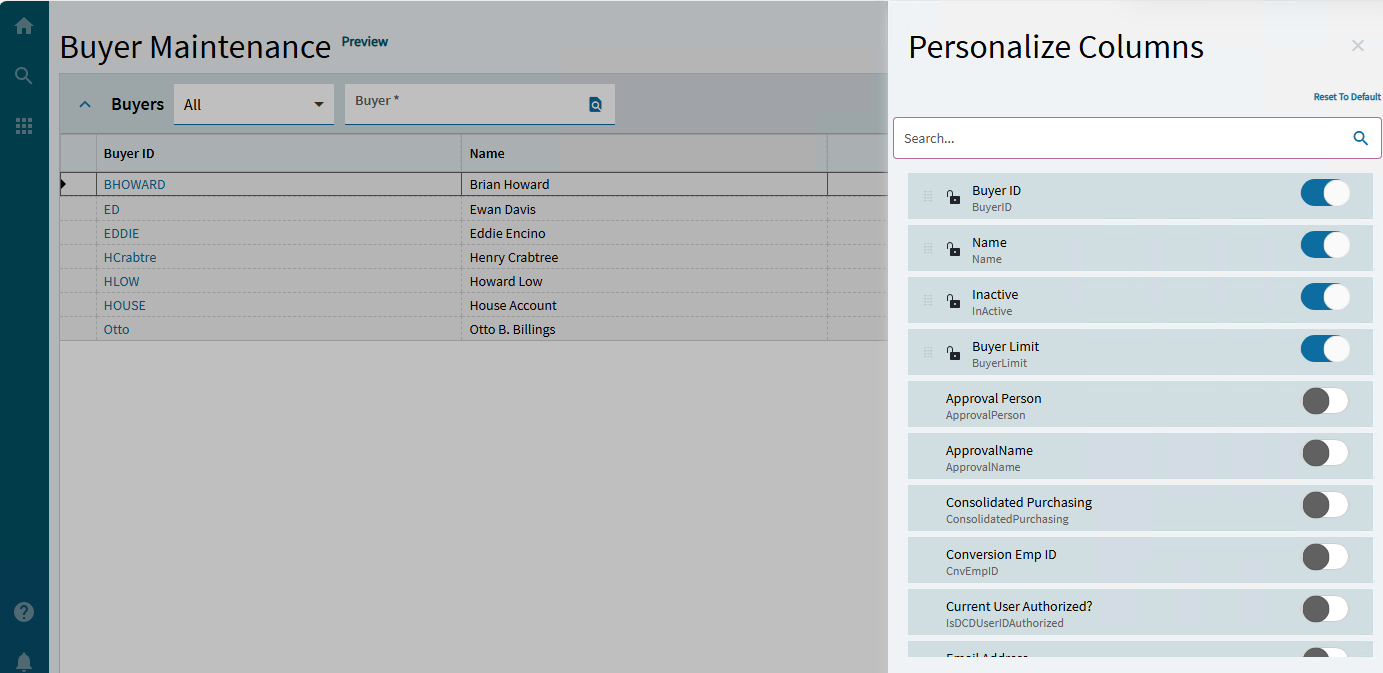
I still wonder why the column does not appear in Column Personalization. It’s not just missing in the grid.
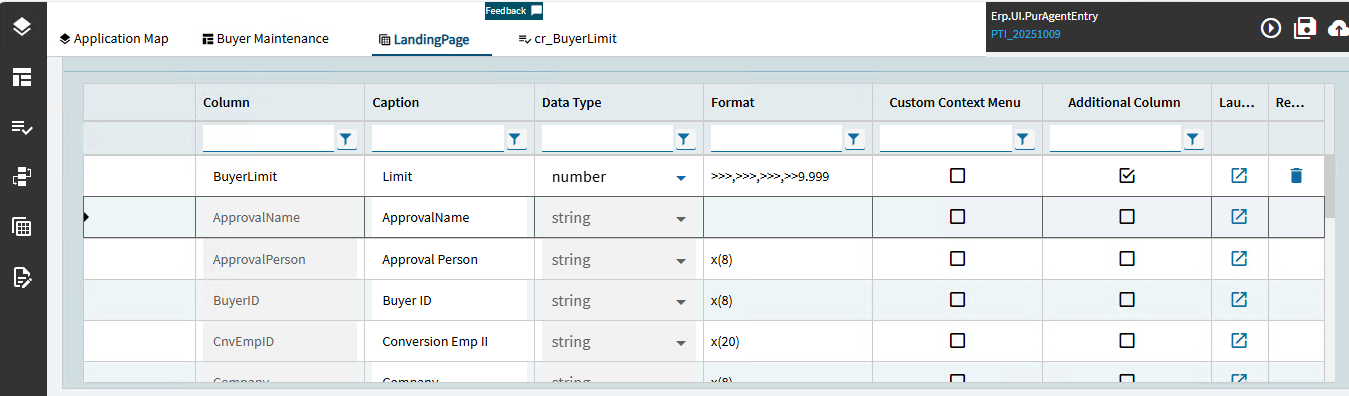
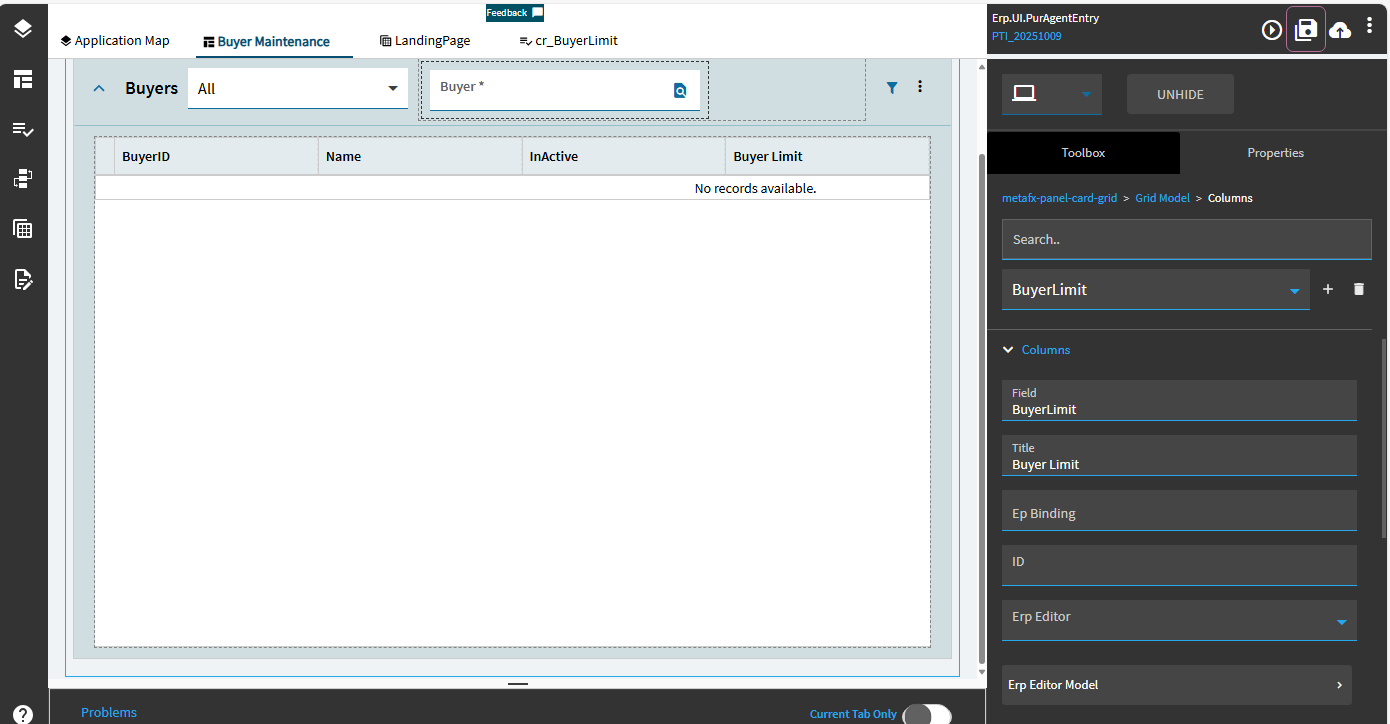
HOWEVER, the great @GabeFranco had a post earlier today that inspired a work-around. Basically, add a column to the LandingPage dataview (BuyerLimit):
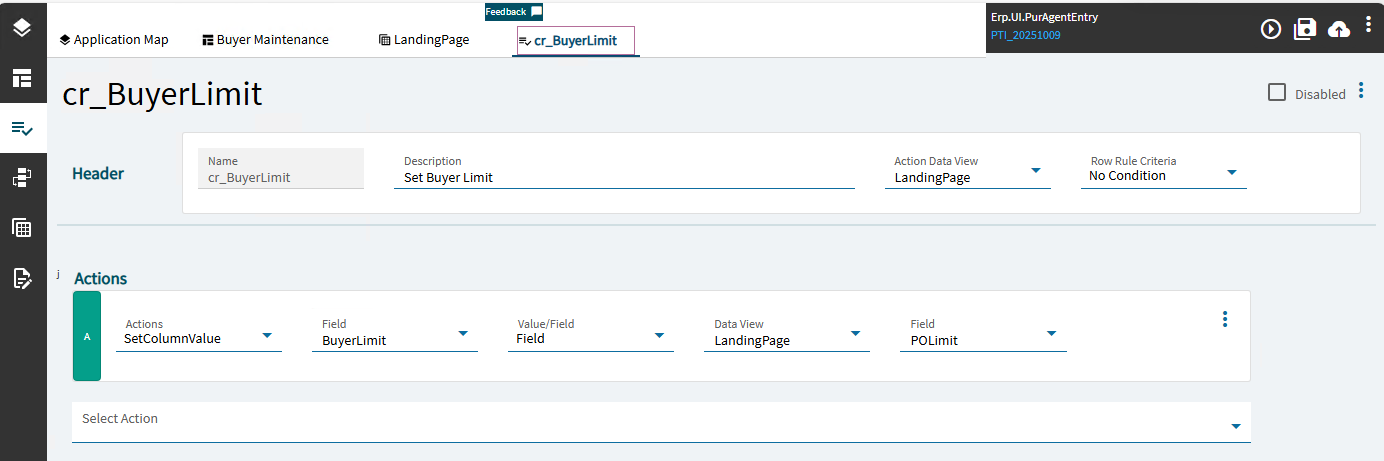
Create a row rule to assign POLimit to the new column.
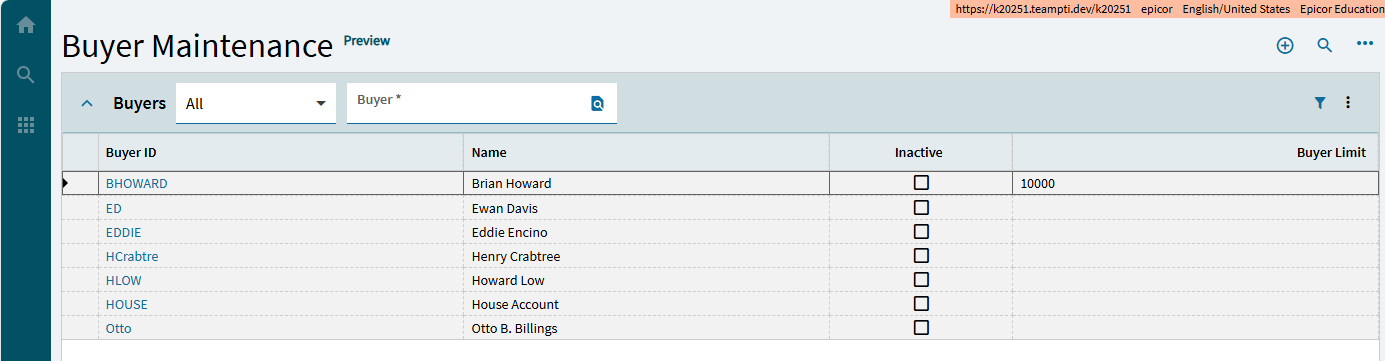
Add the column to the grid:
Profit
Moreover, it shows in Personalize Columns
There are some formatting issues with the column header and the value missing the formatting and justification for a number, but it’s progress.
That’s it. You check the box on the PoLimit Grid Column
So the currency flag is in the landing page grid where you added the column manually. it often has to do with the Biz type in extended properties which drives it which is why a complete on the fly column does not bump into it.
If this is the case it doesn’t show in personalise because again the system is hiding it to drive currency (Doc, RPT etc).
Justed tested on 2025.1 and the Disable Currency Toggle did the trick.
It DID! I was looking for a Currency Toggle checkbox to disable and not to enable a Disable Currency Toggle checkbox! 
Thanks, Ben!

Also works in 2024.1!
if you created a support case, you could save headaches n point them to this
PRB:
Done. Thanks everyone!
Mark, I have tried to surface this on a few different threads, but isn’t there a way to get the JSON for the application layer and you can look up the field there? OR is it that the field doesn’t get added to the layer till the currency is toggled?