I have created a new screen/form for UD105 table that has a couple fields on it. One field is a date. When I enter this date, I want the next field to automatically display the age of the item based on the date that was entered.
How do I do this?
I have created a new screen/form for UD105 table that has a couple fields on it. One field is a date. When I enter this date, I want the next field to automatically display the age of the item based on the date that was entered.
How do I do this?
What is the next field? Is this in Kinetic?
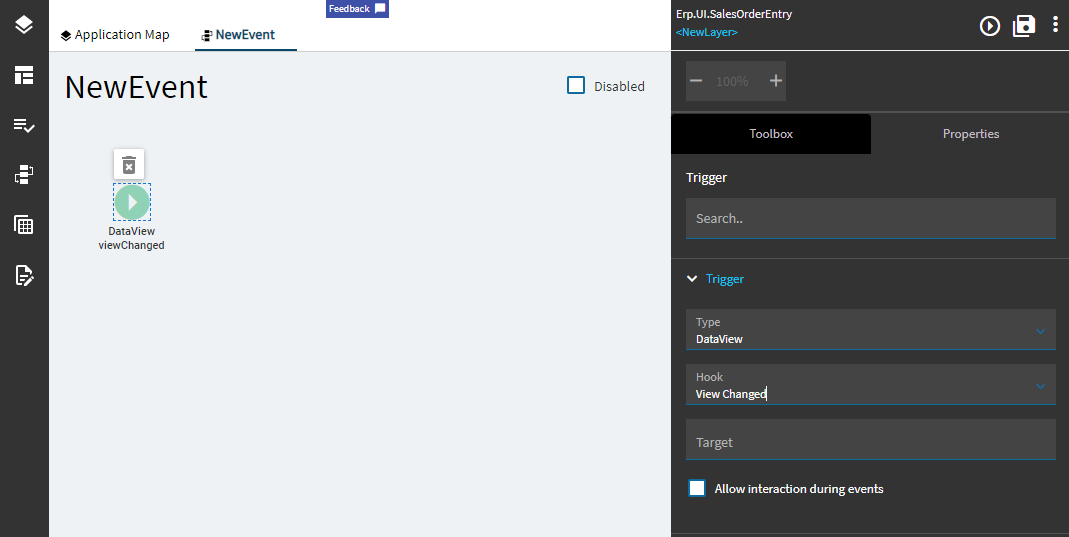
You can create an event on the dataview change to make this happen.
Yes, this is kinetic. I’m doing this in my test area which is running 2024.1.5. field one is Mfg. Date field 2 is Age. I want the system to calculate the date automatically, so the user’s do not have to calculate it manually.
I don’t understand your event on the dataview. How is this done?
When you create a new event, you can select the trigger (or no trigger).
Ken’s suggestion is to trigger on the view change:
@knash I have had trouble getting this to consistently work - do you choose View Changing or View Changed? or something else? or is it just dependent on the screen and data type and just keep tryin till something works?
Many times, I just have the event trigger onBlur of whatever control I’m using - but sometimes the blurring happens late, after I want the event to fire…
I followed this post, and it helped me with what i was trying to do.
Thanks everyone, I will play with the events to see what I can do. I appreciate all the help.