Classic Screen Customization totals the Prepaid Invoice Deposits and fills a Text Box with the result

Classic Screen Customization totals the Prepaid Invoice Deposits and fills a Text Box with the result.

This was something that someone else built. They are not around to ask.

I am tasked to move it to the browser on AR Invoice Entry.

I find C# in the Script Editor.
Here’s the main bit, but I’ll post the whole thing at the end:

		if ((args.Row > -1))
		{
			//ARInvPrepaidIvcDeps.DocAllocBal
			EpiDataView edvDep = oTrans.Factory("ARInvPrepaidIvcDeps");
			decimal depTotal = 0;
			foreach (DataRowView dr in edvDep.dataView)
			{
				depTotal += (decimal)dr["DocAllocBal"];
			}
			epiNumericEditorPpdDepBal.Value = depTotal;
		}
		else
			epiNumericEditorPpdDepBal.Value = 0;

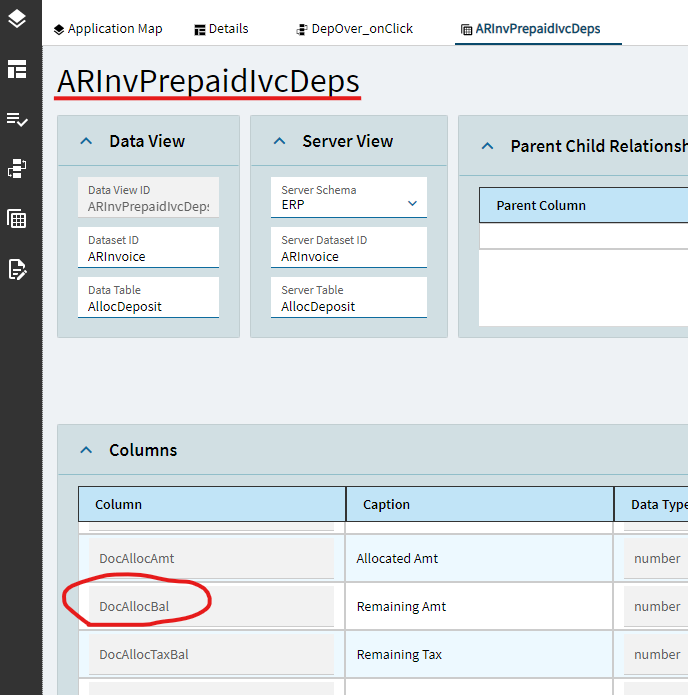
I can see the ARInvPrepaidIvcDeps dataview when I look at what’s available in Application Studio.

Can I replace this with a BPM, or do I need to write a Function?
I don’t have any previous experience with a dataview reference in a Function.
I tried some things out that were failing and getting me nowhere.

There doesn’t seem to be a way to make the foreach without C# that I can see.
Is that generally correct?

If I have a Function output value of a currency amount, I’m not clear on how to get that output shoved into an erp-currency-box.
I’m used to binding to the database field.

I assume the trigger for a Function should be when the InvoiceNum changes.
That looks like after the GetByID.

I’ve searched for a while on this site to educate myself.
I feel I lose on terminology.
I’m just not used to this stuff on a regular basis.

If anyone could provide the links on this site that is talking about what I need, I’m happy to build from that on my own.

I seek advice, not to get the work done for me.
I want to learn.

Here is the entire Script Editor code:

extern alias Erp_Contracts_BO_ARInvoice;
extern alias Erp_Contracts_BO_ARPromissoryNotes;
extern alias Erp_Contracts_BO_ARInvSearch;
extern alias Erp_Contracts_BO_ARInvcDtlSearch;
extern alias Erp_Contracts_BO_Company;
extern alias Erp_Contracts_BO_Customer;
extern alias Erp_Contracts_BO_Part;

using System;
using System.ComponentModel;
using System.Data;
using System.Diagnostics;
using System.Windows.Forms;
using Erp.UI;
using Ice.Lib.Customization;
using Ice.Lib.ExtendedProps;
using Ice.Lib.Framework;
using Ice.Lib.Searches;
using Ice.UI.FormFunctions;

public class Script
{
	// ** Wizard Insert Location - Do Not Remove 'Begin/End Wizard Added Module Level Variables' Comments! **
	// Begin Wizard Added Module Level Variables **

	private EpiDataView edvInvcHead;
	// End Wizard Added Module Level Variables **

	// Add Custom Module Level Variables Here **

	public void InitializeCustomCode()
	{
		// ** Wizard Insert Location - Do not delete 'Begin/End Wizard Added Variable Initialization' lines **
		// Begin Wizard Added Variable Initialization

		this.edvInvcHead = ((EpiDataView)(this.oTrans.EpiDataViews["InvcHead"]));
		this.edvInvcHead.EpiViewNotification += new EpiViewNotification(this.edvInvcHead_EpiViewNotification);
		// End Wizard Added Variable Initialization

		// Begin Wizard Added Custom Method Calls

		// End Wizard Added Custom Method Calls
	}

	public void DestroyCustomCode()
	{
		// ** Wizard Insert Location - Do not delete 'Begin/End Wizard Added Object Disposal' lines **
		// Begin Wizard Added Object Disposal

		this.edvInvcHead.EpiViewNotification -= new EpiViewNotification(this.edvInvcHead_EpiViewNotification);
		this.edvInvcHead = null;
		// End Wizard Added Object Disposal

		// Begin Custom Code Disposal

		// End Custom Code Disposal
	}

	private void edvInvcHead_EpiViewNotification(EpiDataView view, EpiNotifyArgs args)
	{
		// ** Argument Properties and Uses **
		// view.dataView[args.Row]["FieldName"]
		// args.Row, args.Column, args.Sender, args.NotifyType
		// NotifyType.Initialize, NotifyType.AddRow, NotifyType.DeleteRow, NotifyType.InitLastView, NotifyType.InitAndResetTreeNodes
		epiNumericEditorPpdDepBal.ReadOnly = true;
		if ((args.Row > -1))
		{
			//ARInvPrepaidIvcDeps.DocAllocBal
			EpiDataView edvDep = oTrans.Factory("ARInvPrepaidIvcDeps");
			decimal depTotal = 0;
			foreach (DataRowView dr in edvDep.dataView)
			{
				depTotal += (decimal)dr["DocAllocBal"];
			}
			epiNumericEditorPpdDepBal.Value = depTotal;
		}
		else
			epiNumericEditorPpdDepBal.Value = 0;
	}
} ```
1 Like

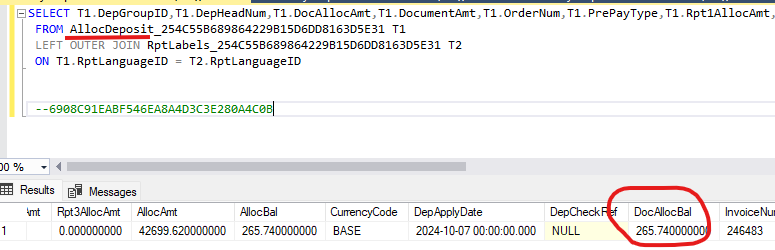
The AR Invoice print shows me what I’m chasing.

But This is not a Table I can find - AllocDeposit

Hats off to you! This is no easy undertaking. But you have come to the right place.

You are on the right track with functions. You can have custom code (C#) inside a function. The main difference is that instead of outputting to a control like epiNumericEditor… you send it to the output variable of the function.

Yes, you will need an event and trigger in App studio to pull the value from your function and plop it into a text or numeric box. Use a function widget, and a row-update widget in the event. Setting the fields for these can be tricky.

Check out our work in this thread Add File to Line Comments in PO Entry - Kinetic ERP - Epicor User Help Forum

Good luck!

2 Likes

Well I’ve been trying to work through this.
I’m building the Function to get my total of “DocAllocBal” from ARInvPrepaidIvcDeps
I don’t know how to reference this.
I even went to ChatGPT.

Here is where I’m stuck with the ChatGPT offering in the Custom Code Block:

int Balance = 0;  // Initialize Balance to 0

// Check if invoiceNum is valid
if (invoiceNum <= 0)
{ 
    Balance = 0;  // No further processing if the invoice number is invalid
}
else
{
    // Assuming you're customizing the AR Invoice Entry screen
    // Access the ARInvPrepaidIvcDeps data view from the screen's dataset

    // Example: 'ARInvoiceEntry' is the screen name, and 'ARInvPrepaidIvcDeps' is a data view or control
    var deps = this.UDS.ARInvPrepaidIvcDeps.Where(dep => dep.InvoiceNum == invoiceNum);

    // Sum the DocAllocBal values if any records exist, else set to 0
    Balance = deps.Any() ? deps.Sum(dep => dep.DocAllocBal.GetValueOrDefault()) : 0;
} 

That gives this error:
CS1061 ‘ThisFunction’ does not contain a definition for ‘UDS’ and no accessible extension method ‘UDS’ accepting a first argument of type ‘ThisFunction’ could be found (are you missing a using directive or an assembly reference?)

Can anyone offer a better solution?

I don’t have a better solution. I use gpt all the time for this kind of stuff. It can quickly send you down a rabbit hole. However, we can get to a good result with the right questions.

I don’t have prepaid Invoice Deposits to check against, but this code might get you closer. The main difference is that we are targeting the same tables that ARInvEntry uses to calculate the deposits. We try to calculate the deposits from the tables rather than from the dataset. This might be another red herring.

int Balance = 0;
string company = "YOURCOMPANYHERE";

// Only run if valid invoice number
if (invoiceNum > 0)
{
    using (var db = Ice.Services.ContextFactory.CreateContext<ErpContext>())
    {
        // Query ARPrepayAlloc for allocations linked to the given invoice
        var allocs = from alloc in db.ARPrepayAlloc
                     where alloc.Company == company
                           && alloc.InvoiceNum == invoiceNum
                     select alloc.DocAllocBal ?? 0m;

        // Sum up all balances
        decimal total = allocs.Any() ? allocs.Sum() : 0m;

    }
}
else
{
    Balance = 0;
}

Make sure your input parameter to the function is an int(InvoiceNum), and the output is a decimal (Balance).

1 Like

Functions are great and everything but if the data is already in a client-side dataview, and you simply want to sum the rows for display purposes, you could do so client-side like so:

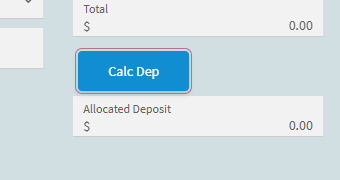
Add a button (because you need a trigger)
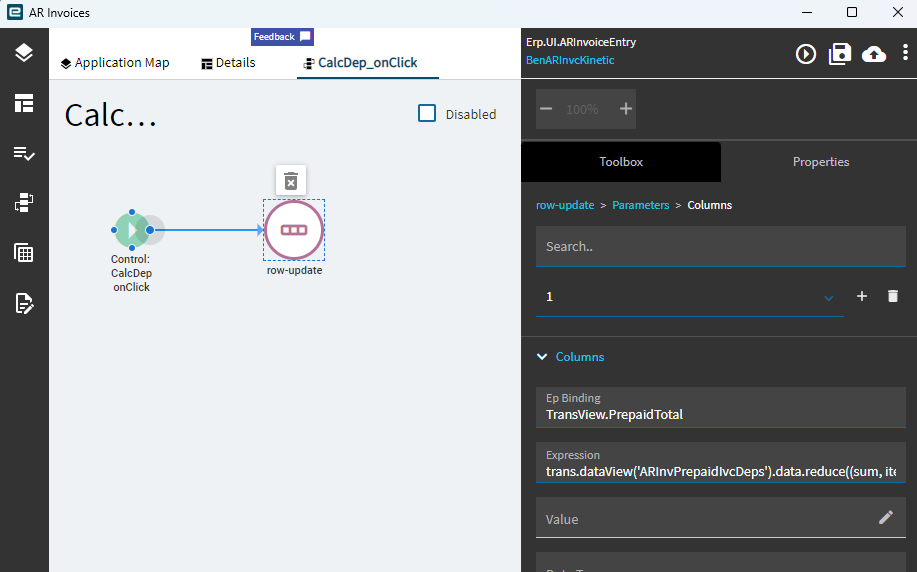
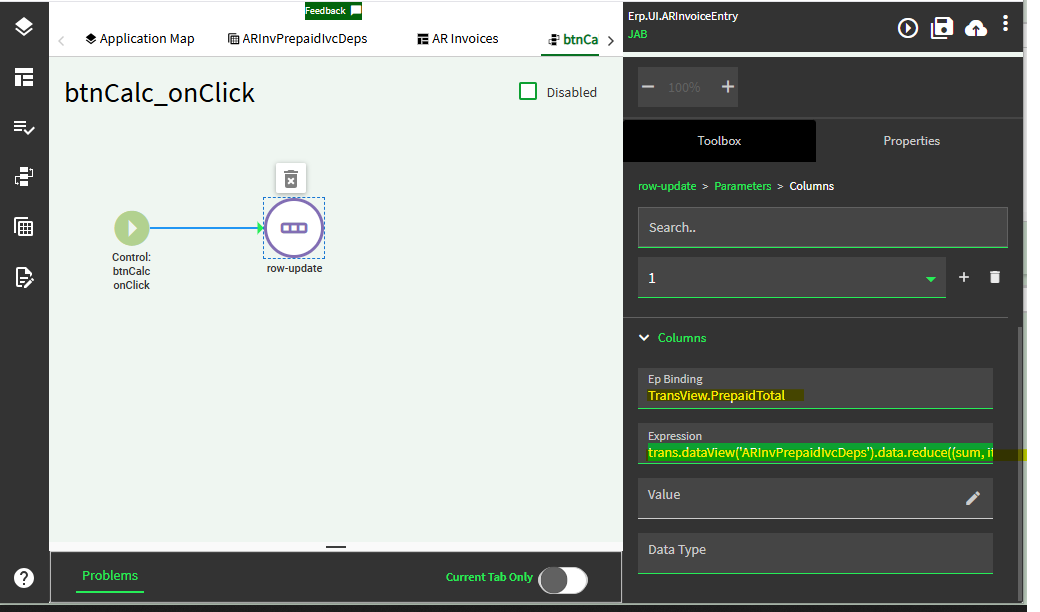
in Onclick event use row-update action
to set TransView.PrepaidTotal
with expression:

trans.dataView('ARInvPrepaidIvcDeps').data.reduce((sum, item) => sum + item.DocAllocBal, 0)

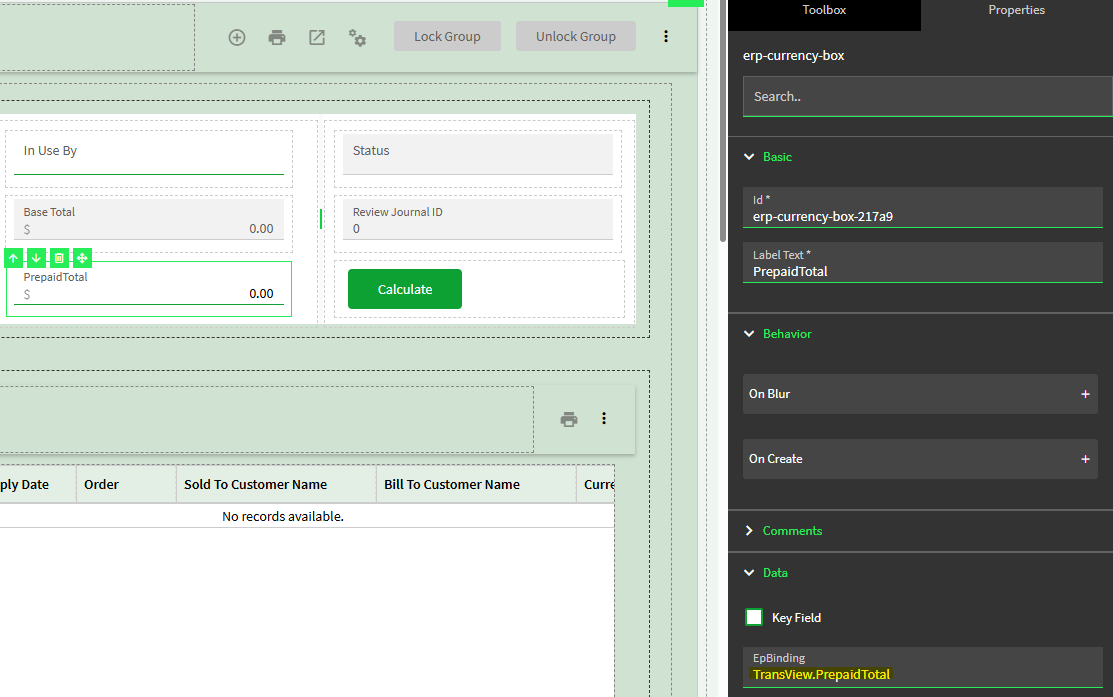
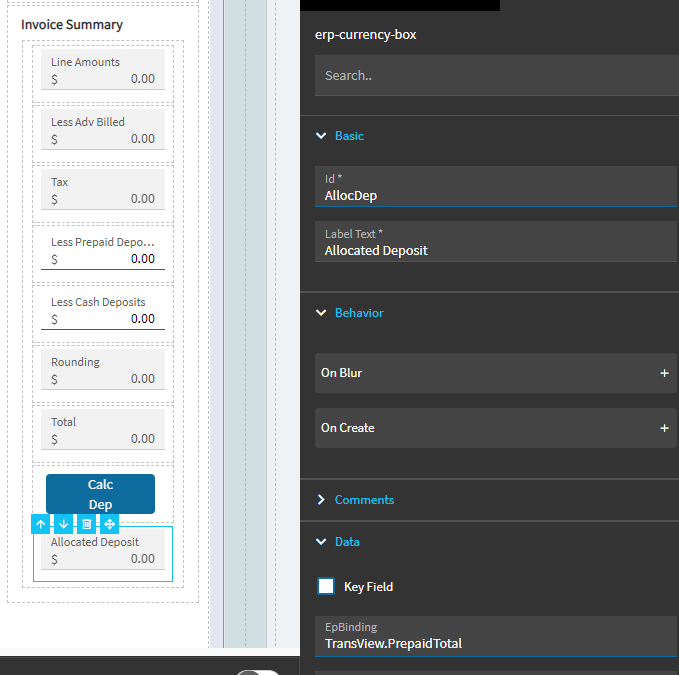
Add the Currency Box and bind it to TransView.PrepaidTotal

Done.

5 Likes

Josh,
Thanks for your time.

I tried to follow your details.

Button is made - row-update added - onClick filled

Currency box - EpBinding as you detail.

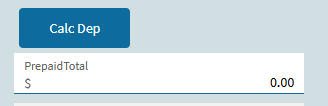
But when I open an Invoice in Test that I know has overpayment, nothing happens when I click the button:

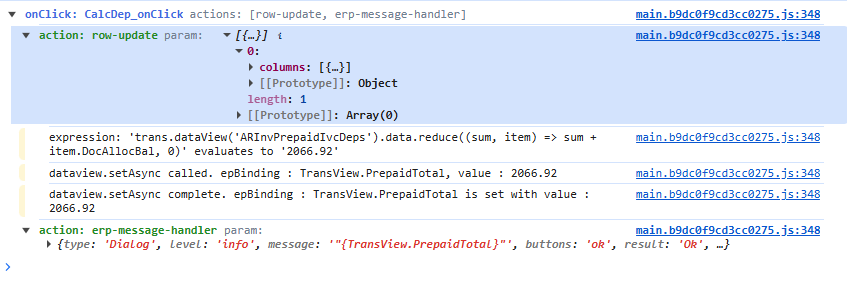
I added a message for testing:

I guess the math is working.

I’ll refocus on the Currency Box.

1 Like

Hi Ben,

I don’t seem to have Prepaid Totals so the expression is going off what I see on your post and I cannot prove it. Please confirm:

Your dataview is indeed named: ARInvPrepaidIvcDeps
and the field is named: DocAllocBal
and that there is data in the view.

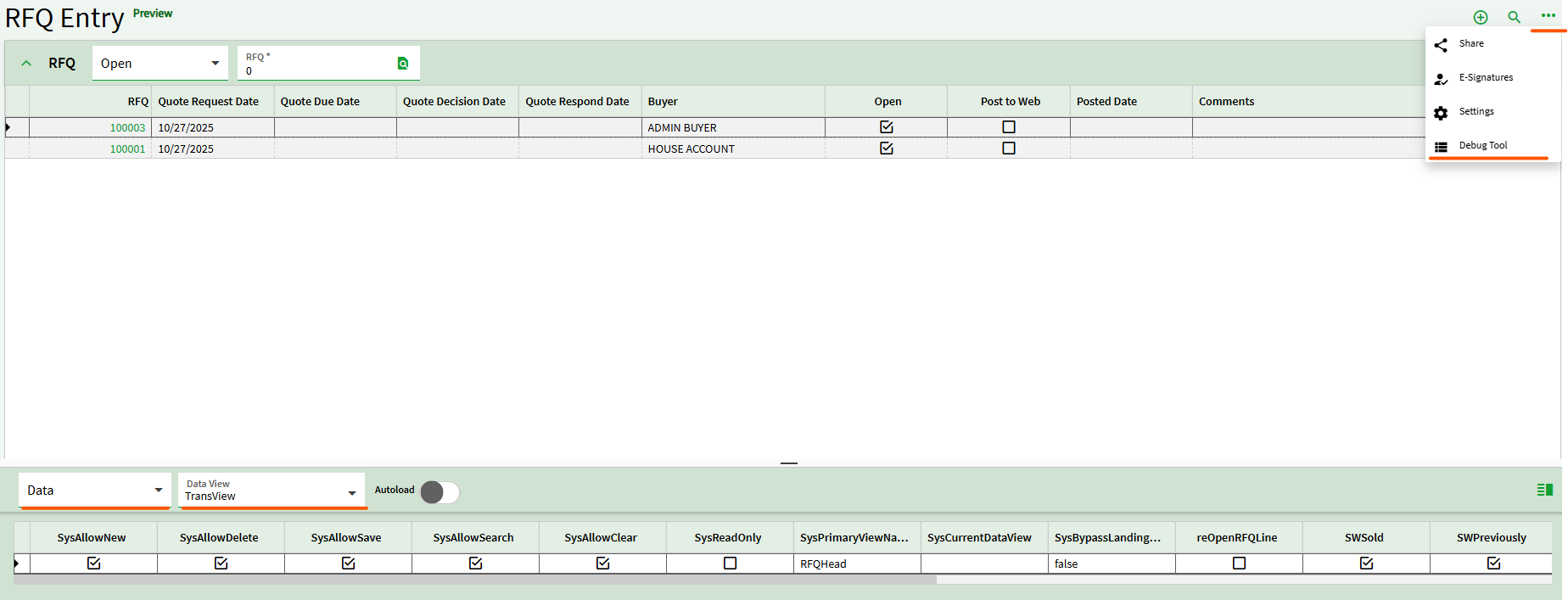
You can do that by previewing and choosing Debug Tool then Data > ARInvPrepaidIvcDeps and see that there are rows with DocAllocBal values in there

1 Like

Looks good now prove there’s data in there at runtime preview.

You can do that by previewing and choosing Debug Tool then Data > ARInvPrepaidIvcDeps and see that there are rows with DocAllocBal values in there

Looks good and I see you were able to prove the calc in a msgbox. Next I’d look in TransView dataview to prove the result lands there as it should. Lastly, look in your browser console for errors. Hint: Preview > then Debug tool > then F12 > then press the button. What do you see in the console?

PS - are you expecting 2066.92 or 1058.90?

I’m expecting $1058.90.

What am I looking for in Transview?

Good. That’s what you should see in TransView .PrepaidTotal after button click.

Curious, do you happen to know if there are ever more than one row in ARInvPrepaidIvcDeps? I thought your we’re doing this on the Landing Page so summing up many rows was a requirement, but if not then you don’t need the calculation you can simply bind your currency box to ARInvPrepaidIvcDeps.DocAllocBal instead of TransView.PrepaidTotal.

We have some Contract orders that will have more than one deposit.

This one only has one, that I setup in Test.

1 Like

So everything is apears to be working except you still see a zero in the currency box, correct?

That’s correct