Yes it will override. You’d have to change the line numbers from the duplicated lines in Excel before you paste them in the first time.
OK. So once there are line items in there with numbers, you can’t just update them in Excel and paste them back into Epicor using Past Update and have them then be in the correct order?
Sorry for all the questions, we don’t have a lot of training materials for Epicor and I seem to be the only one right now looking for shortcuts to make things easier. Sounds like I will be getting trained in as the SME for Epicor due to me inquiring about all the things we aren’t using that are there.
This is still deleting one at a time, but if you are in list mode and have the delete confirmation off you can do space bar delete key over and over and delete a lot of lines quickly.
I find it’s dangerous for me to disable the delete confirmation 
One very underutilized functionality in Kinetic is the ability to create ALTERNATE PARTS in the part table. When you create an alternate, you can specify if the alternate is a substitute or a COMPLEMENTARY part.

the cool thing about COMPLEMENTARY is that you can enter the main part on a quote or sales order, enter a quantity, and then a button will highlight on the screen.
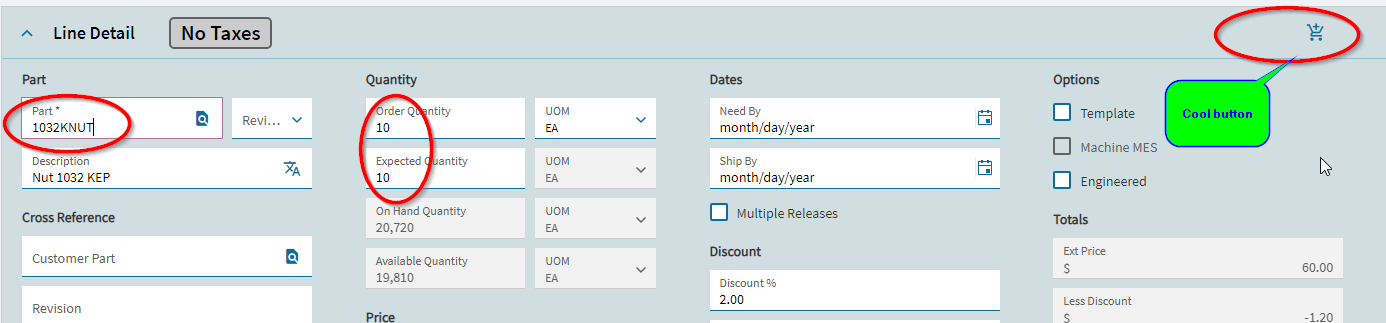
When you press this button, a new screen shows up with a list of alternate parts you can choose from… you can select all of them, with enter/change quantities, and press OK… at this point the system will automatically create the line items for all the alternates you chose.
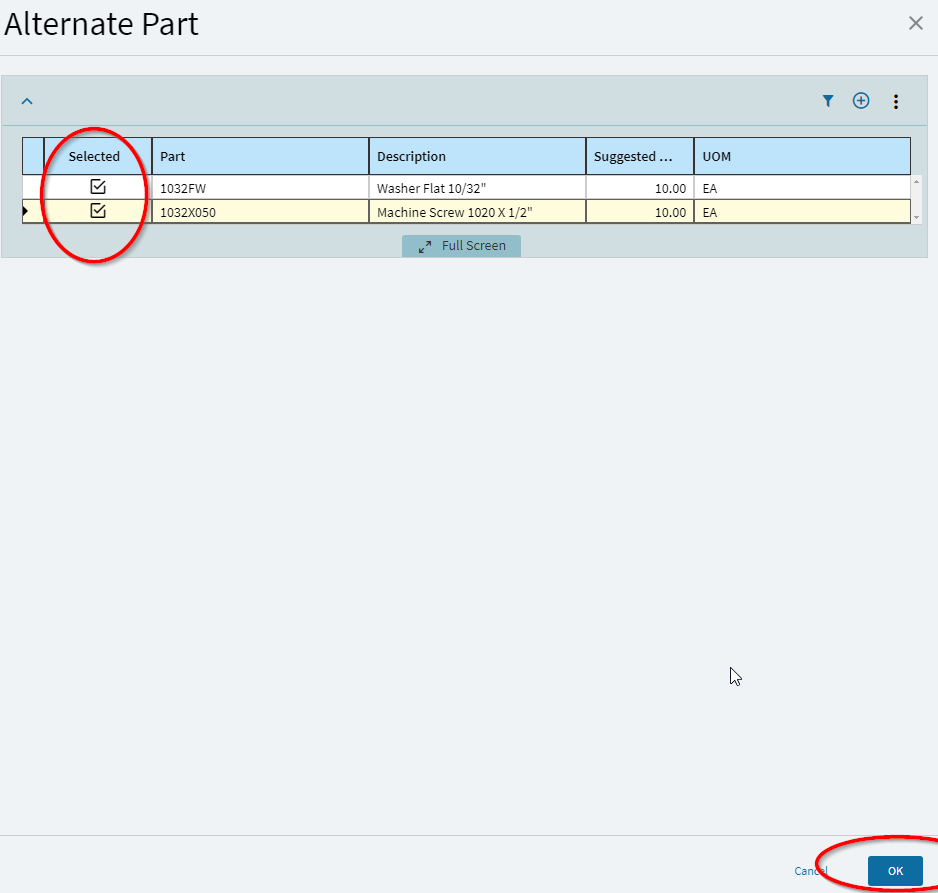
This may come in handy once we actually upgrade to Kinetic from V 10.2.600
you dont need to upgrade to get this feature… it has been there since Vanage 8… my screenshots were from Kinetic, but you can do the same thing in the old versions.