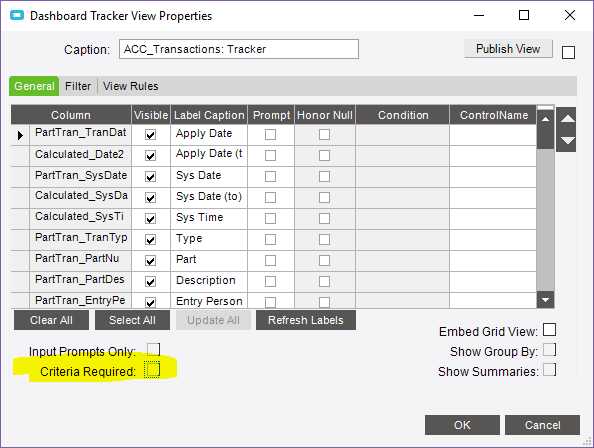
Criteria Required - grayed out in dashboard Tracker properties

Occasionally I run into this being unavailable (grayed out); see highlight in pic.

Typically if I delete the tracker and re-add, it’s available again. Not ideal, but it usually works.

But not today. I just now created the dashboard. I even closed and reopened Epicor. No dice.

Any thoughts?

image

Did you Customize the Tracker? Even just moving the Tracker fields around.

1 Like

Nope. I created it moments before the screenshot.

Once you create a tracker without checking that box, you cannot go back and check it. Delete the tracker and add it back and make sure to check that box before continuing.

Also, I noticed you dont have any prompt’s selected. You have to have at least one prompt to allow that check box.
3 Likes

Wow. That was it. Yeah, I need to have a prompt in order to require it. :man_facepalming:

I’m going to assume I tried other things first and hope to save face here…yeah I’m failing.