Dashboard Refresh after tab out of EpiTextBox

I created a dashboard and would like it to refresh after a tab out of the EpiTextBox.

I created a Leave event like this.

    private static void txtOrderDtl_PartNum_Leave(object sender, System.EventArgs args)
    {
       System.Reflection.MethodInfo methInfo = DBTVP_b46d4703_b1ad_485c_8e8c_5909d4f5f27d.GetType().GetMethod("RefreshDB", System.Reflection.BindingFlags.Instance | System.Reflection.BindingFlags.NonPublic);

        if ((methInfo != null))
        {
          methInfo.Invoke(DBTVP_b46d4703_b1ad_485c_8e8c_5909d4f5f27d, null);
        }
	}

When I go to “Test Application” of the Dashboard Deploy I get the error:
The name ‘methInfo’ does not exist in the current context

How can I refresh after a tab out of a field on the dashboard.

Use this code instead.

MainController.AppControlPanel.HandleToolClick("RefreshTool", new 
Infragistics.Win.UltraWinToolbars.ToolClickEventArgs(MainController.MainToolManager.Tools["RefreshTool"], null));

Hi @maverick
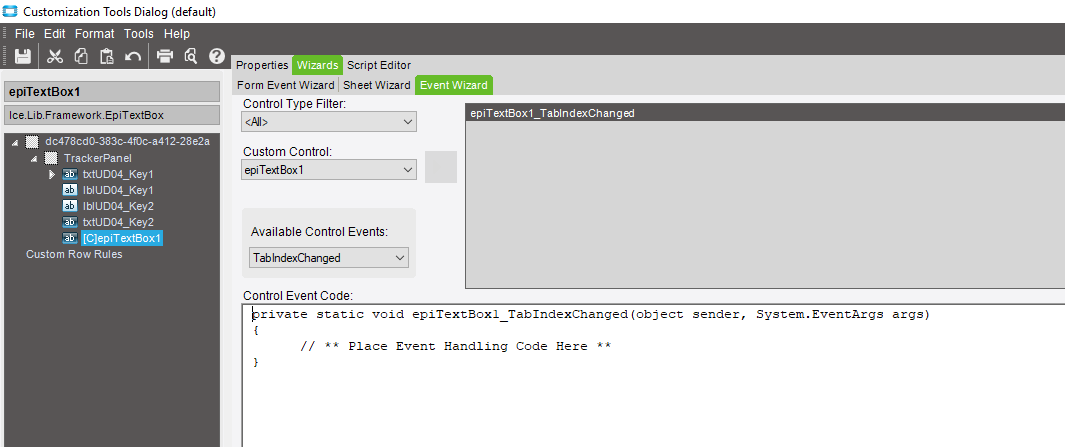
have you tried this event on your EpiTextBox

Are you trying to do this before you deploy it? You can’t do this in the runtime. You have to deploy it first, then do a customization on the deployed dashboard. Sorry I didn’t catch that first.

This is done before I deploy. What can be used once it is deployed?

After it’s deployed, you can get the (mostly) full suite of customization tools. Pretty much just like a regular form. There a few exceptions, but I haven’t really run into them. Most of the limitation’s are convenience in that the regular forms are already populating temporary tables. But that’s way down the road of complexity.