Hello All. This is my first post so if I am in the wrong spot let me know…
I have created an SSRS (From BAQ) report to auto print using a Data Directive with some criteria. The goal is to Print an SSRS tag for each time an employee ends a labor in the work queue. It works 90% of the time. 5% of the time the labor qty printed is 0 instead of X quantity. 5% of the time no ssrs report is generated at all.
I am unable to figure out what the problem is, and when I try to make the DD fail in our pilot environment I am unable to do so because it works 100% of the time. Even if I end labor for 15 jobs at once, I will get 15 perfect tags (takes about 30 seconds to generate of course).
I have attached the method I used to set up the DD autoprint, and also my ssrs report in case I am missing something there.
WorkQueueTagPrintingDataDirective.pdf (660.8 KB)
DrewTag.rdl (42.0 KB)
I think I’ve had issues with chaining inner and outer joins sometimes in BAQ’s. When I make this query to test with in my system, it times out for some reason. Could be something to do with indirect labor records mucking up the join to jobasmbl.
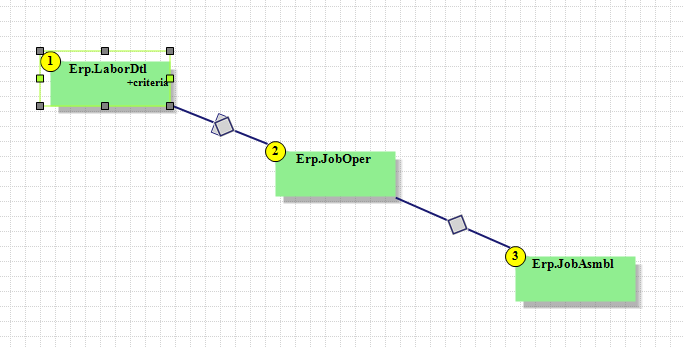
If I switch both joins to either both outer or both inner, the query runs almost instantly.
You could try changing those joins around to see if that helps.
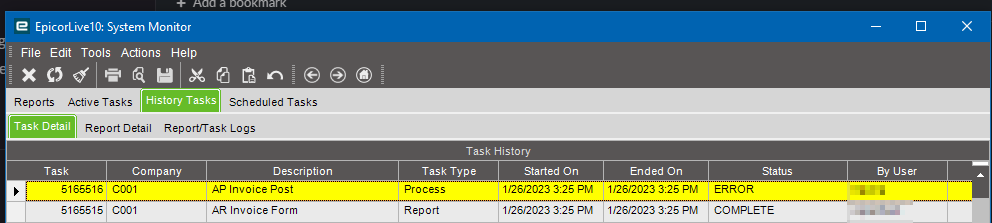
Thanks for looking in to it. I am going to make the BPM ignore indirect, and filter out indirect on the BAQ. Maybe that will help things move in the right direction.
I do, and the error shows “No record selected”. From what @Asz0ka said that could be the indirect labor records not having a job number.
Sounds like the culprit! Are you trying to print tags for indirect or just direct?
Just for the Direct. I wonder if the quantity of people triggering the BPM could be an issue as well. We have 15 kiosk stations running MES at once.
If you don’t want indirect, there is no reason to have that be a left join. Make that an inner join, and it will probably help. You are probably getting empty(ish) rows because of that and it’s causing problems.
That makes sense, I am making the change to the BAQ. What do you think about the “production” labor records having quantity mismatch? Even the 5% bad tags have Job/Part/Employee/Ass Correct every time. I don’t know that much about Epicor’s WIP process on job operations but wondered if that could be something affecting this.
I mean, @jgiese.wci s favorite saying is Epicor WIP is garbage…
You could have a race condition going on, depending on where you put the trigger for your data directive. Are you sure there aren’t any labor records with 0 on the quantity? They don’t need to but a quantity in there when they end activity.
We do have times where Employees log 0 quantity, like when doing a setup labor entry. I put a condition on the DD BPM for running when LaborQty >= 1. Sometimes the tag details are all correct except the employee reported 50 pieces and the tag shows 12.
I was able to resolve the issue by doing the following.
1.Created a additional “Option” on BAQ report designer for the tag, using a label from the tag instead of a field.
2.Within the Data Directive BPM, have the choosen label replaced with the quantity of “labordtl.laborqty”.
Problem solved, tags are 100% correct and generate way faster. Sometimes I find the best solution to issues in epicor are loopholes. I don’t know if that’s a good thing…